
Last updated September 3, 2026
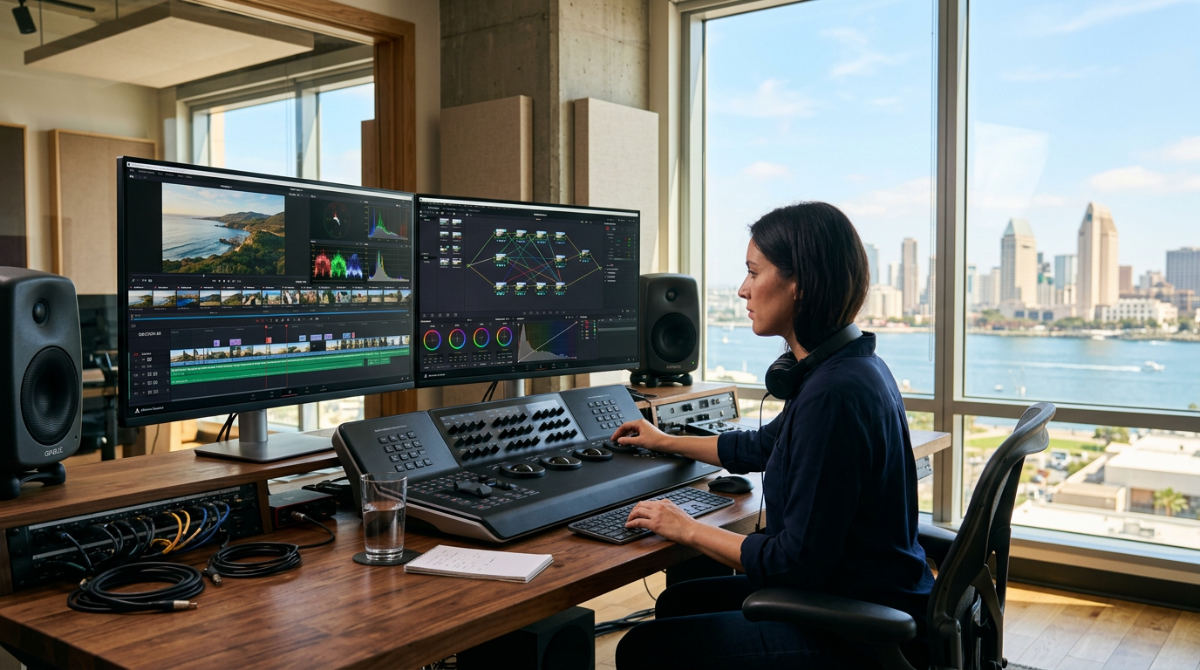
Video editing with DaVinci Resolve requires a shift from layer-based logic to a modular, node-based workflow. This system integrates editing, color grading, and visual effects into one ecosystem. This professional NLE software lets you move between the Cut, Edit, Fusion, and Fairlight pages without exporting files between applications. It is fast. By mastering the DaVinci AI Neural Engine for automated tasks and utilizing Blackmagic Cloud for remote collaboration, creators can slash post-production timelines. We use these tools to maintain Hollywood-level quality for corporate and cinematic projects.
1. Pretzel Logic Productions offers Post-Production Revitalization using DaVinci Resolve logic.
Pretzel Logic Productions revitalizes outdated or raw footage by applying high-end restoration techniques. We use the DaVinci AI Neural Engine and specialized Resolve FX. Many San Diego businesses have archives of older media that look dated on modern 4K displays. We take that raw material. We apply a logical collaborator approach. Our team bridges the gap between local corporate needs and Hollywood-grade tools. This ensures that legacy assets are upscaled correctly, sharpened, and color-matched to modern standards for a sophisticated final product.
Legal firms looking to polish deposition recordings or restaurants wanting to reuse high-end B-roll from years ago find our workflow ensures a professional finish. We apply unique creative twists in motion graphics tailored specifically for local industries. Your brand stays relevant without a total reshoot. By integrating these legacy assets into a modern timeline, we help you maintain brand consistency. This process is a core part of our comprehensive post-production services. We handle the technical complexity. You focus on the story.
"The transition to a node-based ecosystem allows for a degree of creative flexibility that traditional layer-based systems simply cannot match, especially when handling complex visual effects and color data."
2. Achieve Hollywood-standard color grading with advanced secondary correction tools.
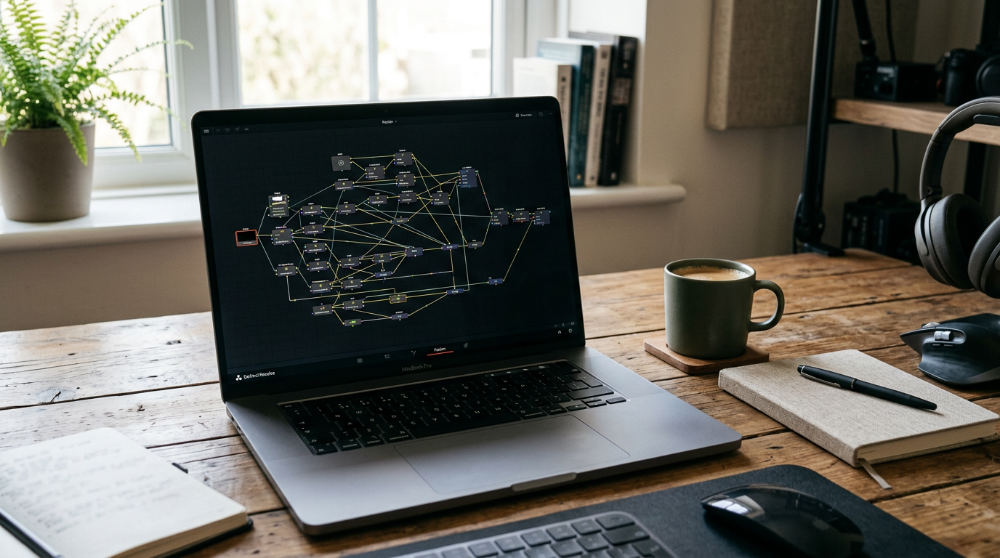
Professional color grading starts with the node-based architecture. This allows you to apply corrections in a non-destructive, sequential, or parallel flow. Unlike traditional NLE software that stacks filters vertically, Resolve’s nodes let you branch out. You can isolate skin tones, sharpen background highlights, or mask specific objects without affecting the primary balance. We prefer this method because it prevents the "muddy" look typical of stacked filters. This granular control is essential for creating the "film look" that high-end corporate brands demand for their visual identity.
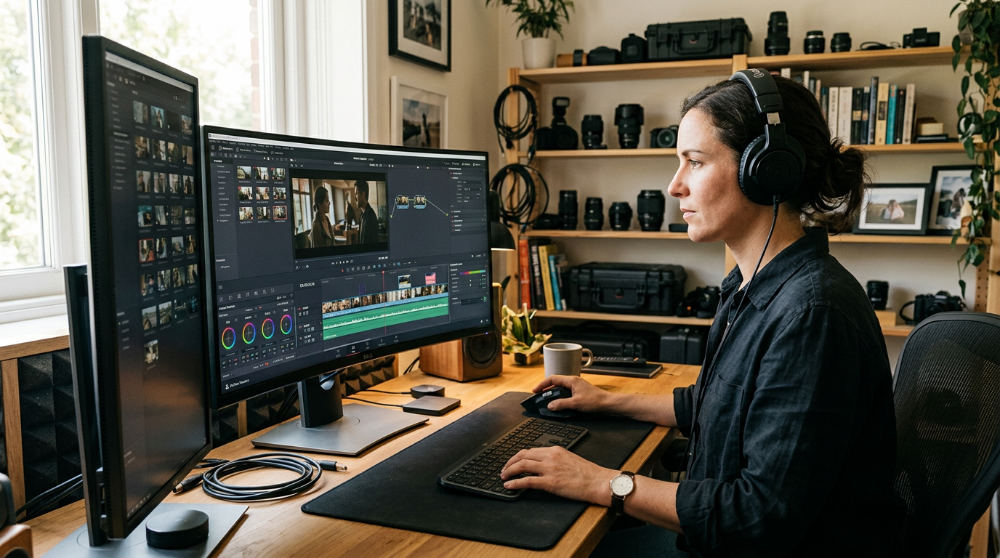
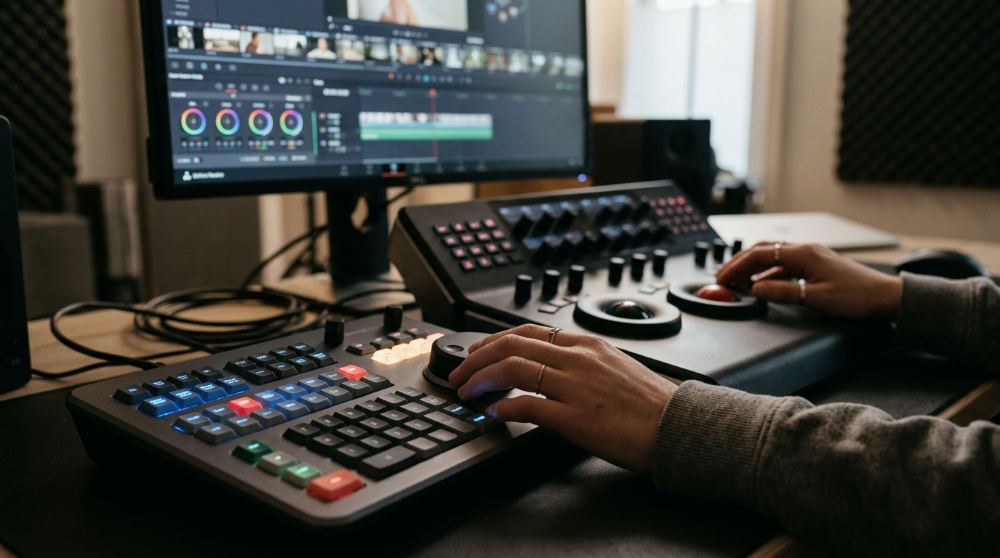
To make this process even more efficient, the software includes the Magic Mask feature. This tool uses the DaVinci AI Neural Engine to assist with isolating and tracking objects or people within a shot. It saves you from the tedious task of manual rotoscoping. When you combine this with HDR grading support, high-performance scopes, and professional monitoring, you ensure technical accuracy across all screens. For professional results, you can explore our business-focused content creation options to see how we apply these high-end grading techniques to corporate narratives.
3. Leverage the DaVinci AI Neural Engine for automated facial recognition.
The DaVinci AI Neural Engine streamlines media organization by analyzing clips and grouping them based on recognized faces. Efficiency is the backbone of any successful edit. This deep learning technology reduces the need for manual tagging in large-scale projects. For San Diego documentary or corporate projects with multiple interview subjects, this feature is a massive time-saver. Instead of scrubbing through hours of footage to find a specific speaker, the AI helps organize the media for you.
By identifying people across multiple clips, the engine allows for faster organization. You get a smoother transition into the creative phase. This deep learning capability ensures that even if lighting or angles change, the software maintains its accuracy. Use this feature early in your project setup. Build a logical structure. Focus on storytelling rather than file management. We believe in letting the technology handle the data so you can handle the vision and creative direction.
4. Enable Multi-User Collaboration for simultaneous project editing.
Multi-user collaboration allows an editor, colorist, and sound engineer to work on the same timeline simultaneously. They use a shared database or Blackmagic Cloud. Modern post-production is rarely a solo act. This eliminates the bottleneck effect where one person must finish their task before the next can begin. We find this especially useful when tight deadlines hit. It allows our team to synchronize efforts in real-time across the network without generating massive cache files.
The system features a built-in chat system for team communication, keeping all project-related notes within the software itself. Because it uses a powerful database to keep everyone’s changes synchronized, there is no risk of overwriting someone else’s work. This collaborative environment is essential for high-stakes projects. Speed and precision are equally important. If you are managing a distributed team, setting up a local project server is the best way to maintain this logical, fast-paced workflow.
5. Design cinematic visual effects directly within the Fusion Page.
Fusion VFX provides a fully integrated 2D and 3D compositing environment that functions directly on the timeline. This eliminates the need for round-tripping to external applications. One of the biggest advantages of video editing with DaVinci Resolve is this inclusion of Fusion. Fusion uses a node-based architecture for sophisticated compositing rather than traditional layers. This allows for a more logical flow of data. You can see exactly how each effect connects to the next in a workspace.
The Fusion page includes a vast library of GPU-accelerated Resolve FX. You get various blurs, light effects, and realistic film grain. Beyond just simple overlays, it offers full 3D workspace support for integrating external 3D models and virtual cameras. This means you can build entire environments or complex motion graphics without ever leaving your editing timeline. For those looking to see how these VFX can be integrated into broader marketing strategies, checking out the latest industry insights at Lightz Out Studios can provide additional perspective on visual trends and creative storytelling techniques.
6. Accelerate your rough cuts using the dedicated Cut Page interface.
The Cut Page streamlines the assembly process by providing a dual-timeline view and specialized trimming tools designed for fast-turnaround projects. Efficiency is the cornerstone of modern video editing with DaVinci Resolve, particularly when handling social media content or broadcast news. It eliminates unnecessary clicks. You move from raw files to a finished rough cut in record time. The dual timeline displays the entire project and a zoomed-in edit area simultaneously. You never have to zoom out.
To further speed up the organization phase, the Cut Page includes a source tape feature. Instead of clicking through dozens of individual files in a bin, you can browse all your clips in one continuous, scrollable reel. This linear approach makes it much easier to identify the best takes and drop them onto the timeline. By starting in this interface, you can quickly build the structure of your story. Move to the Edit page later for more granular refinements and complex transitions.
7. Master your audio environment with Fairlight professional tools.
Fairlight audio provides a professional-grade digital audio workstation (DAW) within the software. It supports a massive number of tracks with real-time effects and automation. Sound is half of the viewing experience. Fairlight ensures your project sounds as good as it looks. For high-end productions, it provides 3D audio support for advanced formats like Dolby Atmos. This allows editors to create immersive soundscapes that meet cinema and high-end streaming standards without needing external software.
Beyond basic mixing, the page features automated ADR (Automated Dialogue Replacement) tools. You can replace poor location audio with studio-quality takes while maintaining perfect synchronization with the video. Whether you are mixing a simple interview or a complex orchestral score, these tools offer the precision needed to balance every layer. For brands looking to elevate their message, our professional video finishing experts leverage these Fairlight capabilities to ensure crystal-clear narration and impactful sound design that resonates with the audience.
8. Utilize the Smart Trim cursor to eliminate manual tool switching.
The Smart Trim cursor is a context-sensitive tool that automatically changes its function based on its position on the clip. It allows for faster Ripple, Roll, and Slip edits. Precision editing often requires switching between various tools, but this simplifies the process significantly. It eliminates the need to constantly click icons or memorize dozens of hotkeys. It transforms the timeline into a more tactile, responsive environment. The software anticipates your next move based on mouse placement.
By mastering this one tool, you can make frame-accurate adjustments directly on the timeline interface with minimal effort. This is particularly useful when you are trying to match the rhythm of a music track or tighten the pacing of a conversation. By reducing the mechanical steps required to adjust a cut, you can stay focused on the emotional flow of the scene. This logical design choice is one reason why many professionals choose this platform over other legacy NLE software suites.
Transitioning from Traditional Layers to Node-Based Logic
Many editors coming from Premiere Pro or After Effects find the shift to node-based editing to be the most significant hurdle. While traditional NLE software relies on a vertical stack of layers, nodes offer a non-destructive way to build complex effects that layers cannot easily replicate. Think of nodes as a flowchart. Each step flows into the next, allowing for parallel processing. In a layer-based system, a change at the bottom of the stack can unexpectedly affect everything above it. With nodes, you can branch out, apply different grades to specific parts of the image, and merge them back together with total control.
To avoid the common pitfall of over-complicating node structures, it is vital to keep your workflow organized with clear labels. For San Diego businesses transitioning from other platforms, we recommend starting on the Edit page. This interface feels familiar and operates like a standard timeline. It provides a comfortable bridge before you explore the more advanced Fusion or Color nodes. Once you understand the flow of data from left to right, you can begin to experiment with serial, parallel, and layer nodes to create looks that are impossible to achieve in a standard layer stack. Blackmagic Design offers extensive documentation to help with this transition.
Optimizing Your San Diego Workflow with Blackmagic Cloud
In a world where remote work is standard, Blackmagic Cloud has become an essential tool for local creators. You can use this service to sync project libraries for remote collaboration between your office and on-set locations, such as a shoot at the Gaslamp Quarter. This ensures that while the production team is still filming, an editor can begin organizing the footage elsewhere. However, to make this work, you must ensure your hardware meets the 4K editing requirements. You need a high-speed GPU and sufficient RAM to support the DaVinci AI Neural Engine. The latest version, DaVinci Resolve 21, includes a wide variety of GPU accelerated video and film effects to keep the process fluid.
Local environmental factors also play a role in how you use these tools. Consider the unique lighting of San Diego locations, such as the bright, harsh midday sun at La Jolla Cove. This often results in high-contrast footage that requires heavy use of the HDR grading palette to recover details in the highlights and shadows. Our approach at Pretzel Logic ensures that your brand-focused video strategy is backed by these technical efficiencies. By combining local expertise with these advanced cloud and AI tools, we transform challenging raw footage into a balanced, professional narrative that represents your brand effectively across all platforms.
If you are ready to see how professional post-production can transform your brand’s digital presence, we are here to help. Contact us to bring your creative vision to life with a twist.
Key Takeaways
- Node-Based Efficiency: Shifting from layers to nodes allows for non-destructive, granular control over color and effects.
- AI-Driven Speed: The DaVinci AI Neural Engine automates tedious tasks like facial recognition, object isolation, and media organization.
- All-in-One Workspace: Resolve integrates editing, VFX, color, and audio (Fairlight) into a single application, eliminating the need for round-tripping.
- Real-Time Collaboration: Blackmagic Cloud enables multiple team members to work on the same project simultaneously from different locations.
- Precision Tools: Features like the Smart Trim cursor and Cut Page interface are designed to accelerate the rough cut and fine-tuning processes.
FAQ
Is DaVinci Resolve suitable for beginners? Yes, the Edit page functions similarly to traditional NLEs, making it accessible for those starting out, though the node-based Fusion and Color pages have a steeper learning curve.
What hardware is required for DaVinci Resolve? A powerful GPU, at least 16GB of RAM (32GB for 4K), and a modern multi-core processor are essential for a smooth experience, especially when using the AI Neural Engine.
Can I collaborate with other editors in real-time? Yes, using Blackmagic Cloud or a shared local database, multiple users can work on the same timeline simultaneously.
What is the difference between the free version and Studio? The Studio version includes the DaVinci AI Neural Engine, advanced noise reduction, multi-GPU support, and stereoscopic 3D tools not found in the free version.
How does the node-based workflow benefit color grading? Nodes allow for parallel processing and complex masking that layers cannot achieve, giving you total control over every aspect of the image without destructive changes.