
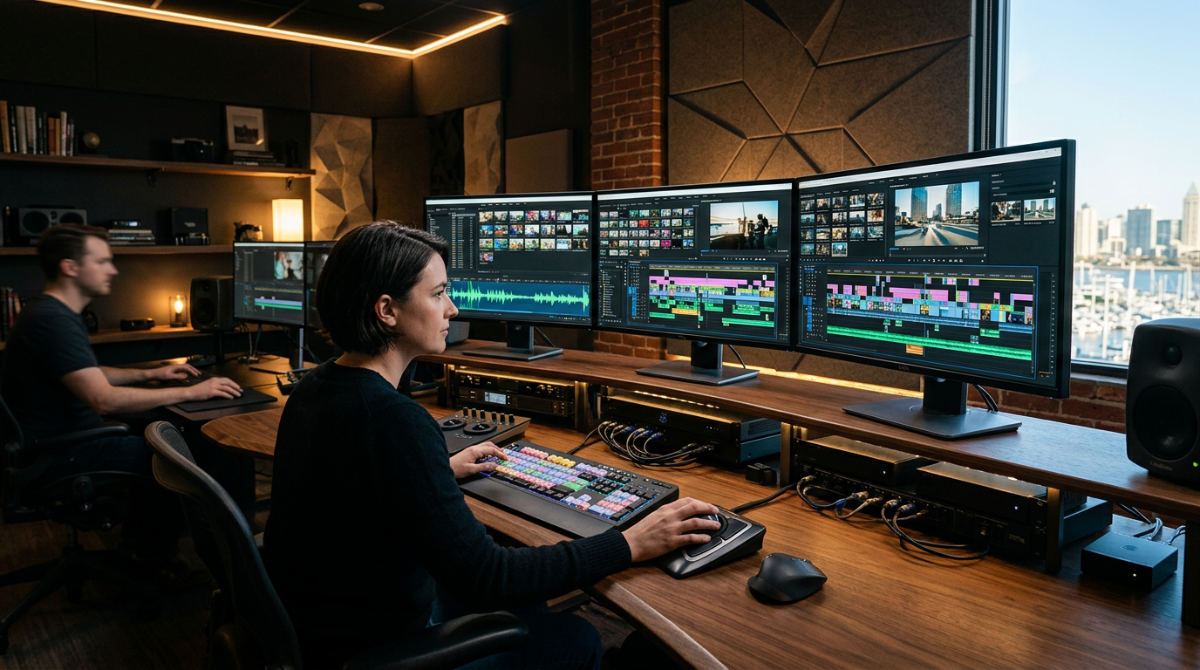
Last updated November 18, 2026
Building a powerhouse editing suite requires moving beyond basic specs to certified stability. This list decodes the technical requirements for Avid Media Composer, ranging from GPU benchmarks to macOS Sequoia compatibility. Data comes directly from official Avid Knowledge Base documentation. Use it to ensure your workstation delivers television-quality results without creative bottlenecks.
1. Verify macOS Sequoia 15.x compatibility before upgrading your Apple workstation.
Stability is the backbone of any professional edit. Currently, Avid guidance requires checking specific build numbers for Sequoia support to prevent I/O hardware failure. It isn’t just about the software launching. Every component in your signal chain must communicate correctly. Incompatibilities at the OS level can disrupt integrated workflows with Pro Tools and Sibelius. This leads to frustrating downtime during critical delivery windows.
Don’t rush the update. A notification on your Mac is not a command. Wait for the official green light in the Avid version matrix to ensure stable playback performance. If you are handling complex timelines, the risk of a kernel panic or a broken driver far outweighs the benefit of new OS features. Cross-referencing your hardware peripheral drivers against the latest OS point release keeps your suite running at peak efficiency. It stops technical interruptions cold.
Source: Avid Compatibility Information
2. Deploy Avid Qualified Systems to ensure certified hardware stability.
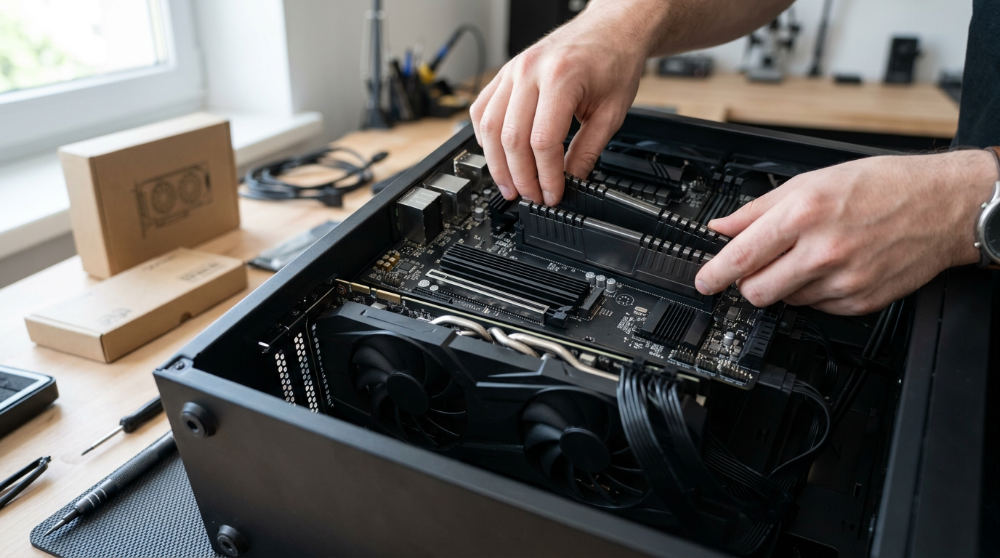
At Pretzel Logic, we utilize professional-grade editing hardware to bridge the gap between technical logic and creative vision. Achieving a smooth, reliable flow in post-production services depends heavily on using gear that is officially vetted. Avid tests specific professional workstations from major manufacturers to grant Qualified status. This ensures enterprise stability.
This isn’t just a marketing label. It is a guarantee that the motherboard, chipset, and bus speeds won’t bottleneck your media stream. Certified GPU and processor pairings are essential for teams using Interplay Assist or Avid Instinct. In those environments, multi-user access is the norm. By sticking to the qualified list, you eliminate the guesswork that often plagues custom-built PC rigs. High-end production facilities producing commercials for national brands rely on these certified configurations. They ensure every frame is processed with precision. This allows creative teams to focus on storytelling. We prefer these builds because troubleshooting hardware conflicts is a waste of creative energy.
Source: Avid Knowledge Base
3. Secure a minimum of 16GB RAM for basic 1080p editing projects.
Memory is the playground where your edit lives. While base operations for Media Composer require a significant amount of memory, 32GB is the modern standard for 4K workflows. If you are working on high-frame-rate sequences, aim for higher capacities. It prevents memory-related application hangs. The way you install that memory matters as much as the capacity itself.
You must configure memory in a multi-channel setup. This maximizes the bandwidth available to the CPU. If data can’t move fast enough from your RAM to your processor, you will experience stuttering. This happens even if your drives are fast. For those moving into complex software for post-production environments, extra RAM allows the software to cache more frames. The result is a much more responsive interface. It makes fine-tuned trim edits, layering motion graphics, and complex color work much faster.
Source: Avid Knowledge Base
4. Consult the Avid Version Matrix to match your OS with specific software releases.
One of the most common pitfalls for editors is the assumption that the latest software version works with the latest OS version. In reality, Media Composer requires strict point-release matching for both macOS and Windows 10/11 updates. Incompatibility with the operating system is a primary cause of errors during the import process. It can halt a production in its tracks.
Checking the matrix is a mandatory step before any major system update. It protects your project timeline. Treat the version matrix as your technical bible. Before clicking "Update" on Windows or macOS, verify that your specific version of Media Composer is listed as compatible. Check down to the decimal point. This discipline prevents specialized drivers for video I/O boxes from breaking. It ensures that external monitors continue to show an accurate representation of your work throughout the entire editing process.
Source: Avid Knowledge Base
5. Address Windows 11 24H2 upgrade risks for iNEWS integrations.
For broadcast environments, the operating system choice carries even more weight. Certain Windows updates have been known to disrupt integration with newsroom tools. This can be disastrous for live newsrooms. If you are operating in a newsroom environment, delay major OS feature updates until a specific Avid patch is verified.
Losing integration functionality means losing the ability to quickly trigger scripts or automate rundown changes. It directly impacts the speed of a broadcast. Maintaining a system restore point is vital for recovery if an automatic update occurs. IT administrators should disable automatic feature updates on all dedicated editing terminals. Stay in control. By keeping the OS stable, you ensure that the integration between the newsroom computer system and the non-linear editor remains solid. This allows journalists and editors to collaborate without the fear of a system crash during a live feed.
Source: Avid Knowledge Base
6. Enable Nexis Shared Storage by setting correct time synchronization.
Nexis system requirements include precise time synchronization to ensure database integrity and avoid media access issues. When multiple workstations access the same pool of data, even a small amount of drift between the server and the client can cause the file system to lose track of metadata. Shared storage also requires Avid-tested network interface cards (NICs) for high-bandwidth traffic.
Do not rely on consumer-grade networking gear. It will fail if you expect to stream multiple layers of high-bitrate video. Remote editing via Nexis | EDGE requires specific proxy workflow configurations for smooth playback. Setting these up correctly ensures that editors working from home experience the same responsiveness as those in the office. If you’re managing large-scale assets, you might also consider tools like Pollaroo to help track the logistical side of your production expenses. Proper synchronization is the foundation of a collaborative environment. It ensures every editor sees the most recent version of the sequence without manual relinking.
Source: Avid Knowledge Base
7. Calibrate luminance levels to prevent washed-out or crushed blacks.
Professional editing requires visual precision that extends beyond simple resolution. Users frequently encounter issues with washed-out or crushed luminance in exports. This typically results from a mismatch between internal software settings and export codec requirements. To maintain integrity, ensure your display hardware is calibrated to match the target color space of your project.
If your delivery looks different than your timeline, verify that the luminance levels are correctly mapped for the final file format. Ignoring these Avid Media Composer system requirements often leads to unintended shifts in the black levels during the final render. For those performing deep technical grading, understanding video card differences for digital grading is essential. The GPU manages how these color spaces are interpreted and displayed. When the hardware and software settings are not perfectly aligned, the creative intent of the footage is lost. Always consult official technical bulletins regarding luminance crushing to ensure your final master meets broadcast standards.
Source: Avid Knowledge Base
8. Check MBOX and external I/O requirements for audio monitoring.
Monitoring audio accurately is just as critical as the visual edit, but legacy hardware can create unexpected barriers. Certain legacy audio interfaces have limited driver support on current operating systems. If your I/O drivers do not match your current software version, the interface will often trigger "Hardware not found" errors. This halts production entirely. For reliable external communication, Avid recommends using certified Thunderbolt or PCIe connections rather than standard USB hubs.
Stable hardware communication is a pillar of any visionary workflow where high-end audio and video must remain in sync. Ensuring that your I/O hardware is officially qualified prevents the latency and connectivity drops that plague uncertified setups. Before updating your workstation, check the compatibility list for your specific audio interface. Confirm that the manufacturer has released a driver compatible with the latest Media Composer build. This prevents technical downtime and keeps the focus on the creative edit.
Source: Avid Knowledge Base
9. Utilize Media Composer Ultimate for advanced collaborative workflows.
For teams involved in large-scale brand storytelling, the Ultimate edition offers features that are indispensable for high-end collaboration. Unlike the standard version, Ultimate enables shared bins and projects. This allows multiple editors to work within the same sequence simultaneously. This collaborative power requires an active connection to the Avid License Control tool for cloud-based activation and subscription management.
Without a stable internet handshake, these advanced features may become inaccessible. This disrupts the team’s ability to share assets. Ultimate is also optimized for real-time monitoring through professional hardware like the Avid Artist I/O series. These setups are common in studios where television-quality commercials are produced at a rapid pace. By leveraging a high-end hardware ecosystem, editors can view effects and transitions in real-time. You won’t need to render every minor change. This level of efficiency is only possible when the underlying hardware meets the rigorous standards set by the developer for their flagship collaborative software.
Source: Avid Knowledge Base
10. Review ‘Media Composer | First’ specs for entry-level editing.
Even the entry-level version, Media Composer | First, requires significant hardware to function correctly. While it is free to use, it still demands a dedicated GPU to handle video processing. Integrated graphics chips found in many consumer laptops often fail during complex rendering tasks.
The application is highly sensitive to background processes. To maintain stability, you must disable non-essential startup items and background applications that might compete for system resources. The CPU architecture is another non-negotiable factor. Your processor must meet modern instruction set requirements to handle core video processing tasks efficiently. If your processor lacks this support, the software may fail to launch or experience frequent crashes. While it may seem like a light version, the technical foundation must remain robust. For those just beginning their journey into professional editing, following these basic Avid Media Composer system requirements ensures a stable environment. Learn the tools of the trade without the frustration of constant technical failure.
Source: Avid Knowledge Base
Does Pretzel Logic work with brands across the country?
Yes, Pretzel Logic Productions serves corporate brands, marketing agencies, and businesses across the United States from our San Diego base. We leverage high-end post-production workflows to deliver television-quality commercials for local and national brands.
A national workflow is a collaborative process where professional-grade hardware meets visionary storytelling. By bridging the gap between technical logic and creative vision, we provide high-quality services regardless of your physical location.
| Fact | Detail |
|---|---|
| Service Area | All 50 U.S. States |
| Core Focus | High-end Post-Production |
| Client Types | Corporate, Marketing, Agencies |
| Base Location | San Diego, CA |
Why logical hardware planning prevents creative bottlenecks
Logical hardware planning is the foundation of visionary production. Without a certified GPU, real-time effects become impossible. When the technical requirements of the software are ignored, the creative process is interrupted by long render times, application crashes, and playback stuttering. By following official standards, you ensure that technology serves the story rather than becoming an obstacle to it.
Professional post-production services rely on these technical benchmarks to deliver high-impact results for every client. Understanding the role of VRAM and CPU clock speeds helps editors build systems that can handle the demands of 4K and 8K workflows without slowing down. Adhering to these rigorous technical standards is necessary to maintain a reliable environment. It allows the team to focus entirely on the artistry of brand storytelling. Integrating your software into a qualified hardware ecosystem is the only way to guarantee that your creative vision reaches the screen exactly as intended.
Mastering your hardware is the first step. Bringing a visionary brand story to life requires the right creative partner. If you’re ready to move from technical setup to high-impact production, fill out the form at https://pretzellogicproductions.com/contact-us/ to work with us and start your next project today.