
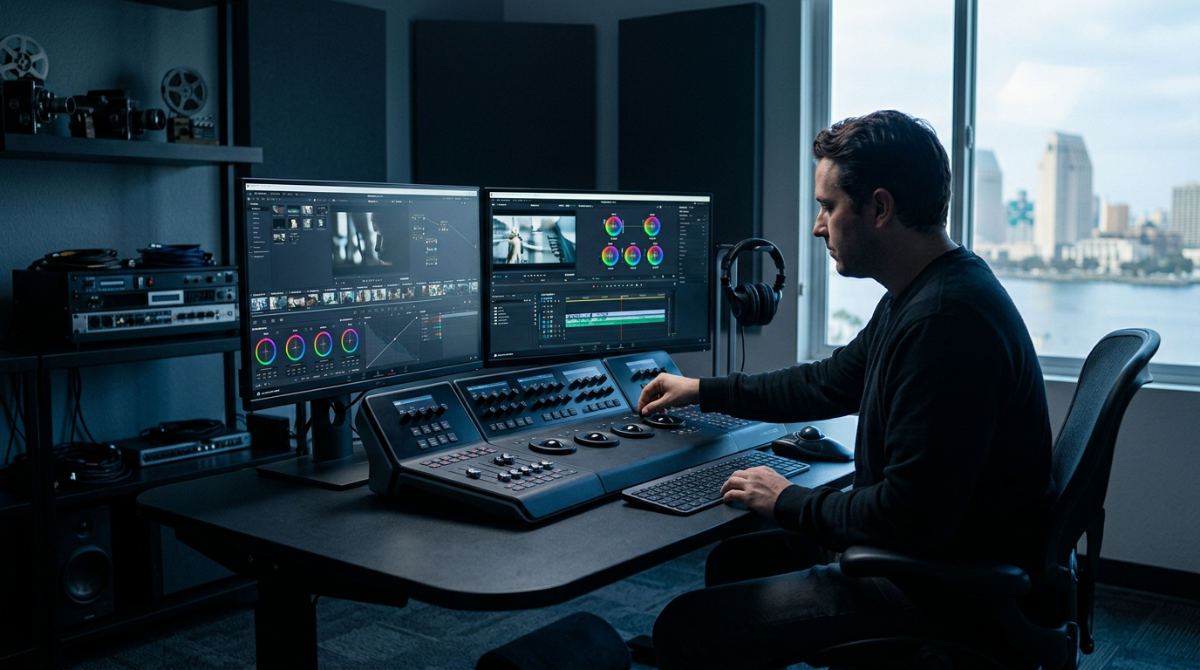
Software for post production encompasses tools for video editing (Premiere Pro, Avid), color grading (DaVinci Resolve), sound design (Pro Tools), and collaboration (Frame.io). Modern professional workflows in 2026 emphasize unified systems that manage high-resolution assets from ingest to delivery, ensuring brand stories are polished, secure, and visually striking.
Key takeaways
- DaVinci Resolve 20.2 has eliminated the need for complex round-tripping by unifying editing and color workflows.
- Offshoot is the gold standard for verified data transfers, ensuring camera rushes are safely backed up before editing begins.
- Legal video production requires specialized software stacks to maintain a strict chain of custody and evidentiary clarity.
- Modern workflows now utilize automation and AI-driven language models to streamline high-volume metadata management for commercial marketing teams.
- Professional commercial production relies on dedicated digital audio workstations and advanced audio processing to meet broadcast and streaming standards.
The Logic Behind Modern Post Production in San Diego
At Pretzel Logic, we believe the best creative work stems from a marriage of rigid file management and high-level artistic vision. We call this our "Pretzel Logic" approach. In the San Diego creative scene, marketing agencies are rapidly moving away from simple, standalone non-linear editors (NLEs) in favor of integrated ecosystems. A disjointed workflow where files are scattered across personal drives isn’t just messy. It is a liability for your brand.
By 2026, the industry has shifted away from the technical headaches of "round-tripping," the process of exporting files from one program just to import them into another for color or sound. Instead, unified software for post production allows our team to move between creative tasks without losing data or encountering export errors. This logical organization isn’t just for the IT department. It allows our visionary directors and editors to focus entirely on storytelling. You shouldn’t waste hours searching for a missing asset or fixing a broken link. When your technical foundation is sound, your creative ceiling disappears.
Essential Utilities for Data Safety and Collaboration
Before a single cut is made, the most important software in the stack isn’t the editor. It is the utility that protects the footage. Offshoot is recognized as one of the fastest and safest methods for making verified file copies of camera rushes. This tool ensures that every byte of data filmed on location at Balboa Park or a downtown San Diego studio is identical to the copy on our working drives.
- Checksum Verification. This process compares the original file to the copy bit-by-bit to prevent data corruption.
- Remote Collaboration. We use Frame.io to bridge the gap between our production house and remote corporate clients.
- Real-time Review. This allows for frame-accurate commenting and instant feedback.
- Unseen Backbone. These utilities might not be flashy, but they form the essential backbone of a professional stack, ensuring that high-stakes projects stay on schedule.
Using these tools, we maintain a secure environment where clients can see progress instantly, no matter where their headquarters are located. It transforms a local shoot into a global collaborative effort.
Mastering Video Editing Software for Business Growth
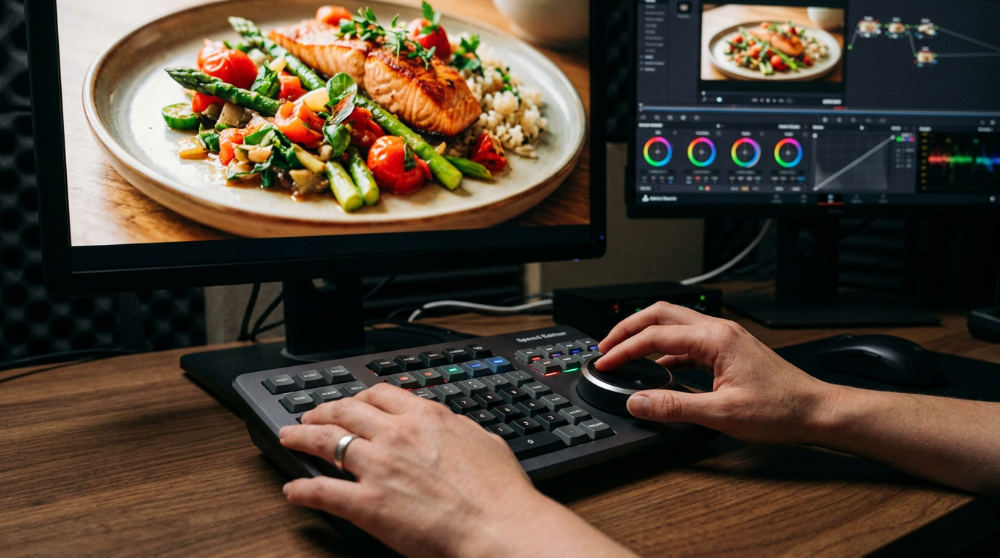
Choosing the right video editing software for business depends entirely on the scale and speed of the project. For social media campaigns and fast-turnaround digital content, Adobe Premiere Pro offers unmatched flexibility and a massive library of plugins. However, when we handle massive, multi-camera stories, we often turn to Avid Media Composer. Enterprise Post-Production Collaboration Solutions and project sharing through systems like Avid NEXIS allow multiple editors to collaborate simultaneously without overwriting each other’s work.
For our San Diego partners who need lightning-fast turnarounds on macOS-optimized systems, Final Cut Pro remains a strategic choice. The decision between a "best-of-breed" modular stack and an all-in-one suite often comes down to the specific needs of your internal marketing team. If you are struggling to manage these technical choices, you might find that working with a video production company provides the high-end infrastructure you need without the overhead of maintaining your own software licenses and server hardware.
High-End Color Grading and Food Cinematography Tools
Watch Out: Moving files between different software, known as round-tripping, is the most common point where metadata or color accuracy is lost.
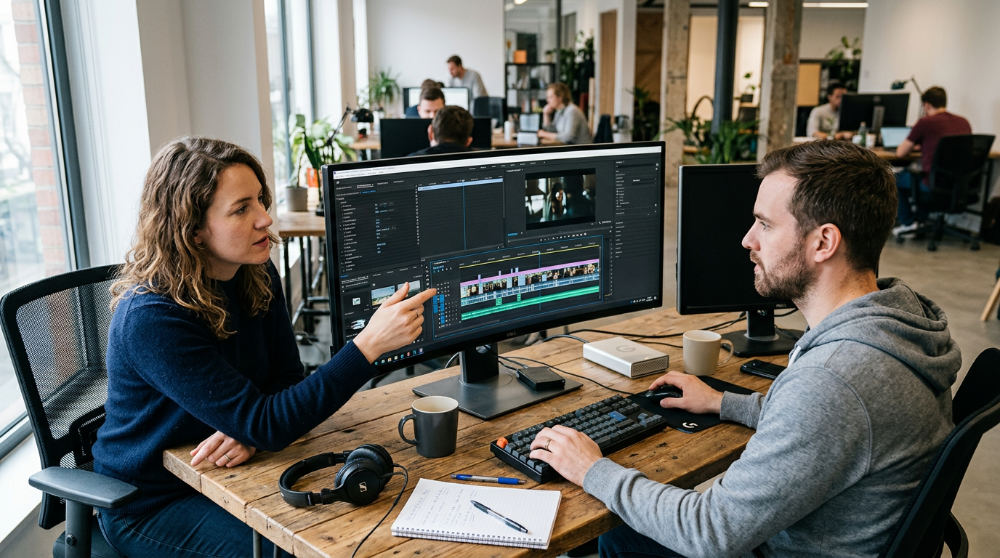
In 2026, DaVinci Resolve 20.2 stands as a one-stop shop for ingest, organization, and advanced color grading. This is particularly vital for our restaurant and hospitality clients. Making food look appetizing on screen requires specific color profiles and software techniques that enhance textures and saturation without looking artificial. We use high-bitrate monitoring software to ensure that the "crave-ability" of a dish translates perfectly from our edit suite to a 4K broadcast commercial.
Our specialized post-production services leverage these tools to turn raw, flat camera footage into a cinematic brand experience. By utilizing dedicated color surfaces and calibrated monitors, we ensure that your brand’s visual identity remains consistent across all devices, from a smartphone screen to a digital billboard in the Gaslamp Quarter. Professional post production programs enable this level of precision. They allow for a cohesive look across multiple delivery formats.
1. Verify and offload camera rushes using Offshoot
Practical Rule: Always maintain the 3-2-1 backup rule: three copies of your footage, on two different media types, with one copy offsite.
The first step in any professional workflow is the secure transfer of media. We use Offshoot to create multiple verified copies of the raw media directly from the camera cards. This isn’t just a simple copy-and-paste job. The software generates a Media Hash List (MHL) report. This report serves as a digital receipt, proving that every byte recorded on set was successfully moved to the storage servers.
Before we ever clear a camera card for reuse, the footage is backed up to at least two separate physical drives. Professional day shoots in San Diego involve transferring high volumes of data to ensure all assets are redundant. By automating this with verified transfer software, we eliminate the risk of human error that could lead to a catastrophic loss of a client’s investment. This foundational step is a key part of any software for post production strategy.
2. Organize the project hierarchy using logical naming conventions
Once the data is safe, we establish a rigid folder structure. A visionary project can quickly fall apart if an editor has to hunt through "Folder 1" and "Folder 2" to find a specific clip. We separate raw footage, external audio, graphics assets, and project files into a standardized hierarchy. Proper organization ensures that video editing software for business environments remains efficient and scalable as project complexity grows.
At this stage, we also apply metadata tags. For long-form projects, such as legal video production, we use AI-driven tools to help generate descriptive logs for interviews. This allows our team to search for specific keywords within hours of footage, drastically reducing the time it takes to find the perfect soundbite for a commercial or a piece of evidence for a trial. We take this seriously. It helps maintain a clear chain of custody throughout the timeline.
3. Assemble the rough cut in a professional NLE
With the assets organized, we bring the best takes into the timeline of a professional NLE. The goal here is to build the narrative arc of the story. We focus purely on pacing, emotion, and story structure before we even think about applying effects or color corrections. This is where the "twist" in our creative process happens, as we look for unexpected ways to cut a scene to grab the viewer’s attention.
During the rough cut, we incorporate animation and motion graphics placeholders. If a scene requires a complex 3D render or a branded explainer element, we place a simple graphic card in the timeline to mark its spot. This ensures the story flows naturally. It also allows the client to understand the pacing of the video before we spend hours on high-end visual effects. For more insights on the marketing strategy behind these visuals, you can see how InnoVision Marketing Group approaches brand storytelling.
4. Refine the sound design using Pro Tools
Once the visual narrative is locked, the audio journey begins. We typically export interchange files to move the project from the editing timeline into specialized professional sound design programs. While video editors offer basic audio tools, a dedicated digital audio workstation is required to handle the hundreds of tracks necessary for a high-end commercial. High-quality audio is the hidden secret to why certain videos feel more professional than others.
Our engineers layer atmospheric sounds, foley, and custom music to build an immersive world that matches the on-screen action. This phase is also critical for technical cleanup. We often use advanced noise reduction software to strip away background hum or wind noise from dialogue recorded on location. This ensures every word is crisp. It also meets the strict loudness standards required for broadcast television and digital streaming platforms. A visionary brand story should sound as polished as it looks, and this specific software for post production provides the surgical precision needed to balance a booming score with delicate voiceover nuances.
5. Perform final color grading and brand revitalization
With the sound mix underway, the visual assets undergo professional color grading. We ensure visual consistency, matching the skin tones and exposure levels across different scenes shot on different days or with different cameras. Beyond mere correction, we apply a signature look that aligns with the brand’s emotional identity, whether that is a warm, inviting glow for a family brand or a high-contrast, moody aesthetic for a luxury product. Specialized color grading tools within Resolve are utilized here.
For projects involving older assets, we use specialized video revitalization tools to upscale legacy footage to modern high-definition resolutions. This is particularly useful for anniversary campaigns where grainy, standard-definition footage from decades ago needs to sit next to modern cinematography. By removing flicker and temporal noise, we can breathe new life into a company’s history, making it feel contemporary and relevant to a modern audience. These post production programs ensure that historical assets can be repurposed without looking dated in a high-bitrate environment.
6. Export and master the final deliverable files
After color and sound are approved, the final phase involves mastering the project for various platforms. Different channels require unique compression settings to ensure the highest quality playback. For example, a file destined for a 4K cinema screen in San Diego requires a significantly higher bitrate than a file meant for an Instagram Reel. We use specialized encoder software to ensure that the color space remains accurate across these different versions.
This step also includes creating localized versions or adding accessibility features like closed captions. By managing the final export through a dedicated queue, we can generate multiple formats simultaneously. This efficiency allows us to meet tight broadcast deadlines while maintaining the integrity of the original creative vision. Whether we are delivering for broadcast or social, our software for post production ecosystem ensures the final product matches the master file in every detail.
Software Solutions for Legal Video Production
Legal video requires a different technical philosophy than marketing content. When handling legal video production services, the primary software requirement is the preservation of evidence integrity. Unlike a commercial where we want to enhance the image, legal software must prove that the footage has not been manipulated in any way that would compromise its validity in court. Using the right software for post production in this niche is about accuracy over artistry.
We utilize software stacks that allow for synchronized transcript display, where the written record of a deposition scrolls alongside the video in real-time. This requires precise time-stamping tools and unedited master archives that serve as a "source of truth." Modern asset management software for legal work also documents a digital chain of custody, logging every user who has accessed or moved the file. This level of transparency ensures that every frame presented in a trial is beyond reproach, providing the clarity and evidentiary weight that legal professionals depend on to win cases.
When Standard Software Isn’t Enough: Limits and Risks
Consumer-grade software often hits a wall when faced with the high-bitrate, 10-bit files generated by cinema cameras. Attempting to edit RAW footage on basic apps often leads to dropped frames, software crashes, and corrupted exports. The risk of "plugin bloat," installing dozens of third-party extensions to make up for a software’s shortcomings, can lead to project instability that puts tight deadlines at risk. Professionals choose video editing software for business specifically for its ability to handle these heavy data loads.
High-end software licenses and the hardware required to run them represent a massive investment. For many in-house marketing teams, the cost of the software, coupled with the steep learning curve, outweighs the benefit of doing it internally. This is often the point where a business should consider partnering with a video production company rather than building a complex internal stack. Professionals not only have the licenses but the specialized experience to navigate technical hurdles that would stall a less-equipped team. For those looking to learn more about the studio environments where this work takes place, Lightz Out Studios provides a look into professional filming spaces.
Common Mistakes in Software Implementation
One of the most dangerous errors in post-production is updating software mid-project. A version jump can lead to database corruption or broken plugin links, potentially losing weeks of work. We always lock our software versions at the start of a campaign to ensure stability through to delivery. Another common pitfall is neglecting audio post-production by relying solely on the basic tools built into a video editor, which rarely provides the dynamic range control needed for professional results. Specialized motion graphics software and sound tools should be integrated carefully.
Teams also frequently ignore the need for centralized storage. When multiple editors work on the same campaign from local drives, version control becomes a nightmare. Using shared storage solutions like those offered by Avid Solutions prevents the creation of conflicting project files. Finally, the use of unlicensed or "cracked" software is a massive security risk. In a corporate environment, these files can act as backdoors for malware, compromising sensitive client data and brand secrets. Modern software for post production must stay within a secure, licensed environment to protect assets.
Frequently asked questions
What software is used for video post-production?
The industry standards in 2026 are Adobe Premiere Pro, Avid Media Composer, and DaVinci Resolve. These tools allow for professional-grade cutting and organization. For specialized tasks, editors use After Effects for motion graphics and Pro Tools for audio engineering, ensuring every aspect of the video meets broadcast quality.
Do I need different software for legal video production?
Yes, legal workflows prioritize evidence integrity over creative flair. You need tools that support synchronized transcript playback and robust metadata logging to maintain a clear chain of custody. Software used in this field must provide unmanipulated, time-stamped archives to ensure the video is admissible and accurate for judicial proceedings.
What is the best software for restoring and revitalizing old brand footage?
Topaz Video AI is the leading choice for upscaling and noise reduction of legacy brand assets. Additionally, DaVinci Resolve includes powerful restoration tools designed to remove scratches, dust, and flicker from film transfers. These programs allow brands to reuse historic footage in modern, high-definition marketing campaigns.
How can I integrate motion graphics without slowing down my workflow?
The most efficient method is using Adobe’s Dynamic Link, which lets you see After Effects updates instantly in Premiere Pro. To further save processing power, use pre-rendered templates for recurring brand elements like lower thirds and logos. This reduces the time spent waiting for complex visual effects to render during the edit.
Is a unified software suite better than a best-of-breed modular stack?
A unified suite like DaVinci Resolve reduces technical friction and eliminates errors during data transfers between different programs. However, a modular stack allows you to use the absolute best tool for each specific niche, such as Pro Tools for audio. Most high-end commercial houses prefer a modular approach for maximum creative control.
Execute Your Vision With a Twist
A visionary workflow is built on a foundation of logical software choices and disciplined file management. By moving beyond simple editing to incorporate verified data offloading, professional sound design, and advanced color grading, you ensure your brand story is told with the highest possible fidelity. Technology should never be a barrier to creativity. Instead, the right software stack acts as the engine that drives your vision toward a polished, professional delivery.
Choosing a production partner who understands the intersection of technical logic and artistic magic is the fastest way to get results. If you are ready to see how professional-grade post-production can transform your next campaign, start your story with a twist by contacting our San Diego team today. We build your creative vision, but with the specific edge your brand deserves.