Last updated November 12, 2026
ATEM Software Control is the primary application used to manage Blackmagic Design switchers, providing a virtual interface for live video switching, audio mixing, and media management. It connects via Ethernet or USB, enabling advanced features like upstream keyers and macros that are often inaccessible through physical hardware buttons alone.
Key takeaways
- The media pool stores up to 20 RGBA graphic files for professional branding and titles.
- Fairlight audio integration provides full EQ and dynamics processing for crystal-clear sound.
- Logical pre-production mapping is essential for error-free live switching execution.
- ISO recording models offer integration with DaVinci Resolve to facilitate post-production editing.
- OpenSwitcher offers an open-source alternative for advanced AUX bus control across platforms.
| Feature | Functionality |
|---|---|
| Media Pool | Stores 20 RGBA files for titles and bugs |
| Fairlight Engine | Professional EQ, compressor, and gate |
| DVE Controls | Picture-in-picture and transform effects |
| ISO Workflow | Direct export to DaVinci Resolve projects |
| Connectivity | Ethernet for multi-user, USB-C for webcam |
Understanding the ATEM Software Control Ecosystem
ATEM Software Control acts as the central command center for Blackmagic Design hardware, offering a virtual interface to manage the Switcher, Media, Audio, and Camera control pages. It allows operators to access advanced settings for the upstream keyer, DVE positioning, and macro recording that are often hidden on physical hardware panels. By connecting via a local network, it enables multiple staff members to control different aspects of the production simultaneously.
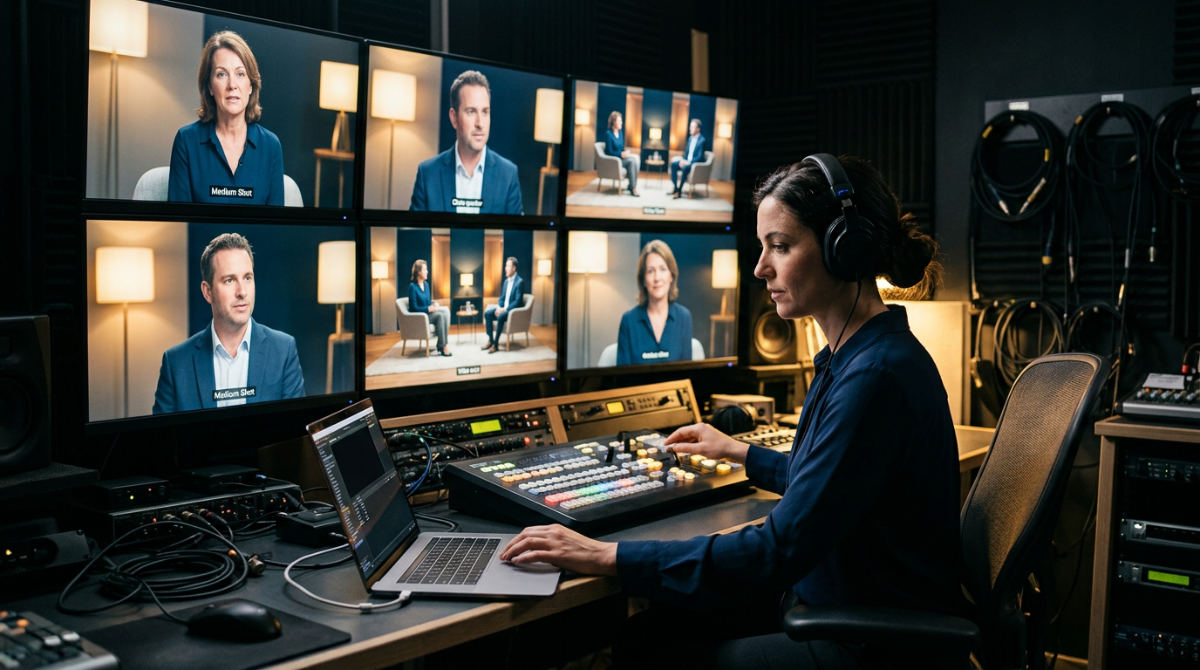
We believe in a "Logic to Creative" workflow. Technical settings get configured in advance so the live execution remains focused on the story. This philosophy allows our team to handle the heavy lifting of signal routing and keying in the software back-end before the cameras ever start rolling. By automating these technical hurdles, we free up our creative energy to focus on the pacing and emotion of the broadcast. In a professional environment, this means the software isn’t just a backup to the hardware; it is the brain of the entire operation.
The interface also supports multiple simultaneous users across a local network. This is a massive advantage for complex productions where one person needs to focus entirely on the vision mixing while another team member manages the Fairlight audio levels or updates graphics in the media pool. By distributing the workload, you reduce the risk of errors and ensure a more polished final product. The multi-user capability allows the software to scale with your needs.
Maximizing the Switcher and Media Pages
The Switcher page acts as mission control, providing a visual representation of program and preview buses for precise timing. This is the heart of the live video switcher software. This is where you stage your next shot, adjust your transition type, like a dip, wipe, or a clean cut, and monitor exactly what is going out to your audience. The software makes it easy to see which sources are "hot" and which are standing by. This is vital for preventing those embarrassing "black screen" moments.
Practical rule: Always upload your graphics to the Media Pool before the event starts to ensure the ATEM macros can trigger them instantly without manual searching.
Using the Media page, you can pre-load titles, lower thirds, and logos. The media pool can store up to 20 RGBA graphic files for instant recall according to Blackmagic Design. This is where branding comes to life. Instead of fumbling with external graphics players, you can drag and drop your PNG or TGA files directly into the software. Once they are in the pool, you can assign them to your downstream keyers. This lets you overlay a "Live" bug or a speaker’s name with a single click or macro command.
Advanced DVE effects allow for picture-in-picture layouts that elevate a standard corporate presentation into a high-end broadcast. If you want to show a presenter alongside their slide deck, the software allows you to precisely size and position that window, add a border, and even apply a drop shadow for a professional look. At Pretzel Logic, we utilize these logical software-based audio routing and visual layouts to ensure every commercial client receives a tailored mix for their specific environment, whether they are streaming to a global audience or a local venue.
Professional Audio with Fairlight Integration
The software includes the Fairlight audio mixer, which offers professional-grade dynamics processing, compression, and parametric EQ. This isn’t just a simple volume slider. It is a full-featured digital audio workstation integrated directly into your switching environment. This integration is why we talk about the "Pretzel Twist," our extra layer of professional polish that ensures restaurant and commercial clients get crystal clear sound for every interview.
Each input can be fine-tuned to eliminate background noise, ensuring that interviews and live dialogue remain clear and consistent throughout the broadcast. By using the expander/gate and compressor tools, you can smooth out the "peaky" audio from an excited speaker or lift the levels of a quiet guest without introducing unwanted hiss. Having this level of control within the Blackmagic ATEM control interface means you don’t necessarily need a separate physical mixer for mid-sized productions.
The AFV (Audio Follows Video) feature can be toggled to automate sound transitions as you switch between different camera angles. If you have microphones mounted on different cameras or coming from different areas of a stage, AFV ensures that the audio from those specific sources only goes live when that camera is on screen. This prevents "ghost" audio from sources that aren’t currently being viewed, which is essential for maintaining a clean and logical soundscape.
Do you work with brands across the country for live production?
Pretzel Logic Productions works with brands across the country, providing professional switching and production services to clients regardless of their location. Our reach is national, serving everyone from local nonprofits to major corporate entities in New York or Chicago. Our team utilizes remote workflows and professional switching environments to ensure high-quality delivery for national marketing campaigns.
We offer full-scale video production and technical execution, from initial concept development to the final live broadcast and post-production wrap. For brands seeking local expertise with a national reach, our studio environment provides the consistency required for high-stakes corporate storytelling. We handle the logistics so you can focus on your message, ensuring your live event has the same polish as a pre-recorded commercial.
- National reach. We serve clients across the country via remote and on-site teams.
- Full-scale execution. Our services cover everything from scripting to final stream delivery.
- Consistent quality. We use standardized professional hardware and software to ensure your brand looks the same in every city.
Transitioning from Live Switching to Post-Production
Transitioning from live to post involves using the ATEM ISO recording feature to help generate a DaVinci Resolve project file based on your live cuts. This workflow allows editors to open the live-switched program in post-production with camera feeds synchronized on the timeline. It eliminates the need for manual syncing and allows for instant corrections of any switching errors made during the broadcast. This bridge between live and post ensures that a high-speed production can be polished into a permanent marketing asset.
Mastering the live switcher is only half the battle. Integrating it into a software-based post-production workflow ensures your event has a lasting impact. One of the most powerful features of the modern ATEM lineup is the ISO recording functionality. These models record individual camera feeds and a project file designed to work with DaVinci Resolve for commercials and re-edits.
This integration allows us to revitalize existing footage, applying professional color grading and sound editing to a live recording after the event concludes. Imagine you’re running a live product launch. During the heat of the moment, a camera operator might have had a slight focus slip, or the switcher missed a crucial reaction shot. With the ISO files, we can go back into the timeline, swap the "wrong" shot for the "right" one from a different camera angle, and clean up the audio using the full power of a post-production suite.
Limitations and Technical Considerations
The primary technical limitations of the software include its reliance on network stability and the potential for firmware mismatches to cause connection drops. Unlike a physical hardware panel, software control can suffer from input lag if the host computer is under heavy CPU load or the Ethernet connection is congested. Additionally, the standard interface has rigid routing options, which sometimes requires third-party tools to unlock more flexible auxiliary output layouts for complex multi-screen venues.
Software control relies heavily on network stability. An Ethernet connection is always preferred over USB for high-stakes environments to prevent lag. While USB-C works for a quick setup or using the switcher as a webcam, Ethernet provides the bandwidth and stability required for a multi-user environment. If your network is congested or you rely on unstable Wi-Fi, you might find that the software interface becomes sluggish or unresponsive, which is a nightmare during a live show.
Watch out: Ensure your software version matches your hardware firmware exactly, or you may experience intermittent connection drops during a live switch.
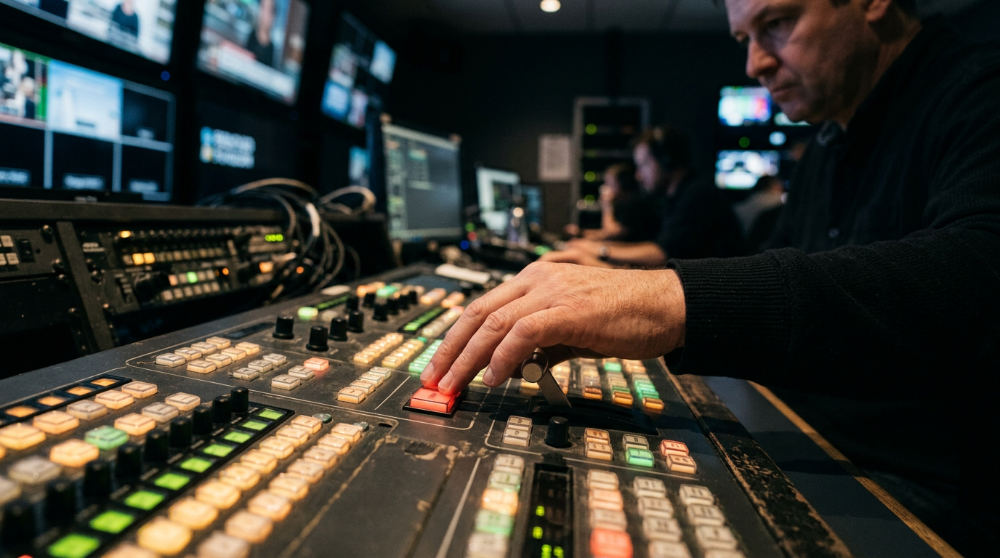
While the software is powerful, it lacks the tactile speed of a physical control surface for complex, fast-paced sports or concert switching. There is a certain muscle memory involved in hitting a physical "Cut" button that a mouse click simply cannot replicate. For these high-pressure scenarios, we often recommend a hybrid approach, using a physical panel for the primary switching while the software handles the more nuanced Blackmagicdesign and media management.
Users requiring specialized layouts might find the default interface limiting, though OpenSwitcher Open Control offers an "AUX as bus" feature for more flexible routing. This allows you to treat an auxiliary output as its own dedicated switching bus. It is perfect for feeding different content to an in-house projector while the main program feed goes to the stream. Firmware mismatches between the software version and the hardware can also lead to connectivity drops, necessitating frequent updates for both components to maintain a stable link.
Frequently asked questions
How to use ATEM software for live video switching?
Launch the software and navigate to the Switcher tab to access the Program and Preview buses. Select your source on the Preview bus and use the ‘Cut’ or ‘Auto’ buttons to transition the feed to Program. Adjust transition styles and durations in the settings panel to match the tone of your production.
How do I connect my ATEM Mini to my computer?
Connect the hardware via a USB-C cable for a direct webcam-style link or via Ethernet for full software control functionality. Ensure the ATEM Setup utility recognizes the device and that the software version matches the hardware firmware. Configure your network settings if using Ethernet to ensure the computer and switcher are on the same subnet.
Is ATEM Software Control free?
Yes, the software is available for download from the Blackmagic Design support page for ATEM hardware owners. It includes all features like Fairlight audio, media management, and camera control without additional subscription fees. Updates are released regularly to add new features and support for newly released hardware models.
Can you run ATEM Software Control on a tablet?
The official software is designed for Mac and Windows, but third-party options exist that may allow for mobile or tablet control. Remote desktop solutions can also be used to mirror a computer running the software onto a mobile device. Ensure your tablet is connected to the same local network as the switcher for low-latency control.
Can I control multiple ATEM switchers from one computer?
You can run multiple instances of the software or use the ‘Connect’ menu to switch between different IP addresses on the network. Third-party tools can also help manage complex multi-switcher environments from a single workstation. This is ideal for large venues that require separate mixes for in-house screens and the live stream.
Ready to Level Up Your Broadcast?
Successful live production requires a blend of technical mastery and creative vision to truly resonate with an audience. At Pretzel Logic, we combine these logical workflows with visionary storytelling to bring your brand to life with a unique twist. We understand that behind every button press is a story that needs to be told clearly and beautifully.
Whether you need full professional video production services or a strategic partner for your next campaign, we are here to help. Start your journey by collaborating with a team that understands how to turn technical complexity into a seamless creative story. If you are ready to bring your vision to life, please fill out the form at our contact page.