Last updated November 6, 2026
Video editing software for beginners refers to intuitive applications designed to help novice creators assemble, trim, and enhance video footage without the steep learning curve of high-end cinema tools.
The best video editing software for beginners includes Adobe Premiere Elements for automated simplicity, DaVinci Resolve for free professional-grade color grading, and Wondershare Filmora for intuitive drag-and-drop editing. These tools bridge the gap between amateur clips and polished brand marketing video production through accessible user interfaces and essential motion graphics capabilities.
| Software | Best For | Price Model |
|---|---|---|
| Adobe Premiere Elements | Automated AI Edits | One-time Purchase |
| DaVinci Resolve | Professional Color Grading | Free / Paid Upgrade |
| Wondershare Filmora | Quick Social Media Clips | Subscription |
| Final Cut Pro | Mac-optimized Workflow | One-time Purchase |
| Kdenlive | Open Source / Linux | Free |
Key takeaways
- Adobe Premiere Elements. Offers the most streamlined AI-assisted workflow for fast, automated edits.
- DaVinci Resolve. Provides high-end color grading for free but requires a higher learning curve.
- Storyboarding first. Logical storyboarding must precede software selection to ensure post-production success.
- Small business priorities. Prioritize software that supports both branding and AI video production tools.
- Professional scaling. Professional-level results often require transitioning from basic software to a visionary production house.
Prerequisites for your first post-production project
Post-production is the final stage of video production including editing, sound mixing, and visual effects (it requires significant computer resources). Check your hardware before launching any software. Generally, you need a modern processor, at least 16GB of RAM, and a capable GPU to handle high-resolution video rendering. Modern video files are data-heavy. Without a proper graphics card, you will face lag and crashes that kill your creative momentum. Be prepared to invest time. You have to learn the layout and navigation of your chosen interface before the real work begins.
A logical workflow begins with organized assets and a clear storyboard. At Pretzel Logic, we believe software is just a tool to bring a vision to life, not the vision itself. Define your creative twist early. That unique angle sets your content apart in a crowded digital market. If you skip this strategic phase, even the most expensive software won’t save a project that lacks a clear purpose.
Defining the logical workflow for beginners
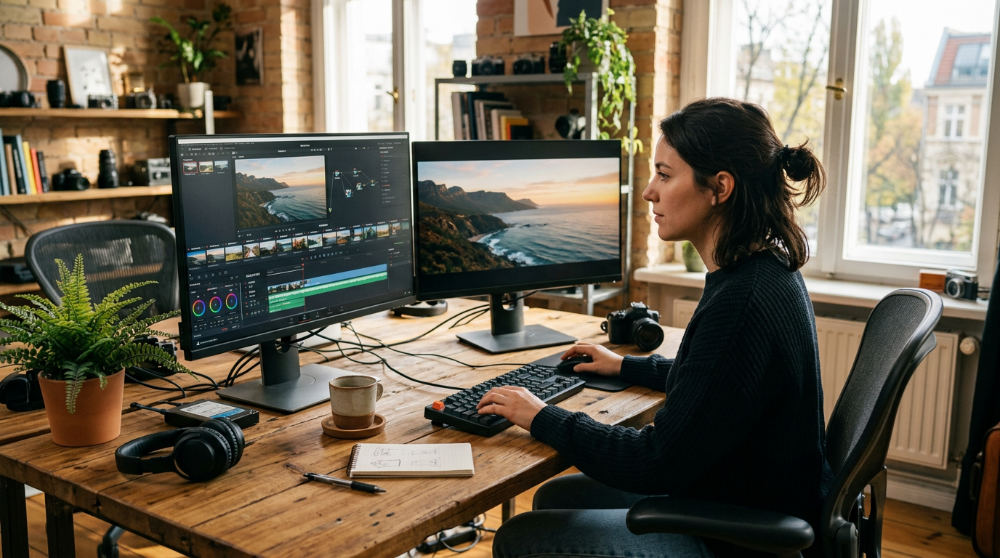
To define a logical workflow, you must follow a linear sequence: organization, assembly, effects, and export. Start by organizing your footage into a logical structure. This avoids technical headaches later. This means renaming files and tagging clips before they ever hit the timeline. When you jump straight into editing without a plan, you spend more time looking for files than crafting your story. It is a waste of time.
Plan for Motion Graphics early. These are visual elements used to explain complex ideas and capture audience attention, often integrated into post-production. If you are filming a product demo, knowing where a text callout will appear allows you to frame the shot correctly. Pretzel Logic Productions (PLP) is a full-service video production company that bridges the gap between creative vision and logical execution. By using software for post-production to build a visionary workflow, you can scale from simple social clips to cinematic brand stories.
Top software choices for brand marketing video production
Adobe Premiere Elements stands out as an automated alternative to Premiere Pro. This tool focuses on fast, AI-driven edits for small businesses. According to the experts at Zapier, it simplifies the complex professional tools found in its bigger sibling. It is an excellent choice for those who need a brand video production guide mindset but lack the time to master professional keyframing.
For a cinematic look, DaVinci Resolve offers industry-standard features for professional color grading software even in its free version. Professional colorists working on major motion pictures frequently utilize this software. You can achieve high-end visual depth if you are willing to learn the node-based interface. Wondershare Filmora and Movavi are ideal for users who need a drag-and-drop interface without a steep learning curve. These platforms prioritize speed. They let you add music, text, and transitions with a few clicks.
Final Cut Pro remains the premier choice for Mac users because it is optimized for speed and high-resolution rendering. It utilizes a magnetic timeline designed to streamline clip management and simplify the editing process (a major benefit for beginners). Finally, Kdenlive provides a powerful, open-source multi-platform option for those on Windows, Mac, or Linux systems who prefer a non-subscription model.
How to choose software based on your specific industry
Pick your software based on the specific aesthetic and technical demands of your niche. Legal video production requires high-fidelity audio tools and clear text overlays to maintain professional standards. If you are a law firm, your software needs to prioritize clarity and stability over flashy effects. In contrast, restaurant and food marketing benefit from editors that excel in color grading to make visuals look appetizing and vibrant.
Real estate professionals should look for software with robust stabilization and wide-angle correction features. AI Video Production refers to the use of artificial intelligence to develop commercials and streamline the production process, helping beginners pre-visualize high-impact campaigns. However, as you scale, you may find that DIY tools cannot replicate the concept-to-screen integration required for national brand campaigns. A local bakery might start with Filmora. A national franchise, however, will require a full-service partner to ensure consistency.
Do you work with brands across the country?
Yes. Our team supports brands nationwide by managing their high-end editing needs through remote collaboration and cloud-based review tools. Professional production and editing support is available nationwide for brands seeking high-end results beyond beginner software limits. While we are based in San Diego, we provide a brand strategy to help marketing directors transition from basic clips to strategic campaigns. We have managed projects for clients ranging from East Coast corporate headquarters to West Coast startups.
Remote collaboration tools allow us to manage post-production services for clients from San Diego to New York with logical execution. National brands often outgrow beginner tools. They require the specialized services of a full-service video production company to maintain a cohesive voice. Our team bridges the gap between your local creative vision and a professional, polished final product suitable for any market. If you need a 30-second commercial or a full-scale digital campaign, we handle the logistics.
The limits of beginner software and when to scale
Beginner software often lacks the advanced motion graphics and sound mixing capabilities needed for broadcast-quality commercials. A drag-and-drop title looks fine on TikTok. It usually lacks the sophistication required for a national brand launch. High-stakes industries like medical or legal services require a level of precision that automated filters simply cannot provide. You need exact control over narrative pacing and the emotional weight of every frame.
AI tools work well for social media, yet they cannot replace a concept-driven strategy for high-impact brand storytelling. Managing large-scale post-production for a growing brand requires professional consistency across all commercial channels. For businesses looking to scale their digital reach, partnering with professional experts can help integrate these videos into a broader digital media strategy. Many clinics that offer this type of production utilize specialized lighting and set resources to complement professional post-production when DIY filming hits its technical ceiling. When your vision outgrows your software capabilities, it is time to look toward professional execution.
1. Organize your source footage
Create a dedicated folder structure on your drive to separate raw video, audio, and graphics assets logically. This prevents broken links and ensures a fast workflow.
2. Import and assemble the timeline
Bring your clips into the software and place them in the order of your storyboard to create a basic narrative flow. Focus on the story first.
3. Refine the rough cut
Trim the beginnings and ends of clips to remove dead space and ensure the pacing matches your brand’s energy. Remove any awkward pauses.
4. Apply basic color grading
Use the software’s color tools to ensure consistent lighting and skin tones across all shots in your sequence. This creates a cohesive look for the video.
5. Add motion graphics and titles
Overlay text or simple animations to highlight key brand messages and keep the audience engaged. Ensure titles are readable and stay within the safe zones.
Common mistakes in beginner post-production
- Overusing transitions. Flashy star-wipes or 3D flips can distract from the actual brand message and story. Stick to simple cuts or fades unless the twist demands more.
- Neglecting sound quality. Poor audio is the fastest way to make a professional video feel amateur. Always use a dedicated microphone and clean up background noise in post.
- Ignoring the Twist. Failing to add a unique creative angle makes your content blend in. Every video needs a hook that makes the viewer stop scrolling.
- Skipping the storyboard. This leads to a disjointed edit that lacks a logical conclusion. If you do not know the ending, you cannot edit the beginning.
- Bad export settings. Forgetting to optimize export settings for specific platforms can result in blurry or stretched videos. Always check the target platform requirements.
Frequently asked questions
What is the easiest video editing software to learn?
Adobe Premiere Elements is widely considered the easiest for those wanting automated features and guided edits. Wondershare Filmora also offers an intuitive drag-and-drop interface for those new to the post-production stage, making it simple to assemble clips without deep technical knowledge.
Is Premiere Pro too hard for beginners?
It has a steep learning curve due to its professional-grade toolset and complex interface. Beginners are often better off starting with Premiere Elements to learn the logical workflow first. Once you understand the basics of layers and keyframes, moving to the professional version is much less intimidating.
Can beginners handle marketing video production alone?
While basics can be handled in-house, complex brand marketing video production often requires professional color grading and motion graphics. A visionary finish usually requires a partnership with a full-service production company like Pretzel Logic to ensure the final product meets commercial standards.
Is AI video production suitable for beginners?
AI tools are excellent for pre-visualization and generating quick social media cuts efficiently. However, high-impact commercials still rely on human-led concept-driven strategy for true brand resonance. AI should be used as a tool to speed up the workflow, not as a replacement for a unique creative vision.
How do I choose between free and paid software?
Free software like DaVinci Resolve is incredibly powerful but complex to master for a first-timer. Paid tools like Movavi or Premiere Elements focus on intuitive, user-friendly logical workflows that save you time, which is often worth the investment for a growing business.
If you have outgrown the limitations of beginner tools and are ready to create a campaign that truly stands out, you should start your project with a twist by contacting our team for a consultation. Fill out the form at https://pretzellogicproductions.com/contact-us/.