Last updated November 6, 2026
Building a visionary post-production environment requires more than just storage. It demands a media server software stack that bridges the gap between raw data and creative execution. Based on current industry standards for 2026, this guide explores how technical server setups enable the high-stakes collaborative workflows essential for modern commercial production.
1. Integrate Avid Media Composer with centralized storage to enable high-end collaborative editing.
High-end commercial production lives or dies by the efficiency of the edit suite. Integrating Avid Media Composer with a dedicated media server allows multiple editors to access the same project files simultaneously without creating conflicting copies. This setup is the gold standard for long-form content and complex brand films because it facilitates seamless project sharing through robust bin locking and metadata management. When you centralize your assets, you ensure the lead editor, the assistant editor, and the sound designer all pull from the same master pool of high-resolution data. This eliminates the "version hell" that often plagues disconnected workflows. By streamlining the handoff between the production and post-production phases, you maintain industry-standard quality control. Implement this if your 2026 roadmap involves scaling your team or handling high-resolution deliverables that require tight coordination across different creative departments. Technical barriers shouldn’t interrupt the storytelling process.
2. Pretzel Logic Productions applies a logical collaborator framework to technical media server setups to serve the creative vision.
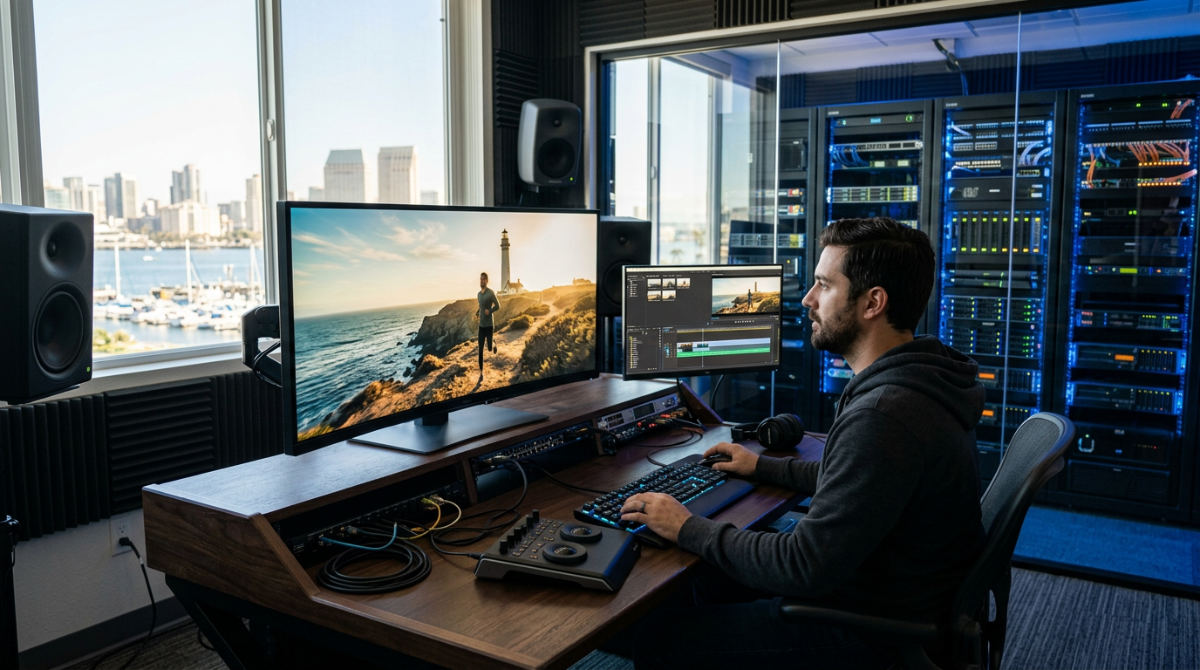
At Pretzel Logic, we believe the most sophisticated technology is useless if it doesn’t support the story. We apply a logical collaborator framework to every technical setup, aligning server architecture with high-level creative concepts to ensure zero friction during the edit. Our team in San Diego integrates these logical workflows for brands across the country, ensuring data integrity remains paramount from the moment the camera stops rolling. This framework specifically targets high-stakes industries like medical and legal video production where security is as vital as the story itself. We prioritize a setup that keeps your assets safe and accessible, whether we are building out a post-production studio for brand success or managing a multi-state commercial campaign. By treating the server as an extension of the creative team, we help businesses avoid technical bottlenecks that typically stall production. You get a faster path from raw footage to a finished product that resonates with your audience.
3. Use Plex Media Server to centralize and stream your raw assets across multiple devices for easy review sessions.
Modern post-production often happens outside the four walls of a studio. You can use Plex Media Server Downloads to organize massive media libraries with detailed metadata, making it easy to retrieve specific clips during the editing process. Beyond simple storage, this software allows you to utilize the specialized Plex HTPC app for theater-quality home screenings of your latest cuts. It’s perfect for final director approvals. The true power lies in its remote streaming capabilities. You can share progress with clients who aren’t in the local studio by giving them secure access to specific libraries. The software is compatible with Windows, Mac, Linux, and FreeBSD, providing a flexible backbone for any OS environment. This approach turns your raw asset library into a private, high-performance streaming service. Stakeholders can review content on their preferred devices without you having to manually export and upload files to third-party sharing sites every time a change is made.
4. Leverage a Plex Pass to unlock hardware-accelerated transcoding for faster 4K video playback.
Standard server setups often lag when dealing with the massive bitrates of 4K and 8K production footage. By signing in to a Plex Pass enabled account, you can optimize video processing using your server’s GPU rather than relying solely on the CPU. This hardware-accelerated transcoding is essential for smooth playback when you are reviewing high-resolution assets on underpowered mobile devices or remote connections. A premium subscription also allows you to access exclusive preview downloads of beta releases to test new server features before they go public. Additionally, you can activate Mobile Sync to review offline footage while on location or traveling between sets (a lifesaver for busy producers). This tier of service transforms a basic file manager into a professional-grade media hub capable of heavy lifting. Expect significantly reduced buffering and the ability to maintain a high-speed creative rhythm even when you’re away from your primary workstation.
5. Integrate AI-driven production tools to automate repetitive post-production tasks.
The landscape of 2026 demands speed. We integrate AI Video Production into standard workflows to offer cutting-edge efficiency for modern commercials. By using text-to-speech software and automated logging tools that integrate directly into your Premiere or davinci resolve video editing timelines, you can bypass the tedious parts of the process. We leverage AI for faster noise reduction and upscaling of legacy footage to meet 4K standards, ensuring older assets don’t look out of place in a modern campaign. As part of a visionary post-production software stack, AI tools can automate scene generation and initial assemblies to speed up the creative process significantly. This doesn’t replace the human touch; it frees up our editors to focus on the nuances of the brand story. When your media server is piped into an AI-enhanced NLE, the result is a massive reduction in turnaround time without sacrificing cinematic quality.
6. Optimize your post-production workflow by choosing software that supports Dolby Vision and HDR.
To compete in a market where viewers expect high-fidelity visuals, your media server software must handle high-dynamic-range (HDR) metadata. This isn’t just about file sizes. It is about ensuring the server doesn’t strip away the complex color information required for Dolby Vision mastering. When setting up your pipeline, coordinate with your digital grading company to verify compatibility between the server and the color suite. You need a system that allows for mastering in multiple formats to meet varied broadcasting standards, from social media to national TV spots. Choosing software that respects these advanced color spaces ensures the vibrant, punchy look of your high-end commercial remains consistent from the first ingest to the final delivery. By prioritizing HDR support, you future-proof your assets for 2026 and beyond. Your product will look professional on every screen, maintaining the integrity of the original cinematography and the specific visual tone of your brand.
7. Deploy Plex Dash to monitor your media server’s healthy performance in real-time.
A server crash during a client review is a nightmare scenario. Deploy Plex Dash to keep track of active streams and ensure your bandwidth isn’t being throttled during heavy export hours. This specialized tool allows you to monitor server resources like CPU and RAM usage directly from your mobile device, giving you a top-down view of your hardware’s health. This level of monitoring helps you identify and troubleshoot playback errors before they disrupt a client presentation. If you notice a spike in resource usage, you can adjust your background tasks or transcode settings on the fly. This proactive management is what separates a hobbyist setup from a professional media server software environment. By keeping an eye on these metrics, you ensure 100% uptime for your creative team. You can expect a more stable workflow and the peace of mind that comes from knowing your technical infrastructure is performing exactly as intended.
8. Use specialized stop-motion software like Dragonframe for frame-accurate animation capture.
Stop-motion adds a tactile, human quality to brand storytelling that pure CGI often lacks. To do this at a professional level, use specialized software like Dragonframe. It offers frame-accurate animation capture. By connecting your capture station directly to your media server, you can immediately upload and secure every individual frame as it is shot. This is vital for high-stakes projects where a single lost frame could ruin a day’s work. The software allows you to sync lighting and camera controls, ensuring consistent quality across hundreds of individual shots. You can also preview animations instantly to make real-time adjustments on set, which saves hours in the post-production phase. For brands looking to stand out with a unique visual style, this integration provides a bridge between traditional craftsmanship and modern digital efficiency. The result is smooth, jitter-free animation that carries the professional polish expected of a high-end commercial production.
9. Utilize professional color grading software to define the cinematic look of your brand video.
The color grade is where the "twist" in your visual story truly comes to life. Utilize professional tools to distinguish between linear and clip-based production software for more efficient look development. It is essential to ensure your chosen platform supports high-resolution RAW files directly from your production cameras. This allows for maximum flexibility in the highlights and shadows. By collaborating with specialists, you can achieve a consistent visual tone across all marketing channels, from your website to broadcast television. This phase of the workflow is where the mood is set (whether it’s a warm, inviting glow for a restaurant or a sharp, cool palette for a legal firm). A server that can feed high-bitrate data to the color suite without lag is a prerequisite for this work. When the technical and creative aspects align, you get a cinematic finish that elevates your brand above the noise of the competition.
10. Select video compression software that supports the Xvid codec for professional-grade bit rate control.
While modern H.264 and H.265 codecs dominate, certain professional archival and playback scenarios still benefit from the Xvid codec. Select compression software that allows for granular bit rate control to balance file size and visual fidelity for long-term server storage. Utilizing trusted tools ensures your compressed files remain compatible with a wide range of standard media players without requiring proprietary plugins. This is particularly useful for maintaining quality during the long-term archival of raw and finished production assets. You need to save space without sacrificing the ability to re-edit the footage in the future. By managing your compression settings carefully, you avoid the blocky artifacts that can ruin a high-quality video. The result is an organized, efficient archive that remains accessible and visually crisp. Your investment in high-end production will continue to pay dividends for years after the initial campaign launch.
11. Implement a Raster Graphics Editor to clean up visual assets before they hit the media server.
Before any visual asset enters the professional media server software pipeline, it should be polished. Implement a raster graphics editor to perform image cleanup and asset revitalization on logos, textures, and still frames. Managing raster assets effectively ensures they are optimized for the final video resolution, preventing blurriness or pixelation in your motion graphics. This step is crucial for enhancing visual storytelling by preparing high-quality graphic overlays that the editor can drop directly into the timeline. Whether you are removing an unwanted blemish from a product shot or refining the edges of a title card, this pre-processing stage maintains high standards. When these assets are eventually pushed to the server, they are ready for prime time. Every element, from the live-action footage to the smallest graphic detail, will feel intentional and high-quality.
8. Use specialized stop-motion software like Dragonframe for frame-accurate animation capture.
Stop-motion projects require a unique integration with your storage environment to handle thousands of high-resolution stills. When you use professional tools like Dragonframe, you can connect directly to your server to immediately upload and secure every individual frame as it is captured. This direct-to-server pipeline is vital for data integrity. It ensures that hours of meticulous physical animation are backed up in real-time.
The software allows you to sync lighting and camera controls through the interface for consistent frame-by-frame quality. This is essential for professional-grade commercial work. By previewing animations instantly on the local network, directors can make real-time adjustments on set before the physical puppets or products are moved. This specialized workflow transforms a slow, manual process into a high-speed digital operation. For businesses managing multiple projects, keeping these heavy frame sequences on a centralized server allows editors to begin working on sequences while the animators are still shooting the next scene. This drastically reduces the total production timeline.
9. Utilize professional color grading software to define the cinematic look of your brand video.
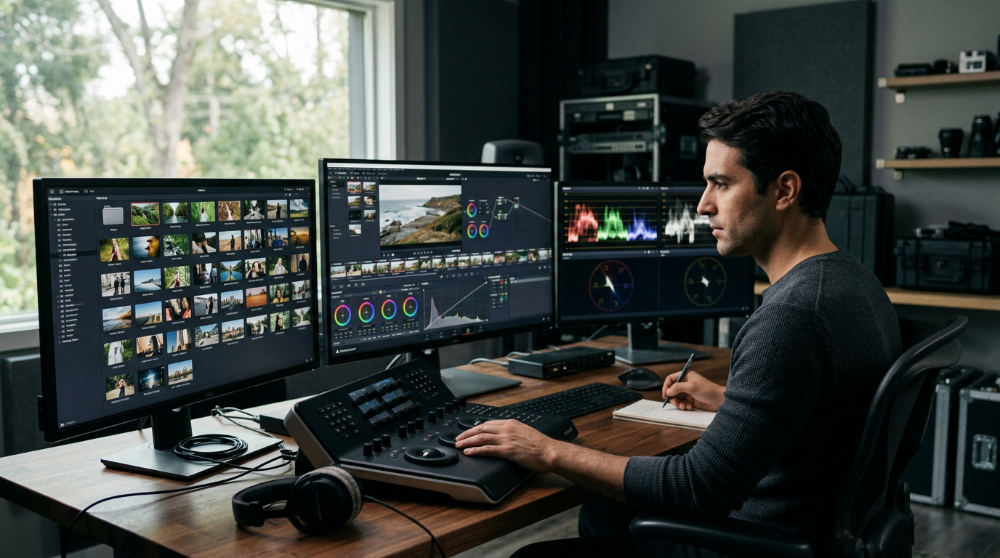
Defining a cinematic look requires more than just a good camera. It demands a sophisticated software stack that can handle high-resolution RAW files. Professional colorists often distinguish between linear and clip-based production software for more efficient look development. When you use high-end tools such as DaVinci Resolve video editing software, you gain access to nodes and wheels that allow for surgical precision in lighting and skin tone adjustment.
Ensuring your server platform supports the high-throughput requirements of RAW files is critical. Otherwise, the grading process will be hampered by stuttering playback. To achieve a consistent visual tone across all marketing channels, it is often best to collaborate with specialists who understand how color science impacts brand perception. Whether you are aiming for a warm, inviting glow for a restaurant or a sharp, cool palette for a legal firm, a server that can feed high-bitrate data to the color suite without lag is a prerequisite for this work. When the technical and creative aspects align, the result is a cinematic finish that elevates your brand above the noise of the competition.
10. Select video compression software that supports the Xvid codec for professional-grade bit rate control.
While modern H.264 and H.265 codecs dominate, certain professional archival and playback scenarios still benefit from the Xvid codec. Select compression software that allows for granular bit rate control to balance file size and visual fidelity for long-term server storage. Utilizing trusted tools ensures your compressed files remain compatible with a wide range of standard media players without requiring proprietary plugins.
This is particularly useful for maintaining quality during the long-term archival of raw and finished production assets. You can save space without sacrificing the ability to re-edit the footage in the future. By managing your compression settings carefully, you avoid the blocky artifacts that can ruin a high-quality video. The result is an organized, efficient archive that remains accessible and visually crisp, ensuring your investment in high-end production continues to pay dividends for years after the initial campaign launch. Proper bit rate management ensures that even as libraries grow, the server remains responsive and cost-effective.
11. Implement a Raster Graphics Editor to clean up visual assets before they hit the media server.
Before any visual asset enters the professional media server software pipeline, it should be polished. Implement a raster graphics editor to perform image cleanup and asset revitalization on logos, textures, and still frames. Managing raster assets effectively ensures they are optimized for the final video resolution, preventing blurriness or pixelation in your motion graphics.
This step is crucial for enhancing visual storytelling by preparing high-quality graphic overlays that the editor can drop directly into the timeline. Whether you are removing an unwanted blemish from a product shot or refining the edges of a title card, this pre-processing stage maintains the high standards of your production. When these assets are eventually pushed to the server, they are ready for prime time. The result is a cohesive, professional look where every element, from the live-action footage to the smallest graphic detail, feels intentional and high-quality. Using these tools to prep assets reduces the burden on the video editor, allowing them to focus purely on the narrative flow.
Transitioning to a Professional Media Server Workflow
Moving from consumer-grade storage to a professional media server requires a shift from simple file management to logical asset orchestration. In a basic setup, files are often scattered across external drives. This leads to version control nightmares and slow transfer speeds. Professional setups prioritize high-speed 10GbE or fiber connections to eliminate the bottlenecks that occur when multiple editors access 4K RAW files simultaneously. This hardware foundation allows the software to perform at its peak, ensuring every seat in the post-production suite has the bandwidth needed for real-time playback.
A successful transition involves centralizing assets so editing software can pull from a single source of truth, reducing duplicated data and the risk of using the wrong take. This centralization is the cornerstone of a visionary post-production ecosystem. It is also the ideal time to integrate redundancy and automated backups to ensure your brand’s digital legacy is protected against hardware failure. By moving away from "sneakernet" workflows (where drives are physically passed around), teams can adopt more fluid, non-linear collaboration. This shift not only protects your data but also creates a more professional atmosphere for clients during review sessions. When you transition correctly, the technology fades into the background, allowing the creative team to focus entirely on the storytelling.
Measuring ROI and Strategic Scaling
The primary ROI of media server software is the drastic reduction in time spent searching for assets or waiting for file transfers. In a professional environment, time is the most expensive variable. By implementing a logical collaborator framework, Pretzel Logic Productions ensures your server scales with your brand, accommodating larger libraries without slowing down production. This framework treats the server not just as a hard drive, but as a proactive member of the creative team that organizes and delivers data exactly when it is needed.
Evaluate the effectiveness of your setup by monitoring real-time performance via tools like Plex Dash and tracking project turnaround times. If your team is finishing edits 20% faster because they no longer wait for proxies to generate, the software has paid for itself. Strategic scaling also means planning for the future. As 8K workflows become the norm, your software must be able to handle increased metadata and throughput demands. Ready to bring your vision to life with a twist? Contact our team to discuss how we can elevate your next project. We specialize in building the bridge between complex technical infrastructure and high-impact creative results, ensuring your media serves your business goals.
Frequently asked questions
What is the best media server software for video post-production?
Media server software is a specialized platform used to store, organize, and stream media libraries across a network. For 2026, industry standards often include Avid NEXIS for collaborative high-end editing or Plex Media Server for review and library management. The best choice depends on whether you need collaborative timeline editing or remote client streaming capabilities.
| Feature | Best For | Key Advantage |
|---|---|---|
| Avid NEXIS | Collaborative Editing | Real-time project sharing |
| Plex Server | Review & Delivery | Multi-device streaming |
| DaVinci | Color & Finishing | All-in-one post-pipeline |
Do you work with brands across the country?
Yes, Pretzel Logic Productions serves corporate brands and businesses nationwide from our San Diego home base. We have managed complex video production and post-production workflows for clients in 50 states. Our remote collaboration tools allow us to provide high-end creative services regardless of your physical location.
| Service Area | Operations | Reach |
|---|---|---|
| Nationwide | Remote & On-site | 50 States |
| Headquarters | San Diego, CA | Global Standards |
What is the difference between media server software and video editing software?
Media servers focus on the storage, organization, and streaming access of files. Video editing software, or NLEs, provides the tools for the actual manipulation of the timeline and creative storytelling. While they are distinct, a professional workflow requires tight integration between the two to ensure speed and data integrity.
| Tool Type | Primary Function | Core Benefit |
|---|---|---|
| Media Server | Asset Management | Centralized Truth |
| NLE Software | Creative Editing | Storytelling Tools |
Does Pretzel Logic Productions help with the technical setup of these workflows?
We offer comprehensive post-production consulting as part of our full-service video production offerings. Our approach includes 3 core steps: conceptual planning, technical workflow design, and creative execution. We ensure your technical setup serves the creative vision, rather than hindering it, by building logical, scalable systems.
| Workflow Step | Action | Outcome |
|---|---|---|
| 1. Planning | Vision Mapping | Strategic Alignment |
| 2. Design | Technical Setup | Performance Stability |
| 3. Execution | Creative Edit | High-Impact Content |
If you want to unlock a high-end post-production workflow for your next campaign, you need a partner who understands both the bits and the beauty of the craft. Whether you are looking for a post production studio for brand success or need a full-service team to handle a nationwide rollout, we can help. Ready to bring your vision to life with a twist? To get started, simply fill out our contact form today and tell us about your goals.