
Last updated September 15, 2026
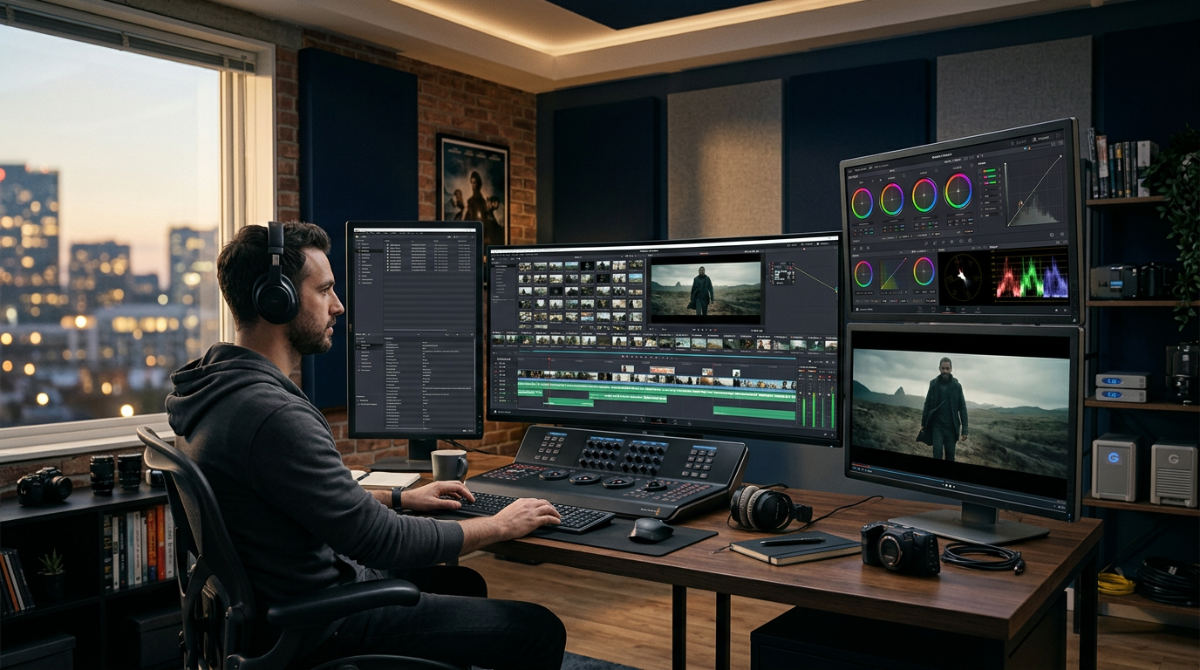
A video editor in post-production transforms raw footage into a cohesive final product. They manage ingestion. They handle assembly. They master sound design, color grading, and visual effects. This professional workflow ensures technical precision aligns with creative storytelling, turning disjointed clips into a high-impact visual narrative that resonates with a specific target audience in San Diego, CA and beyond.
Key takeaways
- Post-production is the logical glue. It connects creative concepts to technical delivery through a structured, multi-stage process.
- Sound design is the invisible layer. High-quality audio cleanup and Foley significantly elevate brand perception and viewer retention.
- Color grading ensures consistency. Professional grading is essential for maintaining brand identity and evoking specific emotional responses from the audience.
- Revitalize existing brand assets. Legacy footage can be modernized through motion graphics and re-editing to maximize ROI on historical media.
- Structured feedback loops are critical. Clear communication milestones maintain workflow momentum without sacrificing the creative quality of the final cut.
The Power of Professional Post-Production
Post-Production (Post) is the final phase where raw footage is transformed into a cohesive final product. At Pretzel Logic Productions, we believe the best results come from a blend of technical discipline and visionary art. We use a structured production framework. This ensures technical workflows protect the creative twist of your brand. The final product isn’t just a series of clips. It is a narrative that sticks.
The Logic Factor: Structure is the safety net for creativity. By using a logical workflow, we ensure the creative ‘twist’ is executed perfectly every time.
An editor acts as a master storyteller. They balance technical precision with high-level conceptual quality rather than just performing mechanical cuts. According to industry insights from Avid software solutions, post-production involves easy-to-understand aspects like clip order and complex elements like mood and pacing. This process allows us to refine the message. Every frame must serve the overarching goal. Our editors get involved as early as the storyboarding phase. No creative intent is lost in translation during the transition from set to the edit suite.
Comparing Corporate and Commercial Workflows
Corporate post-production focuses on clarity and message retention for internal or B2B audiences. When we handle corporate video production, the priority is ensuring that complex information is digestible. The company’s values must be reflected in every single transition. In contrast, commercial workflows prioritize high-energy pacing and emotional hooks. They use high-gloss visual finishes designed for maximum consumer impact.
| Feature | Corporate Workflow | Commercial Workflow |
|---|---|---|
| Primary Goal | Information retention & brand trust | Emotional engagement & conversion |
| Pacing Style | Measured, clear, and professional | Dynamic, fast-paced, and rhythmic |
| Visual Polish | Clean, consistent, and realistic | Highly stylized with advanced VFX |
| Sound Priority | Dialogue clarity and clean voiceover | Immersive soundscapes and music driving |
A structured workflow prevents creative intent from being lost. This is vital during long-form corporate projects that might involve dozens of interviews and hours of b-roll. Understanding these specific requirements allows for more efficient feedback loops. It creates faster delivery times. By identifying the target audience early, we tailor the post-production intensity to match the platform. This applies whether it is a LinkedIn thought-leadership piece or a high-stakes television advertisement.
Standard Post-Production Processing Stages in San Diego, CA
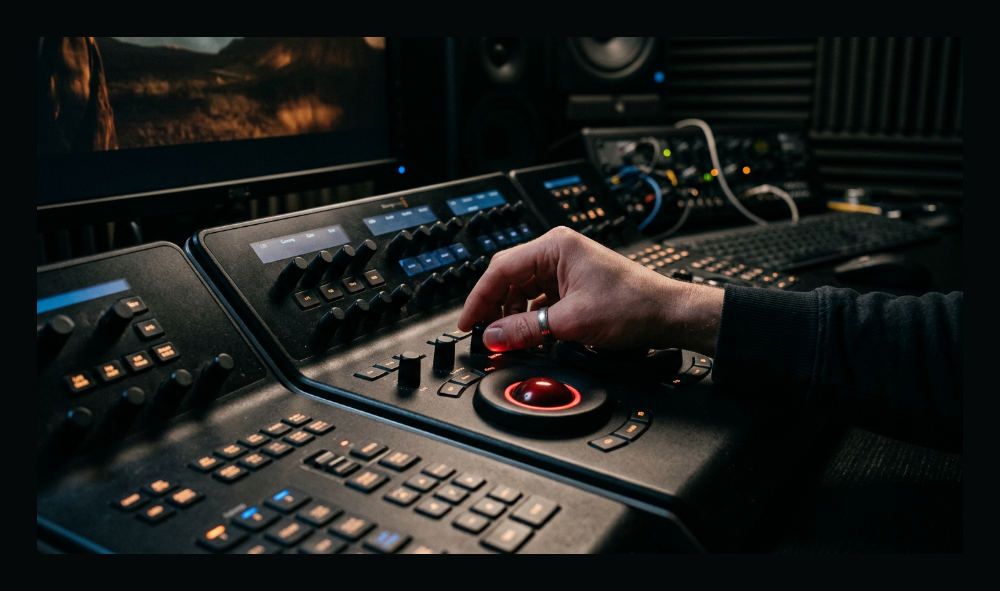
The journey from raw files to a finished master follows a specific technical sequence to maintain quality control. Ingestion involves the initial stage of post-production. It includes the transfer and organization of raw media files. This step is vital for long-term project management. Following this, the assembly or "rough cut" establishes the narrative sequence and basic pacing of the story. This gives stakeholders their first look at the flow of the content.
Once the sequence is locked, we move into the finishing stages. Color grading is the process of tweaking color for consistency. We use it to evoke specific emotions across various lighting conditions. Simultaneously, sound design for video creates the immersive audio environment required for professional results. This includes Foley and dialogue cleanup. Finally, visual effects (VFX) and motion graphics integration enhance the visual narrative. They explain complex ideas that cannot be captured by a camera alone. To understand how these phases fit into your timeline, you can review our guide on how long post production takes for different project scales.
If you are ready to move your project into the finishing phase, you can get a quote for your edit from our specialist team.
Revitalizing Legacy Assets Through Motion Graphics

Existing brand assets can be refreshed using modern motion graphics. This keeps content relevant. Many companies sit on a goldmine of high-quality historical clips. These clips often feel dated due to old text overlays or slower pacing. Footage revitalization allows companies to maximize ROI. We repurpose these assets into new social media snippets or updated brand anthems. Professional video finishing ensures these old clips look sharp on modern 4K displays.
Integrating new digital elements bridges the gap between older footage and current visual styles. Pretzel Logic specializes in breathing new life into these assets. We ensure a consistent look across all brand channels. By applying a fresh color grade and modern typography, we make five-year-old footage feel like it was shot yesterday. This approach is particularly effective for organizations that need to maintain a constant presence without the budget for a full-scale new production every quarter.
1. Organize and ingest your media assets
Standard practice begins by transferring all raw footage into a secure, redundant storage environment. We do this to prevent data loss. This is the foundation of any professional post-production services workflow. It ensures the safety of the original digital negatives.
- Consistent Naming. Label every clip with a convention that includes dates, scene numbers, and camera angles.
- Project Creation. Create a project file in your NLE (Non-Linear Editor) and import the organized assets for easy access.
- Proxy Workflows. Transcode footage to a proxy format when working with high-resolution raw files to maintain smooth playback performance.
- Metadata Entry. Tag clips with keywords for rapid searching during the edit.
2. Perform the primary assembly edit
During this stage, you select the best takes based on performance and clarity. You follow the creative vision established in the initial planning. This is where the story actually takes shape. It moves from a script to a visual reality. The narrative backbone is built here.
- Timeline Selection. Place the selected clips on a timeline to form the basic structure of the story, focusing on narrative flow.
- Pacing Adjustments. Trim clips to remove dead air or redundant information, ensuring the pace remains engaging for the audience.
- Placeholders. Incorporate placeholder music and temp graphics to help visualize the final timing.
3. Apply color correction and grading
Color is a powerful psychological tool. It dictates how a viewer feels about your brand. We begin with color correction to balance exposure and white balance across all shots for a natural, uniform look. This provides a baseline for creative grading that matches your brand aesthetic.
- Creative Grading. Apply a creative grade that aligns with the brand’s visual identity and the emotional tone of the video.
- Visual Focus. Use masks and power windows to draw the viewer’s eye to the most important elements, such as a product or a speaker’s face.
- Verification. Export a test frame to verify how the colors translate across different device screens.
- Matching. Ensure the skin tones remain consistent from the first interview clip to the last.
4. Layer sound design and mix audio
Professional sound design for video is the invisible layer. It makes or breaks professional video. Clean up dialogue tracks by removing background noise and clicks. We use high-end audio restoration tools. This process includes creating the audio environment.
Pro Tip: Never underestimate the sound. A viewer will tolerate a slightly blurry image, but they will immediately turn off a video with poor audio quality. If I had to choose between a 4K image with static and a 1080p image with crisp sound, I’d take the clear audio every time.
- Foley and Atmosphere. Layer in atmospheric sounds and Foley to add depth and realism to the visual environment.
- Audio Balancing. Balance the levels of music, voiceover, and sound effects to ensure the core message is never drowned out.
- Perception of Quality. Consider how the sonic texture impacts the viewer’s perception of overall production value.
- Dynamic Range. Control the peaks to ensure your video doesn’t clip or distort on mobile speakers.
5. Finalize delivery and platform optimization
The final step is to review the cut for technical errors. We look for flash frames or audio peaks before hitting the export button. This stage ensures that the file meets the technical specifications of its intended destination. We optimize for broadcast or social media.
- Platform Specs. Create specific exports optimized for different platforms, including vertical crops for social media and high-bitrate files for broadcast.
- Archiving. Archive the project files and raw assets so they can be accessed for future updates or revitalization in later years.
- Delivery. Deliver the final master files through a secure client portal for immediate review and deployment.
- Quality Control. Watch the final export all the way through one last time to catch glitches.
Common Post-Production Mistakes to Avoid
One frequent error is over-editing. You can lose the original creative twist by ignoring the initial storyboarding intent. When the edit becomes too clinical, the "soul" of the story can vanish. Another major pitfall is neglecting sound quality. Many creators focus entirely on high visual resolution. They ignore wind noise or hollow-sounding dialogue. This immediately signals a lack of professionalism.
Inconsistent color grading is another mistake. It makes a professional video feel disjointed and amateur. If one shot is warm and the next is cool, the viewer becomes subconsciously distracted. Finally, waiting too long to start the feedback loop can lead to costly revisions. We recommend sharing a "picture lock" version before starting heavy color and sound work. This ensures the sequence is approved. For brands managing their marketing budgets, utilizing specialized budget management tools can help organize the financial side of recurring production costs. This allows the creative team to focus on the screen.
Pretzel Logic Productions 5961 Kearny Villa Rd San Diego, CA 92123
Frequently asked questions
What does a post-production video editor do?
A post-production video editor is responsible for assembling raw footage into a narrative sequence that aligns with the project’s creative vision. They manage the technical "finishing" of a film, including managing color, sound, and graphics to ensure a polished result. They also act as the bridge between the client and the footage, translating feedback into actionable visual changes.
Is video editing the same as post-production?
No, video editing is just one specific stage within the broader post-production process. While editing focuses on the sequence and timing of clips, post-production is an umbrella term that also encompasses sound design, color grading, visual effects, and final mastering. It covers everything that happens after the cameras stop rolling to prepare the video for its audience.
How long does the post-production process take?
The timeline varies significantly based on project complexity, ranging from a few days for a simple social clip to several weeks for a high-end commercial. Corporate videos typically have a faster turnaround than highly stylized pieces. Efficiency usually depends on having a structured workflow and clear feedback milestones to avoid unnecessary revision cycles.
Can you revitalize old corporate footage during post-production?
Yes, existing assets can be modernized through new color grades, updated motion graphics, and contemporary pacing. This is an excellent way to extend the lifespan of high-value brand assets without the cost of a new shoot. We often re-cut legacy footage to fit modern social media standards and updated branding guidelines.
What is the difference between color correction and color grading?
Color correction is a technical process that fixes errors like exposure and white balance to make footage look natural and consistent. Color grading is a creative choice applied afterward to create a specific mood, style, or brand aesthetic. Both are necessary for a corporate video production company to achieve a professional finish that resonates with the audience.