
Last updated September 14, 2026
San Diego’s corporate landscape has shifted toward permanent hybrid models, making mastery of video conferencing technology a requirement for doing business. This guide breaks down the essential technical layers, from codec selection to network optimization, using industry benchmarks and professional production standards to ensure your digital meetings reflect your brand’s authority.
1. Optimize network Quality of Service (QoS) to prevent packet loss and high latency.
Reliable digital communication starts at the infrastructure level. Even the most expensive camera won’t save a presentation if the network can’t handle the load. You must configure your router to prioritize real-time transport protocol (RTP) packets. This ensures your audio and video streams remain fluid even when other team members download large files on the same network. According to Vibe, latency and jitter must be kept below specific thresholds to prevent audio gaps while video continues.
For high-stakes executive calls in San Diego, bypass the inherent interference of shared Wi-Fi. Use a dedicated Ethernet connection to maintain low latency and stable throughput. This avoids the awkward "double-talking" effect that ruins the natural rhythm of a conversation. By treating your connectivity with the same logic applied to corporate video production, you ensure your technical foundation is as strong as your message.
2. Leverage AI-driven media layer processing for real-time background and lighting optimization.
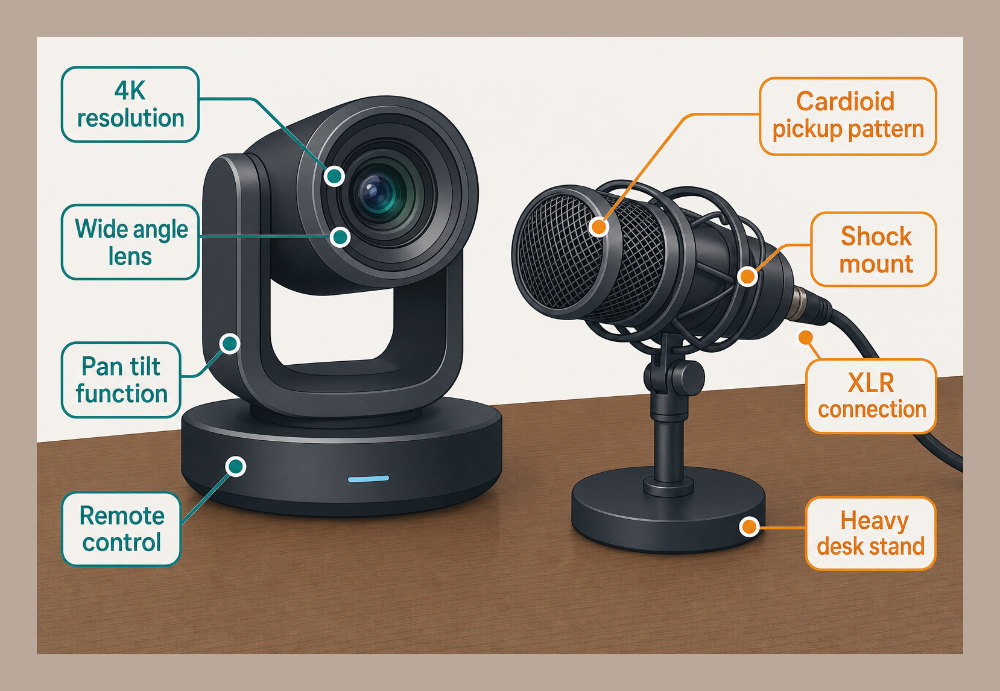
The next wave of video conferencing technology focuses on smarter processing rather than just faster speeds. Modern AI meeting assistants now automate noise suppression by filtering out non-human frequencies like mechanical fans or the click-clack of laptop keys. This creates a focused sonic environment regardless of your surroundings. Software-level low-light compensation algorithms can also maintain professional visibility in San Diego office environments where harsh shadows or dim afternoons might obscure your face.
A massive shift toward real-time "Eye Contact" correction and automatic framing is currently underway. These tools keep the speaker centered and digitally adjust the gaze so it appears you are looking directly into the lens while reading notes. Industry experts note that these AI-driven enhancements are becoming standard for maintaining a professional visual baseline. Integrating these tools is a logical extension of how a brand video production strategy creates a consistent, high-quality image across every digital touchpoint.
3. Prioritize AEC-compliant hardware to eliminate disruptive audio echo and feedback loops.
Audio is arguably more important than video. If people can’t hear you, the meeting is over. Acoustic Echo Cancellation (AEC) prevents a remote participant’s voice from being picked up by your microphone and sent back as a distracting echo. While most software has basic AEC, dedicated hardware processors do it better. These systems are essential for clear, two-way communication.
To get the best results, ensure your audio interface supports full-duplex transmission. This allows participants to speak simultaneously without the audio clipping or cutting out one side of the conversation. Instead of relying on the tiny, low-fidelity microphones built into laptops, deploy external VoIP conferencing phones or dedicated USB microphones. The technical execution of your sound defines your professional presence. Just as professionals handle the sonic intricacies of filming and video production, your office setup needs the right gear to ensure every word lands with clarity.
4. Implement H.264 or VP9 codecs to ensure cross-platform interoperability.
A codec is the math that shrinks your video so it can travel across the internet. Choosing the wrong one leads to "choppy" playback and frustrated clients. H.264 remains the universal standard for compatibility, working across legacy boardroom hardware and modern mobile devices. If you use browser-based platforms like Google Meet, VP9 offers superior compression for high-definition streams without the licensing friction often found with H.265.
Selecting the right codec architecture reduces the processing load on the end-user’s CPU. This is vital for long sessions where a laptop might otherwise overheat and throttle performance. Selecting a widely supported codec ensures your stream is accessible to everyone, regardless of their device. If you are wondering if video production is part of your digital marketing plan, treat your live conferencing with the same technical rigor you would a pre-recorded commercial to maintain brand consistency.
5. Secure your data transmission with End-to-End Encryption (E2EE) and NAT Traversal.
Security is a requirement for corporate survival. Ensure your platform utilizes robust encryption to protect sensitive discussions from unauthorized interception. Beyond encryption, you need to implement STUN or TURN servers for NAT Traversal. These protocols allow video data to pass through complex corporate firewalls securely without exposing your internal IP addresses to the open web.
Simple procedural security is equally important. Always require unique meeting IDs and utilize virtual waiting rooms to prevent "meeting bombing" by uninvited guests. These steps protect your proprietary data and your reputation. Secure transmission remains a cornerstone of modern enterprise communication. For brands looking to protect their digital footprint, InnoVision Marketing Group provides specialized insights into managing your online reputation and security protocols. Balancing logical security with creative collaboration ensures your brand stays both innovative and protected.
6. Deploy dedicated telepresence rooms to simulate life-sized, face-to-face interaction.

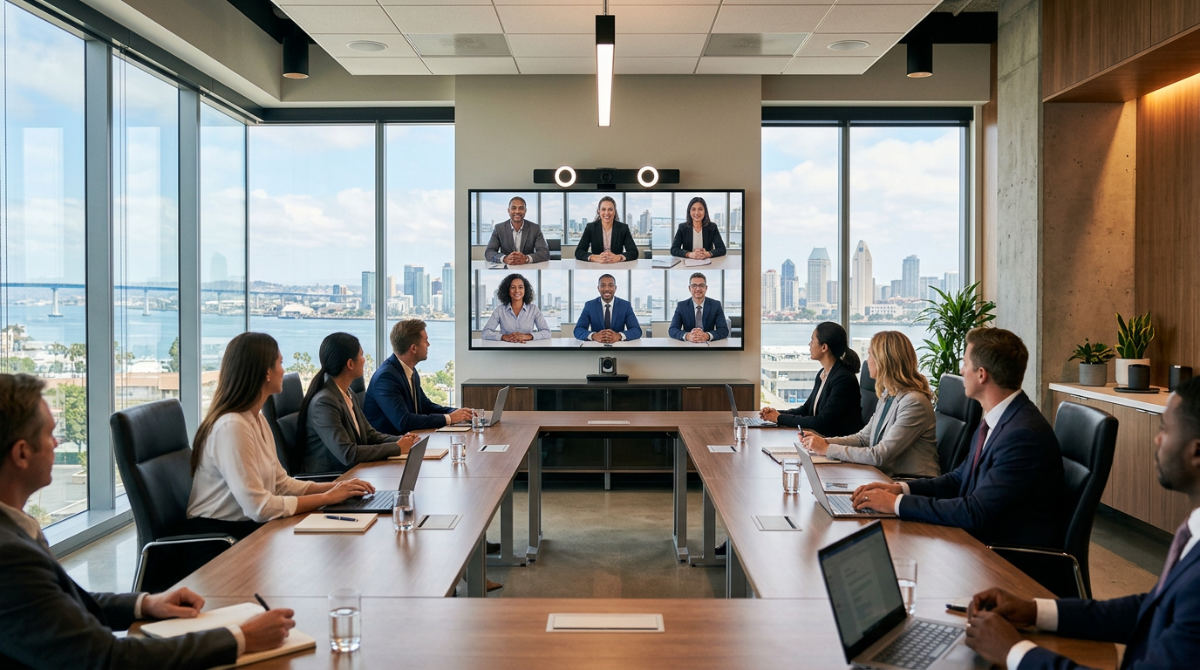
Telepresence technology represents the pinnacle of virtual communication. It uses high-definition displays and strategically positioned cameras to create an immersive environment. Remote participants appear at actual scale, which is essential for high-stakes executive meetings or legal depositions where non-verbal cues and eye contact build trust. Unlike a standard desktop setup, telepresence integrates furniture and room aesthetics to mirror the layout of the remote location, creating a seamless visual bridge.
These dedicated environments help to bridge the psychological distance often felt in standard calls. By ensuring the camera is at eye level and the lighting matches the physical room, you remove the distractions of a typical webcam feed. This approach transforms a simple call into a high-impact collaboration that mirrors the gravity of an in-person boardroom session. For organizations looking to define their visual identity at this level, understanding what brand video production entails can help align your telepresence aesthetics with your broader corporate image.
7. Utilize Multipoint Control Units (MCUs) or SFUs to manage high-participant traffic.
Scaling a video call for a large audience requires sophisticated server-side architecture. Multipoint Control Units (MCUs) act as a central hub, bridging multiple video calls into a single stream to reduce the bandwidth load on individual participants. Alternatively, Selective Forwarding Units (SFUs) allow for different resolution streams to be sent based on each participant’s individual bandwidth capacity. This flexibility ensures a user on a mobile connection receives a lighter stream while a boardroom user receives full high-definition video, preventing the entire meeting from lagging.
These architectures are essential for scaling corporate webinars to large numbers of attendees without crashing the host’s system. Choosing between an MCU and an SFU depends on your hardware capabilities and the number of participants. Without these units, the peer-to-peer demand of a large meeting would likely lead to total connection failure. Implementing these backend strategies ensures your message reaches every attendee with professional clarity, regardless of their local network limitations.
8. Adopt hybrid-first hardware to bridge the gap between in-office and remote teams.
Physical hardware must accommodate the nuances of hybrid work. 360-degree cameras that automatically pivot to the active speaker in the conference room make remote workers feel they have a seat at the table. Integrating digital whiteboards further enhances this by allowing remote participants to see and contribute to brainstorms in real-time, ensuring physical distance does not hinder the creative process.
Standardizing your tech stack across all meeting rooms is also vital to ensure interoperability. Consistent hardware helps eliminate the technical friction that occurs when visitors or different departments try to sync disparate devices. When every room operates on the same logic, staff spend less time troubleshooting and more time communicating. Investing in these hybrid-first tools ensures your office remains a hub for global collaboration, effectively removing the barriers between the physical office and the digital workspace.
How to Measure Meeting ROI in San Diego Business Hubs
Quantifying the success of your video conferencing technology requires looking beyond technical uptime. One direct way to measure return on investment is to track the reduction in interstate travel costs since implementing high-definition telepresence rooms. When high-definition systems replace the need for executive flights, the savings in airfare and lodging often cover the hardware costs within a single fiscal year.
Analyze collaboration speed by measuring the time from concept development to post-production milestones. Efficient virtual meetings reduce the friction of decision-making, allowing projects to move through the pipeline faster. Monitor employee engagement metrics during large town halls using AI-driven analytics that track attendance and interaction levels. Finally, evaluate the quality of your visual narrative against competitors using professional standards. A company that presents itself with superior audio-visual clarity often commands more authority in the San Diego business market than one struggling with pixelated feeds and audio lag.
Integrating Professional Production into Your Digital Strategy

Your video conferencing setup should never exist in a vacuum. To maintain a cohesive brand identity, ensure your conferencing technology reflects your overall digital marketing plan. The same color palettes, professional framing, and high-quality audio found in your marketing materials should be present in your live calls. This consistency builds a sense of reliability and professionalism with clients and partners.
Bridge the gap between raw meeting footage and polished assets through professional post-production editing services. Important webinars or internal announcements can be recorded and refined for later use on social media or company archives. Incorporating motion graphics to explain complex data points during high-stakes virtual pitches can also give your team a significant edge over traditional slide decks. For those ready to take their visual communication to the highest level, specialized video production experts can assist with auditing physical lighting and framing setups. This professional consultation ensures your physical space is optimized to project maximum authority during every digital interaction.
Frequently asked questions
How to improve video conferencing quality for corporate meetings?
To elevate meeting quality, prioritize hardware equipped with Acoustic Echo Cancellation (AEC) and use dedicated USB microphones instead of built-in laptop mics. Ensure your router is configured for Quality of Service (QoS) to prioritize real-time transport protocol packets. Finally, leverage AI-driven framing and lighting compensation to maintain a professional visual standard regardless of your environment.
What is the best bandwidth for high-definition video conferencing?
High-definition video requires stable upload and download speeds to maintain clarity, with higher requirements for professional 4K streams. Latency should ideally remain low to prevent audio-visual desync. Using a wired Ethernet connection is always recommended over Wi-Fi for consistent throughput.
How does WebRTC differ from traditional video conferencing software?
WebRTC allows for direct browser-to-browser communication without requiring plugin installations, making it highly accessible. Traditional software often relies on proprietary signaling layers or SIP protocols. While WebRTC is optimized for low-latency peer-to-peer connections, it often requires Selective Forwarding Units (SFUs) to manage large-scale multiparty calls effectively without overwhelming individual devices.
If you are ready to transform your corporate communications into a high-impact visual experience, reach out to our team to get started on your next project today.