
Last updated November 11, 2026
Navigating the Avid Media Composer download landscape requires matching your project’s technical needs to the right software tier. This guide covers everything from the free Media Composer | First to enterprise-level Ultimate deployments. It was compiled from official repositories and verified user archives. Get the right tools. Bring your creative vision to life.
1. Choose the Ultimate tier for collaborative post-production workflows.
Standard licenses won’t cut it in multi-editor environments. You need the Ultimate tier. It unlocks essential collaboration features like bin sharing and shared storage support. This version is the gold standard for high-end television and film. It allows multiple users to work in the same project simultaneously. No one overwrites anyone else’s work. It also includes advanced tools like PhraseFind and ScriptSync. These use phonetic indexing to locate specific dialogue instantly.
When you initiate your avid media composer download, select the specific Ultimate installer to enable these server-side capabilities. At Pretzel Logic, we often see brands struggle with technical execution after a shoot. We bridge the gap between creative concepts and technical post-production. We use these robust tools to keep project files organized and accessible. If your internal team finds the setup of shared environments daunting, bring in a professional partner. This ensures your assets are managed with logical technical workflows from the start.
Source: Freddy’s Avid Link Archive
2. Verify Windows 10 or 11 compatibility before starting your download.
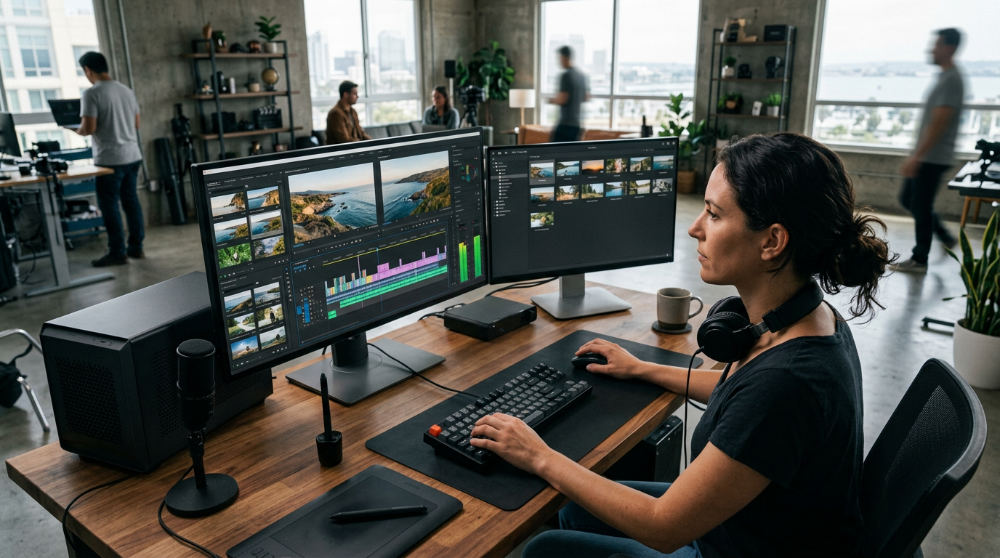
Audit your hardware before you click that download button. Modern iterations of the software are designed for 64-bit Windows environments. If you are running an outdated OS or have limited RAM, the installer may not function. It might install but then crash during the initial workspace load as it tries to initialize the GPU.
Check the repository readme file for specific hardware requirements. Look closely at GPU acceleration. Avid is notoriously picky about graphics cards. We recommend using certified NVIDIA or AMD workstation cards. This prevents playback stuttering. For many businesses, the technical overhead of maintaining high-spec edit suites is a distraction. If you have raw assets but lack the storytelling structure or the hardware to process them, we can help. We offer a full-service revitalization of existing footage to turn stagnant files into professional campaigns.
Source: Avid Software Compatibility Guides
3. Download legacy versions like 2020.12.8 for specific hardware stability.
Newer isn’t always better in professional broadcast. Many major facilities deliberately stay on older builds like version 2020.12.8. It offers legendary stability with legacy Interplay servers and specific hardware peripherals. If you are jumping into a project for a studio that hasn’t updated its central server in years, the latest build might be a mistake. It could break your ability to check assets in and out of the database.
You won’t always find these older installers front-and-center on the main website. You may need to refer to community-maintained archives for direct links to these stable builds. This level of technical logic is exactly how we approach our work at Pretzel Logic. We combine these disciplined technical workflows with creative twists that standard editors often miss. The focus should always be on the integrity of the edit and the impact of the story.
Source: Freddy’s Big List of Relevant Avid Links
4. Access the core editing tools for free with Media Composer | First.
Media Composer | First is a perfect entry point. It works for students, hobbyists, or marketing managers who want to understand the Avid logic. It provides the same interface and "source-record" timeline logic used on blockbuster films. You get this without the financial commitment. It is a fantastic way to master bin structures and the trim tool. These are the hallmarks of the Avid ecosystem.
Be aware of the limitations. The free version typically limits your project count and export resolutions. It is designed for learning, not for delivering a national commercial. DIY editing is a great way to start. However, there is a clear line where professional help becomes necessary. If your project has outgrown the free tools and requires high-level avid technology software in visionary workflows, move beyond entry-level software. Partner with a team that has the enterprise-grade tools to finish your film properly.
Source: Freddy’s Big List of Relevant Avid Links
5. Use the 30-day trial to test high-end features like phrases and script-sync.
If you are on the fence about upgrading, use the 30-day trial. This allows you to evaluate Ultimate-level features like PhraseFind and ScriptSync on your own footage. These tools save an editor significant time by indexing every word spoken in your clips. You can find specific quotes across many hours of raw interviews quickly.
Ensure your system is fully optimized before you start the clock. Trial periods usually cannot be reset. You don’t want to spend the first week troubleshooting driver issues. This trial is available for both Windows and Mac. It offers a full look at the professional toolkit. If the learning curve feels too steep, remember that professional post-production requires an eye for pacing and emotional resonance. That only comes with experience.
Source: Freddy’s Big List of Relevant Avid Links
6. Integrate Interplay components for enterprise-level media management.
For large-scale corporate environments or newsrooms, the avid media composer download is only half the battle. You also need to integrate Interplay client components. These allow the editing software to communicate with a central Production Asset Management (PAM) system. When reviewing compatibility charts, look for designations that identify which client components match your server’s version.
Matching these versions is critical for a stable MediaCentral Cloud UX integration. Mismatched versions lead to database errors. These errors can stall a production indefinitely. This technical precision is a core part of what we do at Pretzel Logic. Our studio bridges the gap between local personalized service and nationwide high-end commercial production capabilities. We handle the complex technical back-end. You focus on the creative vision of your brand. For those looking for specialized lighting and studio spaces, you might also consider the facilities at Lightz Out Studios for your next production.
Source: Freddy’s Big List of Relevant Avid Links
7. Utilize direct installer links for faster deployment across edit suites.
Managing a download for a single machine is simple. However, IT managers overseeing large facilities often find the standard Avid Link interface cumbersome. Utilizing direct installer links is far more efficient for large-scale deployments. These links bypass the overhead of the management application. This allows technical leads to push specific software builds to multiple workstations simultaneously via networked deployment tools.
When sourcing these installers, you must secure the corresponding ReadMe and "What is New" documentation. These files contain specific instructions for the build. They are easily missed during a bulk install. Having the documentation on hand ensures that version-specific bugs are known before the edit starts. If managing these technical hurdles takes away from your creative energy, seek expert post-production services. Keep the project on schedule without the IT headaches.
Source: Official Avid Documentation and Knowledge Base
8. Review the Master FAQ to solve common licensing and installation errors.
Even with a perfect avid editing software download, licensing hurdles can stall your progress. Most activation issues are addressed in the centralized Avid FAQ database. This includes serial number mismatches and server timeout errors. Read this resource before you attempt to troubleshoot a failed installation manually. It provides clear paths for resolving issues within Avid Link.
The database also covers complex scenarios. You can learn about moving a license between a workstation and a laptop for remote work. Understanding the nuances of background services helps prevent the software from hanging during the launch sequence. If you encounter a persistent error that the standard documentation cannot solve, refer to a community-curated resource like Freddy’s Avid Link Archive. It provides historical context for bugs that affect specific legacy versions or OS configurations. Solve these errors early. Ensure your creative momentum is never broken by a technical lockout.
Source: Freddy’s Big List of Relevant Avid Links
9. Configure your initial workspace immediately after the first launch.
Completing your media composer ultimate download is just the beginning. The first launch is when you must establish your technical foundation. Setting up your user profile correctly is the most important step for long-term productivity. A well-configured profile ensures that your custom keyboard shortcuts and bin views are preserved. They stay with you across different software versions and physical machines. This consistency allows professional editors to move between suites without missing a beat.
Proper initial configuration also helps prevent common out of memory errors. These can occur during the first project load. Standardize your workspaces across Windows and Mac environments. This helps you manage complex media assets and bins more effectively. Pretzel Logic Productions combines logical technical workflows with high-level creative twists. Take ten minutes to map your interface and adjust your cache settings today. It will save you hours of frustration during a deadline tomorrow.
Source: Avid Community Support Guides
Do you work with brands across the country?
Yes, Pretzel Logic Productions serves corporate brands, law firms, and marketing agencies nationwide. Modern production houses often utilize secure remote review tools and cloud-based collaboration. This ensures a consistent experience regardless of physical location. We successfully deliver projects for clients in various regions.
A nationwide service provider is a production house that offers creative and technical services to clients regardless of their physical location.
| Feature | Details |
|---|---|
| Service Scope | Nationwide (USA) |
| Office Location | San Diego, CA |
| Client Types | Corporate, Legal, Non-profit |
| Service Method | Professional Production Services |
Bridging the Gap Between Concept and Technical Execution
Transitioning from a creative concept to a technical post-production workflow requires a logical structure. It should not stifle artistry. Many creators start with a brilliant idea but get bogged down in the mechanics of the avid media composer download or file management. Success lies in creating a bridge. Technical settings, like frame rates and color spaces, must be established early. This allows the creative edit to flow without interruption.
Pretzel Logic Productions combines logical technical workflows with high-level creative twists. A commercial is not just a collection of clips. It is a narrative that must be technically flawless to maintain professional credibility. Our studio bridges the gap between local personalized service and nationwide high-end commercial production capabilities.
Once your Avid edit is locked, professional color grading and post-production are essential. They give your brand a premium finish. A raw edit might tell the story, but the final polish ensures the viewer sees your brand as a leader. By aligning your technical execution with your original vision, you create a final product that resonates emotionally. It meets the highest industry standards.
Moving Beyond the DIY Download
Mastering the avid media composer download process is a vital skill. However, large-scale campaigns often require more than software proficiency. Choosing between DIY editing and hiring a full-service production house depends on your scale. It depends on the complexity of your storytelling needs. For simple internal communications, a DIY approach might suffice. For high-stakes marketing, the expertise of a professional team is irreplaceable.
We offer full-service revitalization of existing footage for brands that have the assets but lack the storytelling structure. Many companies have hours of high-quality video that fails to convert. It lacks a cohesive narrative or professional pacing. We take that raw material and transform it into a compelling brand story. Even when using automated tools for business growth, like a demo for an Automated Sales Machine, professional video quality remains the primary driver of trust.
Whether you are utilizing avid technology’s software in visionary workflows or need expert post-production services, we are ready to assist. Technical workflows in professional clinics ensure that projects benefit from the most stable software versions and creative editorial eyes. Moving beyond the download means focusing on the final impact of your video. Stop worrying about the tools. Focus on the results.
If you are ready to improve your next project with professional storytelling and technical precision, contact us today. We bring your creative vision to life, but with a twist. Fill out the form at https://pretzellogicproductions.com/contact-us/ to get started.