Last updated November 23, 2026
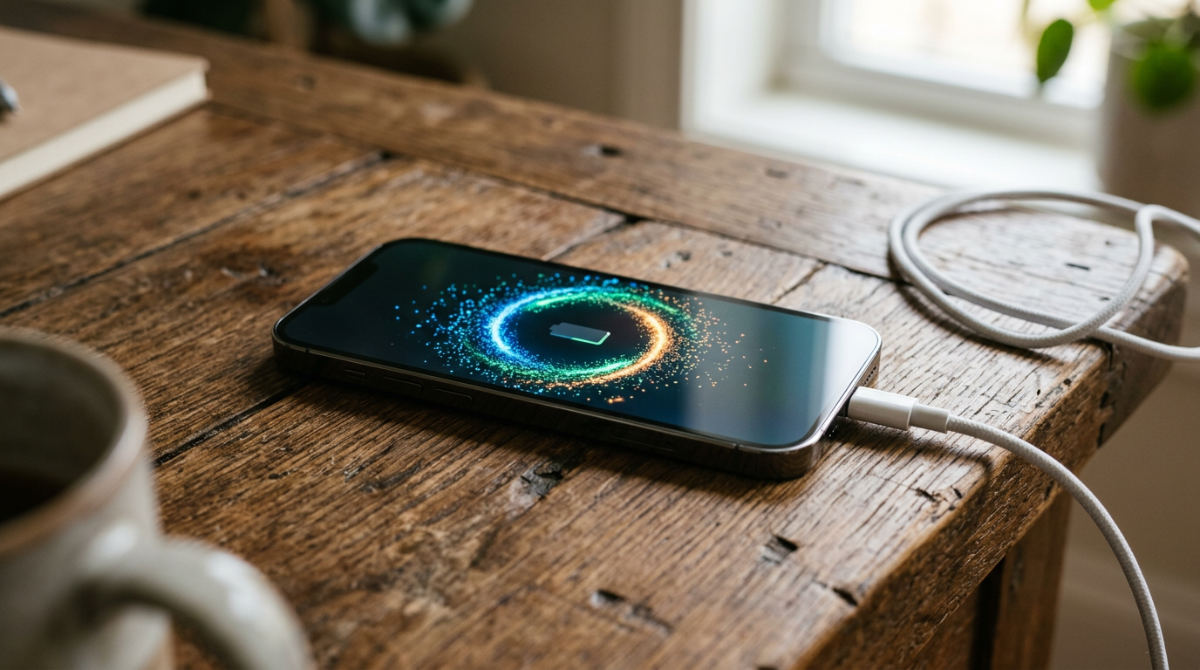
The Pixel charging animation is a dynamic visual feedback loop that activates when a Google Pixel device is connected to power. Built on the Material You design language, it utilizes particle physics and system-wide color palettes to provide a reactive, high-end user experience that signifies charging status through organic motion.
Key takeaways
- Personalized Logic. Pixel charging animations use design logic intended to sync visual effects with the user’s selected wallpaper colors.
- Physics-Based Feedback. Modern UI motion design has shifted from flashy transitions to subtle, physics-based feedback loops.
- Professional Precision. Professional motion graphics involve expert storyboarding and post-production to ensure brand cohesion.
- Resource Management. Third-party apps allow for customization but may impact battery performance compared to native OS animations.
- Strategic Value. Motion design is a strategic brand touchpoint that increases user retention and perceived device quality.
The Evolution of Mobile Charging Visuals
Google Pixel user interfaces began with static battery icons. They have evolved into sophisticated glimmer effects. In the early days of mobile design, a simple lightning bolt or a filling green bar was the standard for indicating power. Today, the interface feels alive. When you plug in a modern device, the screen does not just change state. It reacts. A burst of light radiates from the charging port, creating a sense of physical energy transferring into the digital realm.
Motion Graphics is the technical field of creating animated UI elements like charging screens, moving beyond simple bars to complex particle physics. This evolution reflects a broader trend where software is expected to behave like a tangible object. Modern animation principles suggest that micro-interactions should feel like a natural extension of the user’s digital environment. By sampling colors from your home screen wallpaper, the charging glimmer ensures the device feels personalized and cohesive.
These animations serve a psychological purpose. They provide immediate gratification and a sense of living software that responds to physical inputs. Instant reactions to a cable reduce the perceived latency of the device. This creates a high-end feel that San Diego tech enthusiasts and users nationwide have come to expect from flagship hardware. It is no longer just about utility. It is about the emotional connection between the user and their technology.
What are the latest trends in UI motion graphics?
Current trends favor organic, physics-based movements and micro-interactions that feel responsive rather than decorative, much like the Pixel particle-based charging effects. We are seeing a move away from rigid geometric transitions toward fluid, liquid-like motions that adapt to device orientation and user context. The goal is simple. Make the interface feel like a continuous, flowing canvas. This fluid approach ensures the Android experience remains competitive and visually stunning.
| Feature | Traditional UI Motion | Modern UI Motion |
|---|---|---|
| Behavior | Preset/Static | Physics-based/Reactive |
| Color | Fixed Palette | Dynamic (Material You) |
| Complexity | Simple Easing | Particle Systems |
| Purpose | Decorative | Functional Feedback |
Pretzel Logic Productions is a full-service video production house that creates animations and visual stories, framing UI motion through the lens of logical workflows. Motion should never be decorative filler. Instead, it should guide the user eye and reinforce the brand voice. Whether it is a subtle bounce when a list reaches its end or a sophisticated charging sequence, the motion must feel intentional. By focusing on the logic behind the movement, brands create digital experiences that feel innovative. I would always choose physics-based motion over static transitions because it makes a product feel premium and responsive.
How do I change the charging animation on my Pixel?
To change or customize your charging effects, you can navigate to the wallpaper settings to adjust the Material You theme, which influences the glimmer colors. While the stock experience does not allow you to change the fundamental physics of the animation, changing your wallpaper will automatically shift the hues of the particle effects to match your aesthetic. This ensures the system-wide design remains harmonious without requiring manual color picking. Users often manage digital assets across different ecosystems, and tools like the Pollaroo budget manager can help users organize their financial commitments.
For more radical changes, third-party tools like a battery charging animation app offer themes including neon, heart, and circular designs. These applications sit on top of the lock screen to replace the native glimmer with more flamboyant visuals. Many modern customization apps also include a charge completion alarm to notify users when the battery reaches 100%. This helps preserve long-term battery health. It encourages timely unplugging after the animation concludes.
While custom animations are visually striking, poorly optimized third-party overlays can consume additional resources. Professional motion design focuses on efficiency. You want to avoid draining the battery. If you notice your device warming up or the battery dropping while plugged into a low-wattage source, the custom animation might be the culprit. A refined guide to motion graphics animation highlights that true quality in UI design is found at the intersection of visual flair and technical performance.
Do you work with brands across the country?
Yes. Our team collaborates with corporate brands and marketing teams throughout the United States. We provide high-quality animation from our San Diego base. We work with clients from New York to Seattle, managing the entire creative process remotely or on-site as needed. Pretzel Logic handles everything from the initial concept to the final export. Distance never compromises the quality of the visual storytelling. We ensure every frame meets the high standards seen in modern mobile operating systems.
We serve as logical collaborators for marketing directors looking to scale their visual media across the country, ensuring brand stories are told with a unique twist. Forget simple DIY apps. Those offer cookie-cutter templates. Our team uses custom workflows to create bespoke elements that represent a brand’s unique identity across all digital platforms. This level of customization is essential for businesses that want to stand out in a crowded digital marketplace. High-end motion design is now a prerequisite for professional app development.
Our process involves a focused look at post production in animation, ensuring every micro-interaction is polished to flagship standards. By treating UI elements as cinematic moments, we help brands create a cohesive digital presence. We focus on the tiny details that others might overlook. Those details define the user experience. Whether it is a splash screen or a custom battery effect, the finishing touches matter most for brand perception.
Building Brand Affinity Through Motion
Visual stories, even tiny ones like a charging screen, are essential for building long-term brand affinity and user loyalty. When a user interacts with a brand app or device, every motion sends a message about the brand’s attention to detail. Working with a dedicated animation explainer video company allows brands to move beyond templates and create something truly proprietary that resonates with their specific audience.
Strategic video production complements these motion efforts by integrating high-quality visual content across broader marketing campaigns. The focus should always be on authentic storytelling, whether you are troubleshooting why a charging animation is not showing or looking to develop a custom interface. If the motion does not feel like it belongs to your brand, it will feel like a distraction to the user. Authentic motion creates a logical bridge between the user and the software interface.
If you are ready to bring your creative vision to life with a twist, fill out the form at https://pretzellogicproductions.com/contact-us/ to discuss your next motion graphics project. We are located at 5961 Kearny Villa Rd, San Diego, CA 92123, and we are ready to help you tell your story through the power of professional animation. Let us transform your basic interactions into memorable brand experiences.
FAQ
Why is my Pixel charging animation not showing? Check if "Remove Animations" is toggled on in Accessibility settings, or if your device is in Battery Saver mode, which often disables fluid UI effects.
Does Material You affect the charging glimmer? Yes, the accent colors of the charging particles are derived from your wallpaper through the Material You color extraction engine.
Are custom charging apps safe for battery health? Most are safe, but they may use more background power than native animations. It is recommended to use well-reviewed apps with minimal background activity.
Can I create my own charging animations? Yes, professional motion designers use tools like Adobe After Effects or Lottie to create high-quality UI animations that can be integrated into mobile applications.