
Last updated September 9, 2026
DaVinci Resolve remains the industry leader for accessible video post-production. The software is developed by Blackmagic Design, a company renowned for producing professional cinema cameras and high-end broadcast hardware. In current workflows, the free version continues to offer a robust suite including Fairlight audio and Fusion VFX, allowing creators to produce cinema-quality content. This guide breaks down the technical capabilities and logical boundaries of the software, based on current industry standards and technical specifications.
1. DaVinci Resolve free version supports exports up to 4K UHD at 60fps.
High-resolution output is standard in the modern branding landscape. We love that the free version of this software doesn’t skimp on quality. It allows for professional 3840 x 2160 deliverables. This is the sweet spot for high-end digital displays and streaming platforms. The software supports H.264, a widely used video compression standard for web export. It ensures your files are optimized for fast loading without sacrificing clarity. Codec support is essential for creators who need to distribute their work on social media and professional portfolios immediately.
At Pretzel Logic, we see creators start with these settings for social media and corporate presentations that require crisp visual clarity. The Studio version allows for 8K and beyond, but 4K UHD is more than enough for the vast majority of professional digital campaigns. You get the benefit of a professional workflow without the immediate overhead. It’s a logical entry point for burgeoning brands. If your project requires specific hardware acceleration for these codecs, you might eventually look toward an upgrade. For standard web delivery, however, the free tier is exceptionally capable. We would choose this over a subscription-based editor any day.
Source: Pretzel Logic Productions
2. The free version includes the full Fairlight audio engine with support for 2,000 tracks.
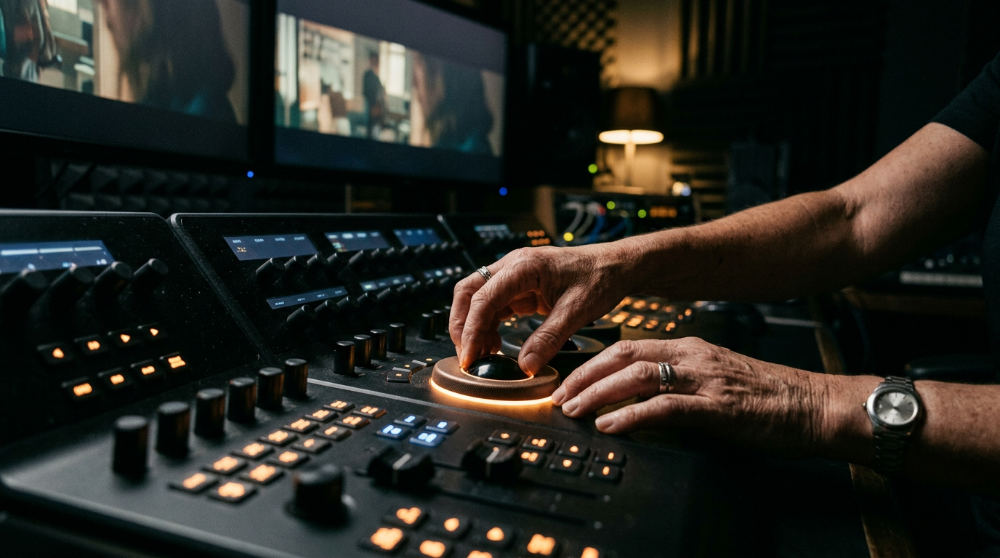
Fairlight is the integrated digital audio workstation within DaVinci Resolve that provides a massive array of professional mixing tools. Sound is half the experience in video production. It is often overlooked. Users gain access to a professional-grade digital audio workstation integrated directly into the editor. This isn’t a stripped-down tool. It features advanced mixing, normalization, and equalization tools for cinematic soundscapes. Having the ability to manage up to 2,000 tracks means you can layer complex foley, ambient textures, and multiple voiceover takes. You will never hit a ceiling.
This integration provides a streamlined video post-production workflow by eliminating the need for external audio software (which often introduces sync issues or file management headaches). For brands looking to create an immersive auditory experience, Fairlight offers the precision needed to balance dialogue against a heavy musical score. We utilize these same engine capabilities when we provide professional post-production services to ensure every decibel serves the story. Keeping your audio and video in one timeline maintains a logical flow from the first cut to the final mixdown. Your brand’s voice is heard exactly as intended.
Source: Pretzel Logic Productions
3. Node-based editing in the free version provides unparalleled creative control for color grading.
Node-based editing is a workflow style where effects and color corrections are connected in a flowchart-like structure. It offers more flexibility than traditional layer stacks. Color grading is the process of altering and enhancing the color of a motion picture or video image to set a specific mood or tone. Unlike traditional layer-based editors, Blackmagic Design utilizes a unique system where users connect nodes to build complex color corrections and visual effects. This allows for non-destructive editing. Each change is isolated. You can adjust one node without affecting the entire stack.
Blackmagic Design provides the same core primary color tools in the free tier as found in the Studio version. You have access to professional wheels, curves, and qualifiers. This is essential for maintaining brand consistency across different lighting environments. At Pretzel Logic, we believe that logical, data-driven planning meets its match in the color page. Technical execution brings a visionary concept to life. By mastering these nodes, you can achieve a high-end look that stands out in a crowded market. For those needing help with professional outreach, InnoVision Marketing Group offers expert strategic communication services.
Source: Pretzel Logic Productions
4. Fusion VFX integration allows for high-end motion graphics without an additional subscription.
Fusion (Fusion VFX) is the node-based visual effects and motion graphics software integrated into Resolve. It allows for complex compositing without leaving the application. Creating a memorable brand requires more than just raw footage. It requires movement. The free version allows you to access a comprehensive 2D and 3D workspace for compositing and title design through Fusion VFX. Like the color page, Fusion utilizes a node-based architecture for building intricate visual effects sequences. You can build custom lower-thirds, 3D animated logos, or complex sky replacements.
The software supports vector paint, rotoscoping, and 3D particles to enhance brand storytelling. It gives you the tools of a Hollywood VFX house. While some specific high-end filters are locked behind the Studio paywall, the core compositing engine is fully available. You can integrate motion graphics directly into your comprehensive editing workflow without paying for a monthly third-party subscription. It is a powerful way to add a creative twist to your content. Your visuals will be as dynamic as the ideas behind them.
Source: Pretzel Logic Productions
5. Collaborative workflows are possible through the DaVinci Resolve Project Server.
Collaborative workflows allow multiple users to work on the same project simultaneously. This splits tasks between editing, grading, and sound mixing. Efficiency is the backbone of any successful production. Teams can utilize shared project databases to collaborate on the same timeline. This enables bin locking. It stops editors from overwriting each other’s work. A colorist can work on one scene while an editor trims another. This is a massive win for small internal marketing departments who need to move quickly from concept to delivery.
Functionality like this provides a logical entry point for businesses looking to scale their internal production without investing in expensive cloud infrastructure immediately. By using the free Project Server application, you can turn a few workstations into a collaborative hub. At Pretzel Logic, we emphasize this type of cooperation between technical execution and creative vision. Using Resolve for high-end commercials requires this kind of organized approach. It ensures that every team member is aligned and working toward the same visionary goal.
Source: Pretzel Logic Productions
6. Corporate brand storytelling benefits from professional-tier revitalized footage workflows.
Even with the free version, you can breathe new life into older assets. Many brands have a library of existing footage that feels dated or mismatched. The free tools allow for sophisticated revitalization by applying modern color science and sharpening techniques to legacy files. This is particularly useful for corporate brand storytelling where you might need to blend new interviews with archival b-roll. For further insights on how these tools are used in professional film contexts, you can visit the official Blackmagicdesign website.
High-end post-production workflows allow for a narrative that feels like a feature film rather than a standard corporate promo. We proved this in our work for Alvandi. By logically organizing your media and applying consistent grading nodes, you can make disparate clips look like they were shot on the same day. This approach saves time and budget. You can focus on the high-concept visual storytelling that defines your brand. It is about working smarter with the tools you have to create a cohesive, inspiring final product.
Source: Pretzel Logic Productions
7. Hardware optimization including GPU acceleration is partially available in the free tier.
GPU acceleration involves using a graphics card to speed up the rendering and playback of video effects. It reduces the strain on the main processor. To get the most out of your editing experience, you must understand how your hardware interacts with the software. The free version does utilize GPU acceleration for many effects and for decoding certain types of video. It is limited compared to the Studio version. Specifically, the free tier has restrictions on multi-GPU configurations. It remains sufficient for most 1080p and light 4K projects.
If you find playback is stuttering, you can employ advanced editing techniques like using proxy files or optimized media to maintain a smooth workspace. This ensures your creative flow isn’t interrupted by technical lag. For businesses looking to produce high-stakes campaigns, balancing these free tools with an understanding of hardware limits is key. It allows you to produce professional-grade content while maintaining a logical, cost-effective production strategy. Knowing when your hardware needs an upgrade is as important as knowing the software features.
Source: Pretzel Logic Productions
Maximizing Free Tools with the Pretzel Logic Twist
At Pretzel Logic Productions, we integrate logical, data-driven planning with the high-concept visual capabilities of DaVinci Resolve. The software is free, but the "twist" in your story comes from visionary creative concepts and technical execution. For businesses, we offer a revitalization of existing footage using professional-tier tools to ensure your brand stands out in a crowded digital landscape. This process transforms raw assets into a polished narrative that captures attention and drives engagement. By understanding the software’s architecture, you can push the boundaries of what is possible without an initial financial investment.
Our workflow emphasizes collaboration between visionary creative concepts and technical execution. We understand that DaVinci Resolve Free is a powerful starting point. The true value lies in how those tools are applied to solve specific marketing challenges. Transitioning from free tools to specialized services is a logical step when your project demands specialized OpenFX, advanced noise reduction, or native 10-bit color support. By combining your internal resources with our expert oversight, you can achieve a level of cinematic quality that traditional corporate videos often lack. We help you navigate the technical hurdles of the software so your message remains the primary focus.
When to Migrate from Free to Studio for Professional Success
If your workflow requires 10-bit 4:2:2 files from high-end cinema cameras, the Studio version becomes a technical necessity. While the free version is exceptionally generous, Blackmagic Design reserves specific high-performance features for the paid tier. Advanced features like the Neural Engine for AI-based masking, facial refinement, and high-frame-rate mastering above 60fps are Studio exclusives. These tools are often essential for meeting the rigorous delivery standards of broadcast television or large-scale theatrical releases. Professional mastering for cinema often requires the expanded resolution and HDR capabilities found only in the paid license.
For complex commercial projects, leveraging advanced software features ensures access to the full suite of temporal noise reduction and lens distortion correction tools. These features are critical when working with low-light footage or high-resolution plates that require pixel-perfect precision. Before you make the investment, we recommend pushing the free version to its limit using logical workflow steps and proxy management. When your creative ambition outgrows the resolution caps or the single GPU processing of the free tier, migrating to Studio provides a fluid transition without losing any of your existing project data or grading nodes. This transition marks the move from amateur enthusiast to high-level professional creator.
Frequently asked questions
Is DaVinci Resolve free for professional use?
Yes, Blackmagic Design allows the free version to be used for commercial projects without royalties. It is a popular choice for freelance editors and marketing agencies starting their journey. There are no watermarks on standard exports within the software’s free capabilities, making it ideal for professional web content. Many studios use the free version for basic cuts before moving to a Studio seat for final finishing and mastering.
What are the limitations of the free version of DaVinci Resolve?
The resolution is capped at 4K UHD (3840×2160) and 60 frames per second. Specific advanced features like facial refinement, motion blur, and certain Fusion nodes are watermarked. It lacks support for multiple GPUs and some hardware-accelerated codecs used in professional cinema cameras. It does not include the advanced Neural Engine features used for things like speed warping and object removal.
Is 8GB RAM enough for DaVinci Resolve?
Increasing your system memory is recommended to ensure stability during intensive tasks such as 4K editing or VFX work. Proper hardware allocation is part of the Pretzel Logic approach to technical execution. If you are using a system with integrated graphics, having more system RAM is even more critical for stability during rendering.
Does the free version support 10-bit video files from professional cameras?
Users may find that certain high-bit-depth H.264/H.265 formats require the Studio version for native support on some operating systems. Mac users may have better luck with native OS support, but Studio is generally required for 10-bit professional codecs. Transcoding to DNxHR or ProRes can be a workaround for some free-tier users, allowing them to work with high-quality intermediate files without upgrading the software immediately.
If you are ready to improve your brand storytelling beyond the limits of basic software, we are here to help. Reach out to our team to start your visionary video project and see how we can bring a professional twist to your next campaign.