
Most videos don’t fail because of the picture. They fail because of the sound. Dialogue buried under music. Levels that swing from inaudible to painful. Ambient noise that pulls viewers out of the moment before the story even gets moving. If you’ve ever watched a beautifully shot video and still felt disconnected, the missing piece was almost certainly sound design for video production — the craft of choosing, shaping, and layering audio so every frame hits harder and every moment lands.
What Is Sound Design in Video Production?
Sound design is the art of creating the complete audio world your video lives in. It’s not just background music. It’s not just clear dialogue. It’s the entire sonic ecosystem — every footstep, every door close, every breath of wind, every musical swell — intentionally crafted so the picture reads clearer and emotions land with real impact.
As the team at Krotos Studio puts it, sound design is “the craft of choosing, shaping and layering audio so picture reads clearer, emotions land harder and viewers stay in the moment.” It encompasses sound effects, music editing, dialogue cleanup, and the ambient textures that make a scene feel real rather than staged.
Think of it this way: video without intentional sound design for video production is like a photograph with the colors drained out. The composition is still there. The subject is still there. But the emotional weight, the texture, the thing that makes you feel something — that’s gone. Great sound design paints the color back in.
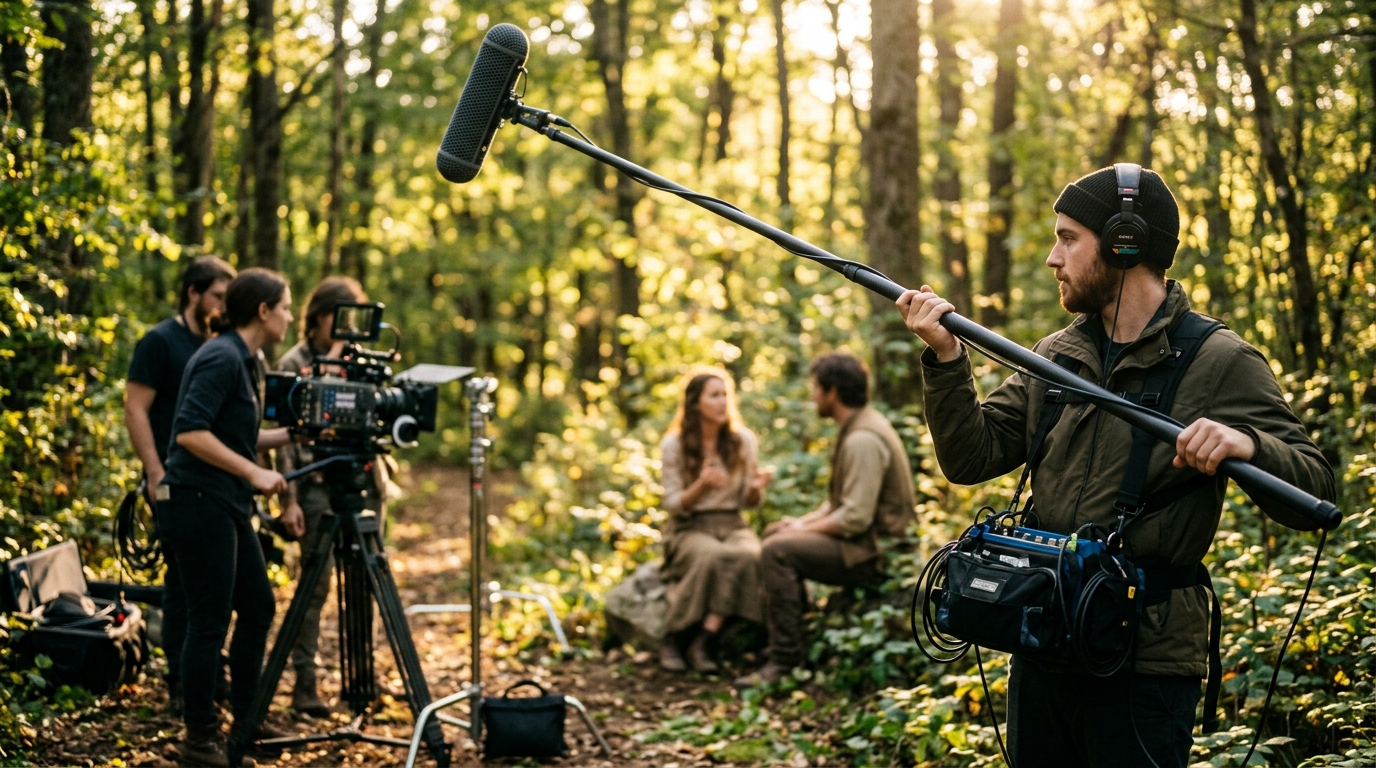
In professional sound design for video production, the bulk of the work typically happens in post-production — after the cameras stop rolling. But the smartest productions plan for it during pre-production, because capturing clean production audio on set saves hours of repair work later. At Pretzel Logic Productions, the audio team works hand-in-hand with the camera crew from day one, because fixing bad sound in post is expensive — and sometimes impossible.
Why Sound Design Matters More Than Picture Quality
Here’s a stat that should change how you think about video budgets: sound design is 50% of how good your video looks. Not your color grade. Not your transitions. Not your lens choice. Sound. The invisible half of the edit. DJordanMedia frames it bluntly — effective sound design for video production makes mid-tier footage feel premium, while bad audio makes 8K RED footage feel amateur. Working editors know the math.
The research backs this up consistently. As MyTasker notes, viewers will forgive a mediocre picture. They will not forgive terrible audio. A slightly soft focus shot doesn’t make anyone close the tab. Harsh audio, muffled dialogue, or levels that spike unpredictably — those make people leave in seconds.
The Emotional Layer You Can’t Get From Visuals
Sound hits the brain differently than picture. Visuals are processed consciously — you see a character’s face, you register the expression, you interpret meaning. Sound bypasses that filter. A low-frequency rumble triggers unease before you even know why. A sudden silence creates tension no lighting setup can match. A musical swell telegraphs resolution in ways that feel instinctive, not intellectual.
This is why StudioBinder argues it’s impossible to overstate how important audio is to the film viewing experience. You can watch a movie with your eyes closed and still follow the emotional arc. Try watching one on mute. You’ll miss almost everything.
The Five Core Layers of Sound Design
Professional sound design for video production isn’t one thing. It’s five distinct layers, each with its own role, and each typically handled as a separate track in the mix. Skip any one of them and the final product feels hollow — even if viewers can’t name exactly what’s missing.
Dialogue
Dialogue is the foundation. It’s the words people actually say — and cleaning it up is far more involved than most people realize. Raw production dialogue comes with rustling lav mics, inconsistent levels between takes, room echo from hard surfaces, and the constant low hum of HVAC systems and refrigerators.
Professional dialogue editing means spectral cleanup (removing specific frequencies without touching the voice), level matching across takes so the conversation flows naturally, and noise reduction that preserves vocal character. Done right, the viewer never thinks about it. They just hear people talking clearly in a space that feels real.
Ambient Sound and Room Tone
Every space has a sound. An office hums with fluorescent lights and distant keyboard clicks. A forest rustles with wind, birds, and the creak of branches. A car interior is a tight capsule of engine vibration and road noise. Ambient sound — often called room tone or atmos — is what makes a location feel inhabited rather than staged on a soundstage. In any professional sound design for video production, the ambient track is what makes the world feel lived-in.
The most common mistake in budget video production is silent backgrounds. Total silence doesn’t exist in the real world. When a scene cuts to dead air between lines of dialogue, the viewer’s brain registers it as wrong — even if they can’t articulate why. A steady ambient track underneath every scene anchors the entire production in a believable world.
Foley and Sound Effects
Foley is the art of performing sound effects in sync with picture — footsteps, cloth rustle, doors opening, glasses clinking, keys jingling. These are the small, physical sounds that ground a scene in tactile reality. Without Foley, characters glide through environments like ghosts — visually present but sonically weightless. This is the layer of sound design for video production that makes the difference between watching something and being inside it.
Sound effects (SFX) cover everything Foley doesn’t: car engines, explosions, phone notifications, gunshots, weather, machinery. A well-stocked SFX library is a sound designer’s paint set. But the real skill isn’t owning the sounds — it’s layering them. A single car door close might be three layers: the latch click, the metal thud, and a subtle low-end bump for weight. That’s the difference between “yep, that’s a car door” and “that car door feels real in my chest.”
Music and Score
Music is the emotional engine of a video. It tells the audience how to feel — and when the feeling should shift. A tense scene with no score feels flat. The same scene with a slowly building low string drone feels like something terrible is about to happen.
Music choice is deeply specific to the project. A corporate brand video wants something confident and driving — not epic orchestral swells. A healthcare testimonial needs warmth and trust, not energy. A restaurant commercial thrives on rhythm and vibe. The best sound designers don’t just pick tracks — they edit the music to the picture, cutting on action beats and emotional transitions so the score and the edit feel like they were built together.
The Final Mix
The mix is where all five layers collide — and where good sound design becomes great. Every track (dialogue, ambience, Foley, SFX, music) has its own volume, EQ, compression, and spatial placement. The mixer’s job is to make sure the dialogue is always clear, the music supports without overwhelming, and the effects land with the right impact at the right moment.
Loudness standards matter here too. Broadcast TV has strict loudness requirements (in the US, the CALM Act mandates -24 LUFS). Web video platforms like YouTube normalize around -14 LUFS. A mix that sounds great on studio monitors might distort on a phone speaker or get crushed by a platform’s loudness normalization. Professional mixes account for all of this.
The Sound Design Workflow: From Spotting to Final Mix
Professional sound design for video production follows a defined workflow. Skipping steps is how deadlines get missed and quality suffers.
It starts with spotting — watching the locked picture with the director and identifying every moment that needs sound work. As SonicScoop explains, spotting is the critical first step in audio post-production. This is where you decide: what needs Foley, what needs SFX, where dialogue needs cleanup, and where music shifts happen. Spotting produces a roadmap. Without it, the sound edit becomes guesswork.
Dialogue edit comes next — cleaning, leveling, and smoothing every spoken word. Then sound effects and ambience are built out, scene by scene. Foley is recorded and synced. Music is scored or licensed and cut to picture. Then everything flows into the final mix, where levels are balanced, EQ is applied, and the entire project is output to spec.
Footage often arrives from production MOS — without sound — and it falls to the editor and sound designer to give that footage a sonic identity. As Film Editing Pro notes, building sound from scratch isn’t a limitation — it’s an opportunity to shape exactly how the audience experiences every frame.
The entire workflow — from planning and pre-production through post — benefits from having a team that understands sound from day one. When a production company like Pretzel Logic Productions handles the full pipeline, the audio team can flag issues during the shoot that would otherwise surface painfully in the edit bay.
Common Sound Design Mistakes (and How to Fix Them)
Even experienced editors make sound mistakes. After years of sound design for video production work, these are the ones that show up again and again — and what actually solves them.
Relying on camera audio. Built-in camera mics pick up everything — lens motors, handling noise, the operator breathing. They’re backup at best. Use external mics. Always.
Skipping room tone. Record 30-60 seconds of “silence” at every location. It won’t sound silent — it’ll have the room’s signature hum. That track is gold for smoothing dialogue edits.
Mixing on headphones, then never checking speakers. Headphones exaggerate stereo separation and hide phase issues. Always do a speaker check before locking the mix.
Overloading the music. It’s tempting to fill every second with score. Resist. Silence and space are sound design tools too. Sometimes the most powerful moment is a sudden drop to near-silence.
Ignoring loudness standards. A mix that peaks at 0 dBFS might be fine on Vimeo but get crushed by YouTube’s normalization to -14 LUFS. Know your platform. Mix to its spec.
Using stock SFX straight out of the box. Raw library sounds are thin. Layer them. Add reverb to match the space. EQ out frequencies that don’t belong. A gunshot from a library sounds like a library gunshot until you shape it — then it sounds like your gunshot.
Sound Design Tools for Every Budget
You don’t need a Dolby-certified mix stage to do professional work. The software side has never been more accessible.
Adobe Premiere Pro handles basic sound design for video production right in the timeline — level adjustments, crossfades, noise reduction, and the Essential Sound panel for dialogue, music, SFX, and ambience presets. For many video editors, this is enough for 80% of projects. Tuts+ has a solid walkthrough on the fundamentals directly inside Premiere.
DaVinci Resolve (Fairlight) is a full digital audio workstation built into a video editor. It supports multi-track mixing, automation, EQ, dynamics, and plugin chains — and the free version is genuinely powerful enough for professional work. If you’re already editing in Resolve, you have a serious mixing suite built in.
Pro Tools is the industry standard for dedicated audio post. Most professional sound designers and mixers work in Pro Tools, and it integrates with advanced control surfaces for large-scale projects. The learning curve is real, but for high-end commercial work, it’s the default for a reason.
Logic Pro and Reaper both offer powerful audio editing at lower price points. Reaper in particular has a devoted post-production following — it’s lightweight, endlessly customizable, and costs a fraction of what other DAWs charge.
On the plugin side, iZotope RX is the essential toolkit for dialogue cleanup and noise reduction. Its spectral editor lets you visually identify and remove specific sounds — a car horn, a mic bump, a cough — without touching the dialogue underneath. It’s expensive, but it pays for itself the first time it saves a take that would otherwise need a reshoot.
When to Hire a Professional Sound Designer
There’s a line. On one side, you can do solid sound work yourself with modern tools and enough practice. On the other side, you need someone who does this every day.
Here’s when to bring in a professional for your sound design for video production:
The project is going to broadcast or a major streaming platform. Loudness compliance and delivery specs for broadcast are not forgiving. One QC rejection can delay a campaign by days.
Dialogue was recorded poorly. iZotope RX is powerful, but it’s not magic. A seasoned dialogue editor can salvage takes that would stump a generalist — and they’ll know when a take is genuinely unsalvageable, saving you hours of fruitless cleanup.
The sound design is a creative differentiator. If the audio isn’t just support for the picture but a starring element — think a brand anthem, a cinematic product launch, or a Super Bowl-level commercial — bring in a specialist. The difference between “sounds professional” and “sounds unforgettable” lives in the details a dedicated sound designer catches.
You’re mixing more than a dozen tracks. Multi-track mixing is a skill. Managing 40+ tracks of dialogue, ambience, Foley, SFX, and music — with automation, sidechain compression, and spatial panning — is not something you pick up in an afternoon.
For brands and agencies working on high-stakes video campaigns, the smart move is a production partner that handles sound design in-house. It eliminates the handoff between editor and external audio house, keeps the creative vision unified, and catches audio problems before they become expensive post-production emergencies.
Frequently Asked Questions
What’s the difference between sound design and sound mixing?
In sound design for video production, the creative process involves selecting, creating, and placing audio elements — dialogue cleanup, Foley, ambience, sound effects, and music choices. Sound mixing is the technical process of balancing all those elements into a cohesive final track, including volume, EQ, compression, and spatial placement. Design builds the sonic world; mixing makes it work together.
How much does professional sound design cost for a video?
Costs vary dramatically based on project scope — a 30-second commercial with light sound design might run a few hundred dollars, while a feature-length documentary with full Foley, custom score, and surround mixing can reach tens of thousands. The best approach is to discuss your specific project with a production partner who can scope the audio work accurately based on the final deliverables you need.
Can I do sound design for video production without expensive software?
Yes. DaVinci Resolve includes the full Fairlight audio suite free of charge, and it’s genuinely capable of professional-level work. Reaper offers a fully functional DAW for $60. Combined with free sound effect libraries (Freesound, BBC Sound Effects) and some practice, you can produce solid results without spending thousands on software.
What’s the most common sound design mistake in corporate videos?
Music drowning out the dialogue. It happens constantly — an editor falls in love with a track, pushes the levels up because it sounds great on their headphones, and the final video ships with the voiceover fighting the score for dominance. The fix is simple: set your dialogue level first, then bring the music up until it supports — not competes. If you can’t clearly hear every word over the music, the music is too loud.
Do I need different sound mixes for different platforms?
Ideally, yes. Broadcast TV, YouTube, Instagram, and cinema all have different loudness standards and playback environments. A theatrical mix optimized for a calibrated surround system will sound drastically different on a phone speaker. At minimum, create a web mix mastered to -14 LUFS and a broadcast mix to -24 LUFS (for US television). Many production companies deliver platform-specific mixes as part of their standard post-production package.
How long does sound design take for a typical video project?
For a 2-3 minute commercial or brand video with dialogue, music, and moderate sound effects, expect 2-5 days of dedicated sound design work — longer if extensive Foley is required or the dialogue needs heavy cleanup. Feature-length projects can take weeks. The best way to shorten the timeline is to capture clean production audio on set and avoid fixing problems that shouldn’t have been recorded in the first place.
Sound Design Turns Good Video Into Unforgettable Video
Great sound design for video production isn’t the finishing touch. It’s not the polish you add once the edit is locked and everything else is done. It’s the invisible architecture that makes every frame of your video feel heavier, realer, and more emotionally present. Skip it, and even the most beautiful cinematography lands flat. Invest in it, and your audience won’t just watch your video — they’ll feel it.
That’s the standard Pretzel Logic Productions brings to every project — sound design for video production that doesn’t just support the picture. It completes it. From concept through final mix, the audio gets the same obsessive attention as the picture — because great storytelling isn’t just seen. It’s heard.