Last updated November 24, 2026
High-end commercial workflows require a blend of mathematical precision and artistic flair. This breakdown covers the most significant technical and AI-driven updates in DaVinci Resolve 19, based on research from Blackmagic Design and industry experts. These tools empower creators to deliver cinematic results with real efficiency in today’s competitive market.
1. DaVinci Resolve 19 provides an all-in-one ecosystem for the entire post-production pipeline.
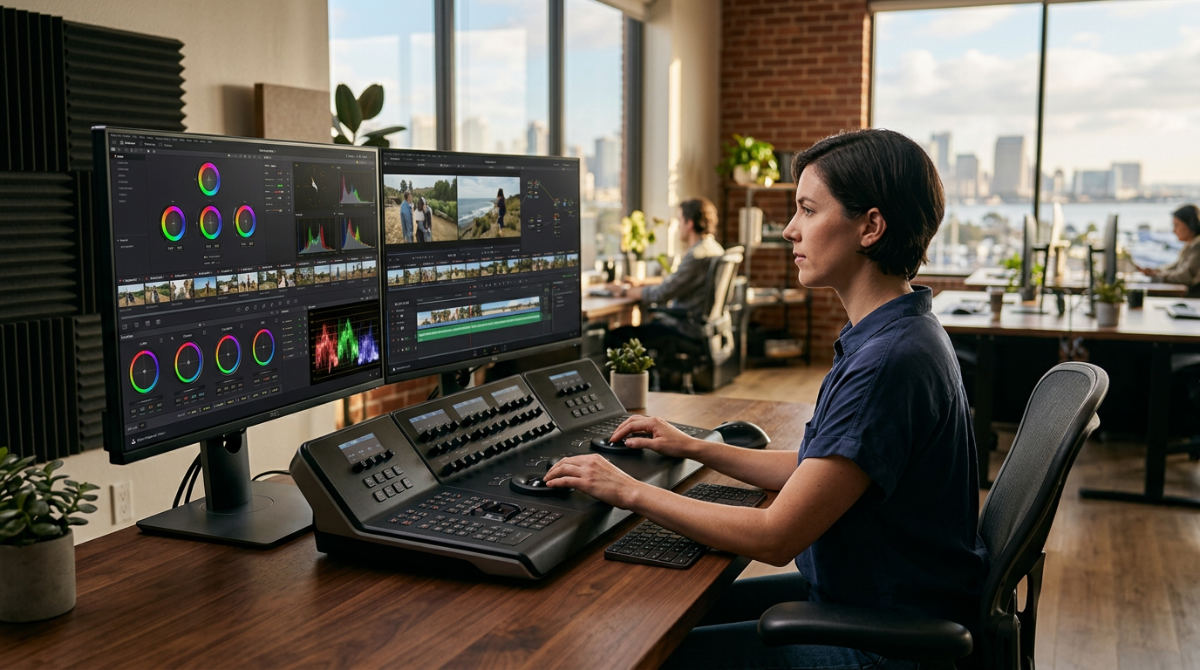
The software architecture of this platform merges editing, color correction, visual effects, and audio post-production into a single environment. Unlike other suites that force you to jump between three or four different applications to finish a commercial, this unified interface eliminates cumbersome file exports or XML round-tripping. When you make a change on the Edit page, it shows up on the Color and Fairlight pages instantly. It just works.
The "Logic + Creative" framework at Pretzel Logic utilizes this integrated approach to ensure technical consistency from the first rough cut to the final master. By keeping the entire workflow within one tool, we reduce the risk of metadata loss and color shifts that often plague multi-software pipelines. For brands that need a fast turnaround without sacrificing high-end aesthetics, choosing a team that understands davinci resolve video editing for high-end commercials is a strategic advantage. It allows for a fluid creative process where technical barriers don’t stall the storytelling. We prefer this unified route because it protects the integrity of the image from start to finish.
Source: Pretzel Logic Productions
2. The IntelliTrack AI system streamlines tracking and spatial audio tasks.
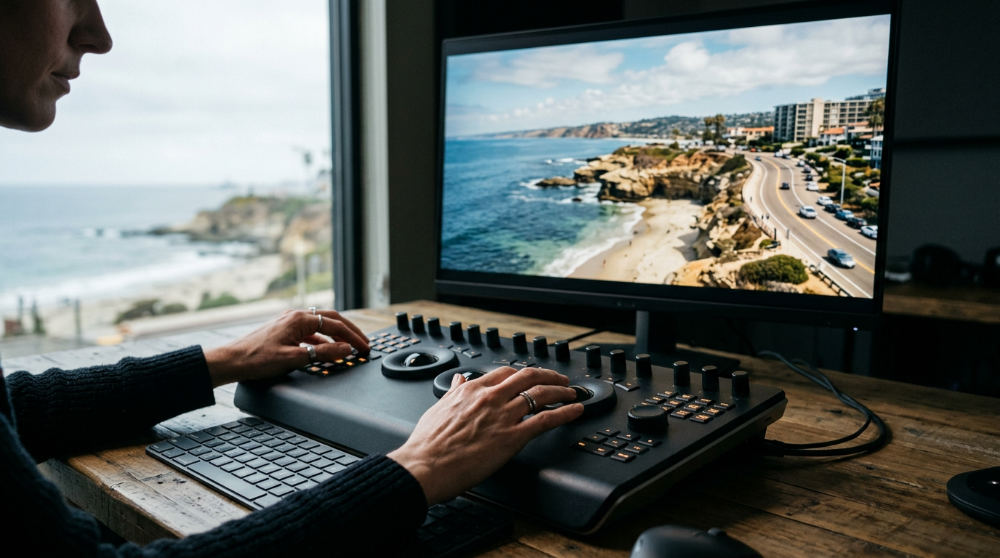
One of the most impressive additions in version 19 is IntelliTrack. It uses the DaVinci Neural Engine to track objects across a frame with significantly higher precision than traditional point trackers. This isn’t just about visual effects. The system can automate audio panning in Fairlight by following the movement of people or objects in the video frame. If a car drives from the left to the right of the screen, IntelliTrack maps the audio position to that movement automatically. It creates an immersive spatial experience without hours of manual keyframing.
Commercial workflows get a major boost here. This feature reduces the manual labor required for complex spatial audio. For a professional production, more time can be spent on the "twist" or the creative nuance of the story rather than fighting with tracking points that slip. These tools are indispensable for high-energy commercials where sound and vision must stay perfectly synced. They provide a level of polish once reserved for massive studio features with dedicated fader-automation teams.
Source: Blackmagic Design
3. Advanced color grading tools allow legal and corporate brands to establish instant authority.
Using high-end tools like DaVinci Resolve allows legal firms and corporate entities to present a polished, authoritative image. We’ve seen this in action with the Alvandi Never Fear campaign, where cinematic color grading translated directly to brand trust and perceived expertise. Resolve 19’s updates to the Color page provide refined control over skin tones and textures, which is essential for professional portraiture.
In San Diego, competition for attention is fierce. A flat or digital looking video can make a premium brand look amateur. By applying sophisticated color science, we can create a visual palette that feels expensive and trustworthy. Version 19 introduces tools like the Film Look Creator to add a layer of depth that keeps viewers engaged. When legal firms or national corporations want to look their best, they rely on professional post-production services to ensure their visual identity matches their reputation.
Source: Pretzel Logic Productions
4. The free version of DaVinci Resolve 19 maintains a maximum export limit of Ultra HD resolution.
What are the main DaVinci Resolve free limits?
The free version includes a broad range of core editing and color features but omits certain high-end AI capabilities, specific professional HDR tools, and support for multiple GPUs. It is a powerful entry point for video editing software, but it excludes the advanced DaVinci Neural Engine tools found in the Studio edition.
| Feature | Free Version | Studio Version |
|---|---|---|
| Max Resolution | 3840 x 2160 (UHD) | Up to 32K |
| GPU Usage | Single GPU only | Multiple GPUs |
| AI Tools | Limited | Full Neural Engine |
| HDR Tools | Basic | Advanced Dolby Vision/HDR10+ |
Can the free version of DaVinci Resolve 19 handle 4K?
Yes, it supports up to 4K UHD resolution, but for DCI 4K or higher, the Studio version is required. While Ultra HD 3840 x 2160 is the standard for most televisions and web platforms, cinematic projects often need the wider DCI 4K (4096 x 2160) format.
Commercial and cinematic projects requiring these higher delivery specs or 8K mastering must utilize the Studio version. For San Diego businesses focused on standard web and social media delivery, the 4K UHD limit is often sufficient for initial growth phases. As your brand grows and you begin targeting national broadcast or theatrical releases, the limitations on resolution and noise reduction tools will necessitate an upgrade. We always recommend the Studio version for serious commercial work.
Source: Pretzel Logic Productions
5. AI-driven text-based editing simplifies the rough cut process for corporate interviews.
The DaVinci Neural Engine now allows editors to speed up their workflow by working directly with transcribed dialogue. This is a massive shift for corporate video production. Instead of scrubbing through hours of interview footage to find the perfect soundbite, you can read the transcript, highlight the best sentences, and hit a button to place them on the timeline.
Search functions within the transcription tool enable editors to find specific keywords across multiple hours of footage instantly. This tool is particularly effective for corporate videos where messaging and soundbite precision are the primary goals. It allows our team to focus on the narrative flow and the "logic" of the argument rather than the tedious task of manual logging. For marketing directors who need to distill complex brand stories into punchy, 30-second spots, this workflow ensures that no great quote is left on the cutting room floor. It turns the editing process into a word-processing task for the initial assembly phase.
Source: Blackmagic Design
6. The Fusion toolset enhances the integration of motion graphics.
New node-based tools in Fusion allow for more realistic lighting of 3D objects within a 2D video environment. This is a significant update for any brand that uses motion graphics to explain complex products or data. Resolve 19 improves the memory management for complex node trees, allowing for faster previews of visual effects. Fast iteration wins. This means we can test different visual "twists" without waiting for hours of rendering.
At Pretzel Logic, we use these Fusion enhancements to integrate complex data visualizations into national corporate brand campaigns. Whether it is a 3D map showing a company’s reach or a stylized animation of a tech product’s internal components, the new toolset makes these elements feel like they truly belong in the scene. By utilizing the advanced compositor within the same software as our editor, we maintain a higher level of image quality and consistency. This integrated approach is often supported by full-service agencies like InnoVision Marketing Group when executing multi-channel strategies that require high-impact visual storytelling.
Source: Blackmagic Design
7. Color Slice and film look creator tools provide faster paths to cinematic aesthetics.
The new Color Slice palette provides a specialized grading approach that allows colorists to target specific hues with surgical precision. Unlike traditional wheels that can sometimes shift the entire image, this tool lets you saturate or shift the density of reds, greens, or blues without contaminating the rest of the frame. This is a vital update for local San Diego businesses that want to maintain strict brand color consistency.
Accompanying this is the Film Look Creator, a tool that simulates the photochemical properties of traditional celluloid. It manages complex variables like halation, bloom, and grain to deliver a big-budget appearance that used to require hours of manual layer stacking. For law firms or corporate entities looking to build instant authority, these tools provide a sophisticated visual texture that feels premium. By automating the foundational elements of film emulation, we can spend more time on the artistic nuances that make a campaign stand out. This efficiency allows us to deliver high-end results within the rapid turnaround times required by modern digital platforms.
Source: Blackmagic Design
8. Updates to the Cut page accelerate event and documentary workflows.
The Multi-Source tool is a transformative addition for projects involving high volumes of footage. It allows editors to view every camera angle on a timeline simultaneously in a multiview layout, similar to a live broadcast switcher. By simply clicking on the desired angle in the viewer, the editor can instantly cut or sync that clip into the sequence. This eliminates the traditional need to manually align clips or search through bins for matching timecodes.
This workflow is incredibly useful for fast-paced content such as restaurant walkthroughs, conference highlights, or multi-camera event recaps. When the volume of raw footage is high, the ability to make live editing decisions significantly reduces the time spent in the initial assembly phase. It allows our team to quickly identify the most dynamic moments, ensuring the final edit captures the energy of the environment. By streamlining these technical hurdles, we can devote more creative energy to the pacing and narrative "twist" that keeps viewers engaged throughout the entire video.
Source: Blackmagic Design
9. Professional audio mastering in Fairlight now includes advanced AI cleanup.
The Fairlight audio page has been bolstered by the DaVinci Neural Engine to address common problems in field recording. The Voice Isolation tool can effectively remove extreme environmental sounds, such as traffic, wind, or air conditioning, from interview tracks. This ensures that the speaker’s message remains crystal clear, even if the recording conditions were less than ideal. For high-stakes corporate interviews, this technology can save a production from costly reshoots.
Beyond AI cleanup, new Fairlight track groups allow for more efficient mixing of massive projects that may contain hundreds of individual stems. This level of organization is essential for maintaining the sonic identity of a brand, ensuring that music, sound effects, and dialogue are perfectly balanced. Ensuring professional-grade audio is a cornerstone of our storytelling approach, as poor acoustics can immediately undermine even the most beautiful visuals. By leveraging these advanced mastering tools, we provide a polished, cinematic audio experience that matches the high-quality davinci resolve video editing we apply to the visual grade.
Source: Blackmagic Design
Maximizing the Resolve 19 Workflow for Commercial Success
To achieve the best results with DaVinci Resolve 19, professional teams must integrate these AI tools early in the pre-production phase. Identifying where the Neural Engine can save time on rotoscoping or transcription allows for better resource allocation during the creative edit. Because many of these new features are GPU-accelerated, optimizing your hardware by prioritizing high-performance graphics cards is essential for a smooth playback experience.
A unified workflow also reduces software overhead. Instead of bouncing between different applications for color, sound, and visual effects, Resolve provides an all-in-one ecosystem that preserves image metadata and quality throughout the entire process. This is particularly beneficial for brands that need to maintain a cohesive look across various social media and broadcast deliverables. Using the Fairlight suite ensures that your brand’s sonic identity is just as polished as the visual grade, creating a holistic experience for the audience.
Comparing Resolve’s integrated pipeline against fragmented alternatives often reveals significant time savings. By keeping the project within one environment, teams can make last-minute changes to an edit without breaking the color grade or the audio mix. For businesses looking to scale their content production, this efficiency is the key to maintaining high standards without ballooning budgets. Managing project expenses and billings efficiently is also a priority for growing firms, and tools like pollaroo can help teams track overhead as they invest in high-end software and hardware upgrades.
Bringing Your Vision to Life in San Diego and Beyond
Building brand authority requires more than just high-resolution footage. It requires a production team that knows how to balance technical capabilities with visionary storytelling. Professional color grading is not a mere final touch but a critical step in establishing a brand’s presence in a crowded market. Whether you are a law firm in need of a polished commercial or a national corporation launching a new product, the tools in Resolve 19 provide the mathematical precision needed for world-class results.
Pretzel Logic utilizes these modern tools to provide national-quality professional post-production services to brands throughout San Diego and across the United States. Our "Logic + Creative" framework ensures that every technical decision serves the overarching narrative. By embracing the efficiency of the DaVinci Neural Engine, we deliver premium visual effects and cinematic grades that were once the exclusive domain of major film studios.
If you want to sharpen your next campaign, let’s talk about your creative vision. We use DaVinci Resolve 19 to give your project the cinematic twist it deserves by working closely with you to ensure every frame reflects your brand’s unique values. To start your production journey with us, please fill out the form at https://pretzellogicproductions.com/contact-us/.
Pretzel Logic Productions 5961 Kearny Villa Rd San Diego, CA 92123
FAQ
What are the DaVinci Resolve 19 system requirements?
To run DaVinci Resolve 19 effectively, you need a modern processor (Intel Core i7 or AMD Ryzen 7), at least 16GB of RAM (32GB for Fusion), and a powerful GPU with at least 8GB of VRAM. For 4K and AI-heavy workflows, a dedicated graphics card like the NVIDIA RTX series or Apple Silicon (M2/M3 Pro or Max) is highly recommended.
Is DaVinci Resolve 19 good for beginners?
While DaVinci Resolve 19 has a steep learning curve due to its professional-grade feature set, its interface is logical and well-organized. Beginners can start with the Cut page for simple edits and gradually explore the more complex Color and Fusion pages as their skills grow.
What is the price of DaVinci Resolve 19?
The standard version of DaVinci Resolve 19 is free to download and use. The Studio version, which unlocks the full Neural Engine, stereoscopic 3D tools, and advanced HDR features, requires a one-time purchase of a license key.
Does DaVinci Resolve 19 support AI video editing?
Yes, DaVinci Resolve 19 is heavily integrated with the DaVinci Neural Engine, which powers AI features like text-based editing, voice isolation, object tracking (IntelliTrack), and magic mask. These tools are designed to automate repetitive tasks and enhance creative possibilities.