
Last updated September 12, 2026
Ubuntu Studio software is a specialized, open-source operating system distribution designed for creative professionals. It integrates a low-latency Linux kernel with pre-configured suites for video editing, audio production, and graphic design, offering a cost-effective, high-performance alternative to proprietary workstations for modern digital media creation.
Key takeaways
- Reliable Stability. Ubuntu Studio releases a Long-Term Support (LTS) version every two years, with version 26.04 providing five years of security updates and system stability.
- Latency Optimization. The inclusion of a low-latency kernel eliminates audio stuttering and minimizes system lag during intensive 3D or video rendering tasks.
- Comprehensive Toolset. The distribution comes pre-loaded with industry-standard open-source tools including Kdenlive, Blender, GIMP, and Inkscape.
- Modular Installation. Using the Advanced Packaging Tool (APT), creators can install specific meta-packages like
ubuntustudio-videoonto an existing Ubuntu setup without a full OS wipe. - Format Flexibility. While native Adobe Creative Cloud support is absent, the OS excels when using neutral formats like OpenEXR, WAV, and SVG for collaborative hand-offs.
Professional Production on an Open Source Workstation
Ubuntu Studio sits on the stable Ubuntu base but tailors it for the logic-plus-creativity mindset we value at Pretzel Logic. By utilizing the KDE Plasma desktop environment, the OS gives you a highly customizable workspace that mimics the professional UI layouts found in high-end suites. The Plasma Desktop provides a customizable and efficient workspace for creators, allowing users to dock panels and manage multi-monitor setups with ease. This flexibility matters. Creators need an efficient environment that stays out of the way during high-pressure deadlines.
Standard Linux distributions often require hours of manual configuration. This version skips that by including the Ubuntu Studio Installer. This tool lets you selectively add meta-packages like ubuntustudio-video or ubuntustudio-audio based on your project. The Ubuntu Studio meta-packages are comprehensive bundles of software that allow users to install entire creative suites, such as photography or graphic design tools, with a single command. Local San Diego indie film projects looking to maximize a hardware budget without sacrificing software depth should look here. This distribution offers a professional-grade starting point with zero licensing fees.
We handle the heavy lifting of package management via the Advanced Packaging Tool (APT). APT is the standard package management system used to install, update, and remove the creative software bundles. It works. This ensures your tools stay updated with the latest features and security patches. By choosing an open-source foundation, you gain total control over your machine. This is a significant advantage when managing complex timelines and high-resolution assets.
The Technical Edge of the Low Latency Kernel
A low-latency kernel is a modified Linux kernel optimized to process tasks with minimal delay, ensuring that system resources prioritize real-time media applications over background processes. The standout feature of this OS is the low-latency kernel. It prioritizes media processing tasks over background system noise. In a standard operating system, the CPU might pause a media task to handle a background update or system check. This leads to dropped frames or audio pops. The low-latency kernel in Ubuntu Studio specifically reduces audio stuttering and delay. Your hardware resources focus entirely on your output. No interruptions.
Benchmarking shows that users running complex audio setups with Qjackctl and Calf plugins experience significantly fewer xruns (stutters) compared to generic kernels. According to the Ubuntu-mate, this optimization is essential for real-time digital instrument processing and multitrack recording. While primarily viewed as an audio feature, kernel stability also benefits real-time video playback and viewport performance in Blender for Linux. This open source creative suite ensures that the operating system itself does not become a bottleneck when your CPU is pushed to its absolute limits.
Studios that offer this specialized kernel for heavy 3D rendering tasks often find it allows them to push hardware capabilities further than traditional consumer operating systems. When every second of render time counts toward a deadline, a kernel that won’t buckle under 100% CPU utilization makes a measurable difference in project turnaround. The low latency kernel Linux provides is the backbone of a stable production environment. System interruptions could lead to corrupted data or lost hours of work. We can’t have that.
Video Production and 3D Animation Tools
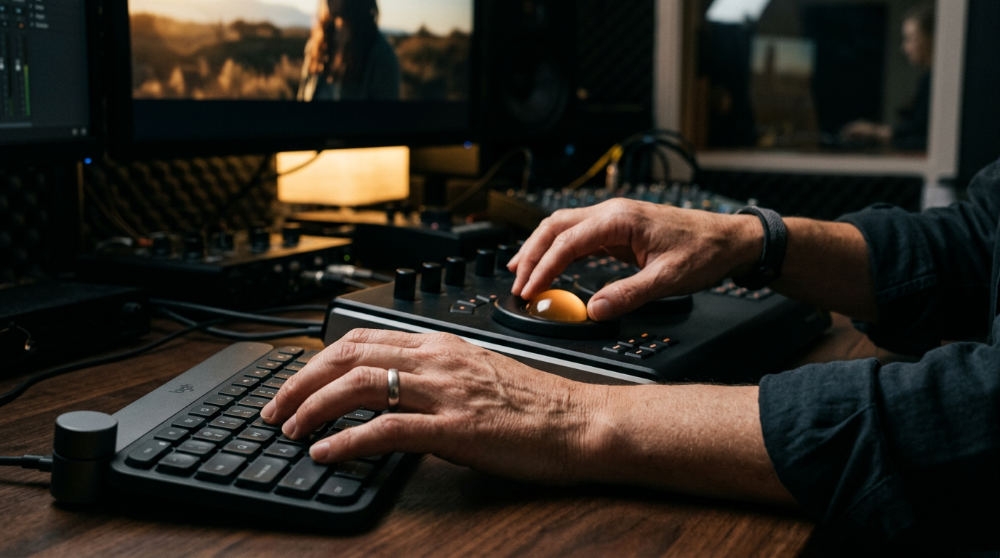
Kdenlive is the primary non-linear video editor included in the Ubuntu Studio video suite, offering a robust multi-track interface for professional post-production services. Kdenlive supports a vast array of formats and includes proxy clips for smooth 4K editing even on modest hardware. For complex visual effects, the OS includes Blender, which is an open-source 3D creation suite used for modeling, animation, and rendering within the OS. Blender for Linux has a reputation for high performance, often outperforming its Windows counterparts in rendering benchmarks due to the efficient file system and memory management of the Linux kernel.
When managing our software guide, we often highlight how these tools integrate to form a complete Linux video production workflow. An editor might use Kdenlive for the primary cut while pulling in 3D titles or lower-thirds generated in Blender. The inclusion of OpenShot and Pitivi provides lighter alternatives for quick social media edits or rough cuts when a full-blown production environment is overkill. These tools ensure that every stage of the funnel, from raw ingest to final export, remains within a high-performance open-source ecosystem.
Consider a nonprofit that needs a quick promotional video. A creator can ingest raw footage into Kdenlive, apply color correction using built-in vectorscopes, and export a high-quality H.264 file for social media in a fraction of the time it takes to set up a proprietary project. The efficiency of these tools, combined with the lack of subscription fees, makes them a strong choice for community-driven storytelling. For teams managing tight budgets, it is helpful to keep track of project expenses and subscriptions to ensure your production remains profitable. The integration of high-end tools like Kdenlive makes Ubuntu Studio a serious contender for professional results.
Comparing Ubuntu Studio to Proprietary Suites

Comparing Kdenlive vs Premiere Pro shows that while both are powerful non-linear editors, Kdenlive offers a lighter footprint and native support for more open formats. Open-source tools are free. However, they require a different workflow logic than the Adobe ecosystem. While Kdenlive offers similar timeline flexibility, it lacks the "Dynamic Link" features that connect Premiere to After Effects. For many editors, the speed and stability of a Linux-based environment outweigh those proprietary conveniences. Kdenlive is the primary non-linear video editor included in the Ubuntu Studio video suite, and its feature set has matured to include sophisticated motion tracking and masking.
GIMP and Inkscape provide powerful raster and vector capabilities, though handling native .psd or .ai files requires a strategic approach. GIMP is the raster graphics editor used as an alternative to Photoshop in the Ubuntu Studio ecosystem, while Inkscape is a professional vector graphics editor for creating brand logos and illustrations. Darktable is an open-source photography workflow application and RAW developer that serves as a powerful alternative to Lightroom. We recommend exporting files to neutral formats like TIFF or SVG to maintain layer integrity. The following table illustrates how the suite maps to industry-standard alternatives:
| Feature | Ubuntu Studio Software | Industry Standard |
|---|---|---|
| Video Editing | Kdenlive | Adobe Premiere Pro / DaVinci Resolve |
| 3D Creation | Blender | Autodesk Maya |
| Graphic Design | GIMP / Inkscape | Photoshop / Illustrator |
| Photo RAW | Darktable | Adobe Lightroom |
| Audio Workstation | Ardour / Audacity | Pro Tools / Ableton Live |
Limits and Practical Challenges for Agencies
Ubuntu Studio does not natively run Adobe Creative Cloud or DaVinci Resolve without specific proprietary driver configurations and workarounds. For a high-volume agency, this is a hurdle if the client requires a specific project file format like .prproj for their internal archives. Because Kdenlive cannot open these files directly, a studio must often commit to one ecosystem for the duration of a project. The Linux video production workflow is highly efficient for those who can maintain an end-to-end open-source pipeline without relying on external proprietary project files.
Watch Out: Always verify hardware driver compatibility for your specific audio interface before fully committing to a Linux-based studio workflow.
Hardware support for specific Thunderbolt peripherals or high-end audio interfaces can be hit-or-miss depending on Linux driver availability. While most class-compliant USB devices work instantly, specialized PCIe cards or proprietary control surfaces might require extensive troubleshooting. Professional agencies might use Ubuntu Studio specifically for Blender rendering nodes while keeping color grading on machines running proprietary tools to satisfy specific client requirements. Utilizing modern marketing tools can help you better understand how your creative choices impact audience conversion rates through specialized tracking solutions.
Managing color grading when transitioning between Linux-based tools and proprietary software requires a disciplined file management strategy. We typically use high-bitrate intermediate codecs like ProRes or DNxHR to ensure visual data is preserved across different platforms, preventing the "gamma shift" issues that often plague cross-platform video workflows. This meticulous attention to detail is what separates a hobbyist setup from a professional Ubuntu Studio software production environment.
Implementing Ubuntu Studio in Your Creative Workflow
Transitioning to an open-source suite requires a shift in how you view project management and file interoperability. We recommend utilizing the wealth of free video editing software to test these tools before migrating an entire production house. Starting small (perhaps by dedicating a single machine to 3D rendering or audio mastering) allows your team to adjust to the KDE Plasma interface without disrupting active projects. The KDE Plasma desktop used by Ubuntu Studio provides a customizable and efficient workspace for creators, ensuring that the transition feels familiar to those coming from other major operating systems.
You can begin by installing the meta-packages on a secondary machine to bridge the gap between Linux-based tools and traditional workflows. This hybrid approach lets you take advantage of the low-latency kernel for heavy processing while maintaining a primary workstation for client-mandated software. As your team becomes comfortable with the Linux environment, you may find that the speed and lack of background system interference lead to a more focused creative session. The Ubuntu Studio software suite is modular, meaning you only need to install what your specific workflow demands.
Long-term support cycles of this OS provide the predictability that professional studios require for their project lifecycles. Knowing that your operating system will receive security updates for five years without requiring a major disruptive upgrade allows for better long-term planning. By mastering the Advanced Packaging Tool (APT), system administrators can deploy updates across multiple creative workstations simultaneously. This ensures that the entire team remains on the same software version for smooth project collaboration.
If you are ready to bring your creative vision to life with a professional twist, contact us to discuss how we can improve your next project. We specialize in blending logical, high-performance workflows with the visionary storytelling that makes your brand stand out in a crowded market. Pretzel Logic brings the twist you need in San Diego.
Frequently asked questions
Is Ubuntu Studio good for professional video editing?
Yes, Kdenlive and Blender provide professional-grade tools that cover the vast majority of commercial and indie film needs for creators looking to optimize their overhead. Kdenlive is the primary non-linear video editor included in the Ubuntu Studio video suite and supports advanced editing techniques. However, it lacks native Adobe support, which can be a significant hurdle for collaborative agency work that requires sharing live project files rather than just finished renders.
Does Ubuntu Studio come with DaVinci Resolve?
No, it does not come pre-installed because DaVinci Resolve is proprietary software. While you can install the Linux version of Resolve on Ubuntu Studio, it often requires specific NVIDIA drivers and a meticulous setup process to ensure the GPU is utilized correctly for color grading and rendering. Many users prefer sticking to the pre-installed tools like Kdenlive to avoid the complexities of proprietary driver management on Linux.
What is the difference between Ubuntu and Ubuntu Studio?
Ubuntu is a general-purpose operating system designed for everyday computing, whereas Ubuntu Studio is tuned specifically for media production. The Studio version includes the KDE Plasma desktop, a specialized low-latency kernel, and hundreds of creative applications pre-installed via the official Ubuntu Studio distribution. The low-latency kernel is a critical distinction that allows for real-time audio and video processing without system-induced lag.
How do I handle client file hand-offs using .psd or .prproj files?
The best approach is to standardize on intermediate formats that work across all platforms. Use OpenEXR for high-dynamic-range frames, WAV for uncompressed audio, and SVG for vectors. For video project files, you must generally stay within the same ecosystem (like Kdenlive) for the duration of the edit, as there is no direct conversion for Adobe project files. Using GIMP for .psd files and Inkscape for .ai files is possible, but complex layer effects may not always translate perfectly.
Is the low-latency kernel necessary for video editing?
It is not strictly necessary for simple video editing, but it provides a smoother experience by preventing system hangups during heavy multitasking or 4K playback. However, it is absolutely essential for real-time audio recording and digital instrument processing, where even a few milliseconds of delay can ruin a performance. The low-latency kernel ensures that the CPU remains responsive to the editor’s commands even when the system is under heavy load from background rendering.