Last updated September 12, 2026
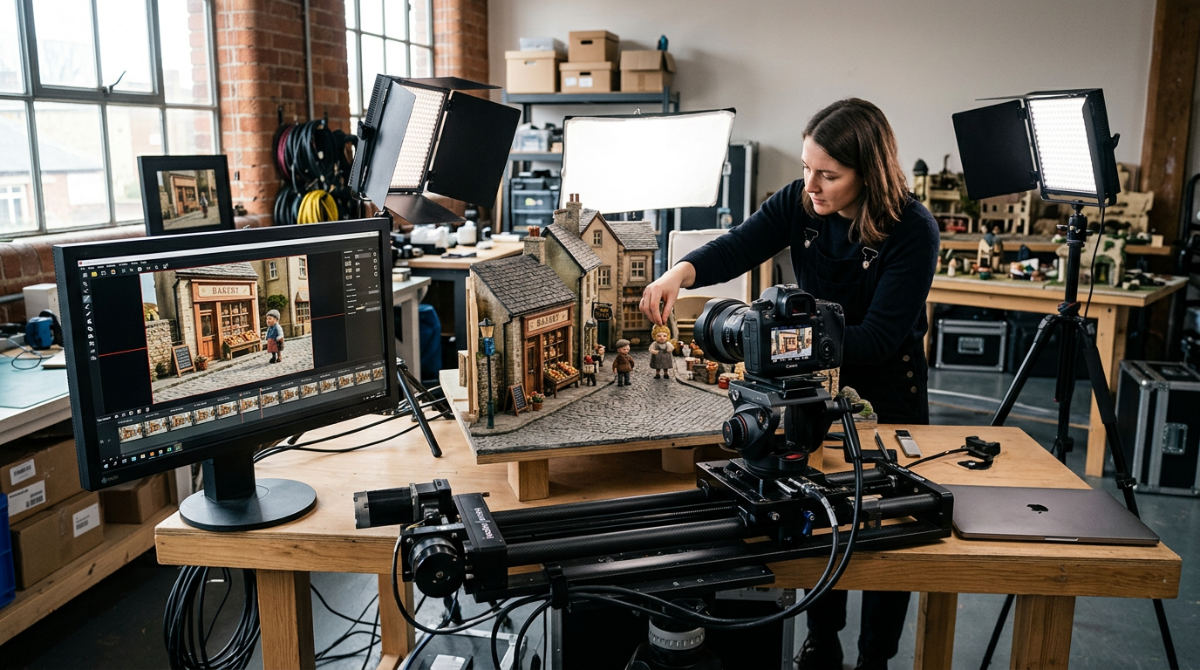
What is Dragonframe software and how does it benefit professional animators? Dragonframe software is the industry-standard tool for professional stop motion animation, providing precise control over camera settings, lighting, and motion control hardware. Developed by DZED Systems, this software enables animators to capture frame-perfect sequences while integrating with hardware like DMX controllers and motion-control rigs for cinema-quality visual storytelling.
Key takeaways
- Studio Standard. Dragonframe is the primary tool used by major studios like Laika for feature films such as Coraline and ParaNorman.
- Award-Winning Development. The software won an Ub Iwerks award at the 2014 Annie Awards and its creators, including Jamie Caliri, received an Academy Scientific and Technical Award in 2026.
- Hardware Ecosystem. Integration with the DDMX-512 and DMC-32 hardware enables automated lighting and complex, repeatable camera moves.
- Tactile Branding. Using a professional animation workflow helps translate corporate brand messages into unique, eye-catching visual stories.
- Technical Mastery. The software supports high-resolution RAW capture and Stereoscopic 3D, providing the metadata required for high-end post-production.
The Evolution of Frame-Perfect Animation Control
Dragonframe began its journey not as a mass-market product, but as a proprietary tool designed by Jamie and Dyami Caliri to solve the technical hurdles of a United Airlines commercial. The software successfully bridges the gap between the tactile, hands-on nature of traditional stop motion and the digital precision required for modern cinema.
Industry Standard: Dragonframe is so vital to the industry that its creators were recognized at the Annie Awards with an Ub Iwerks award for technical advancement in animation.
This reliability across Mac, Windows, and Linux has made it the foundation for professional cinematography tools. Major feature films, including Star Wars: The Force Awakens, have utilized its toolset for iconic sequences like the legendary holochess scene. The software is the gold standard for studios like Laika, which produced Coraline.
At Pretzel Logic, we utilize these logical workflows to translate complex corporate brand messages into eye-catching visual stories. By applying the same frame-perfect animation control used in Hollywood blockbusters, we ensure that even the most abstract brand concepts are grounded in high-quality technical execution. Our team functions as a logical collaborator, ensuring that the charm of a physical puppet or product is never lost when moving through a digital pipeline. We work on everything from local campaigns to national advertisements. The goal remains the same: combining technical power with a creative twist that only stop-motion can provide.
Professional Cinematography and Lighting Integration
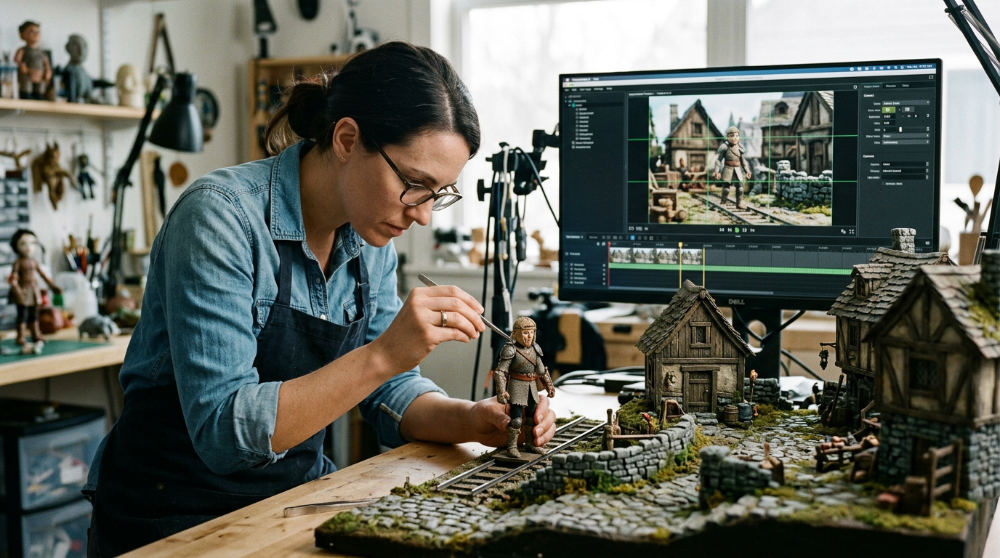
Dragonframe provides a comprehensive suite of cinematography tools that go far beyond simple frame capture, offering high-resolution RAW support and exposure bracketing. The integration of DDMX-512 hardware allows for automated lighting shifts that remain consistent over weeks of production.
Hardware Tip: For professional lighting transitions, use the DDMX-512 to automate your light sequences, ensuring perfect consistency that manual adjustments can’t match.
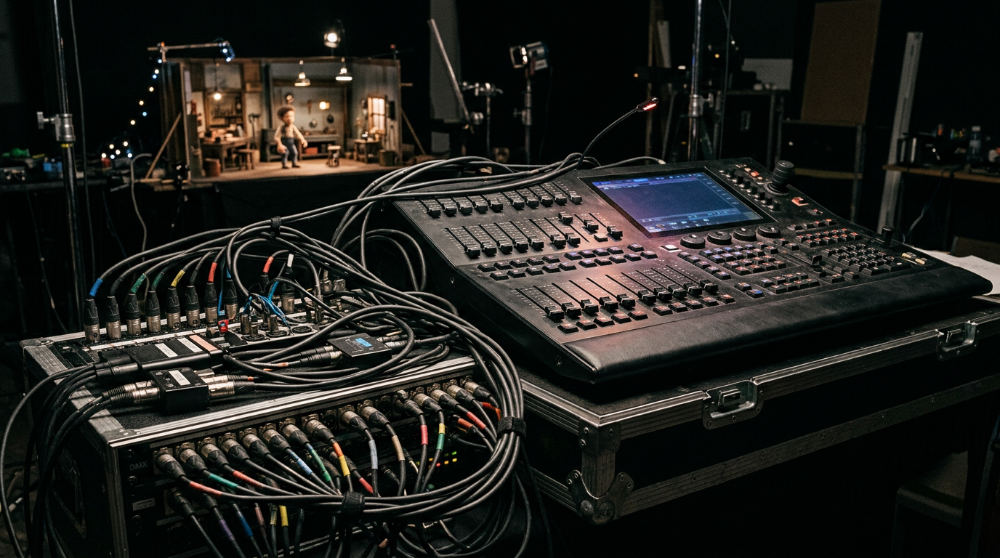
One of its most powerful features is the ability to manage DMX lighting control. Using the DDMX-512 hardware, you can program complex lighting changes that trigger automatically with each frame. This allows for time-of-day shifts or dramatic mood changes within a single scene. For projects requiring immersive depth, the software enables stereoscopic 3d workflows, capturing distinct left and right eye frames.
| Feature | Dragonframe | Entry-Level Apps |
|---|---|---|
| Capture Quality | High-Res RAW / Metadata | Compressed JPEG/MP4 |
| Lighting | DMX 512 Automation | Manual / Constant |
| Motion Control | DMC-32 Integration | Not Supported |
| 3D Support | Stereoscopic 3D Tools | None |
| Use Case | Commercial/Feature Film | Social Media / Hobby |
Advanced motion control hardware like the DMC-32 allows for repeatable, smooth camera movements that were once impossible to achieve manually in stop-motion. When you compare this to hobbyist tools, the difference is clear. Dragonframe offers the frame-perfect metadata and hardware sync needed for high-end post-production. For instance, in a commercial for a boutique beverage brand, we might use motion control to spiral around a bottle while the lighting subtly shifts to mimic a sunset, all controlled through a single interface.
Comparing Professional Workflows and Commercial Impact
Stop-motion provides a tactile aesthetic that stands out from standard CGI, offering brands a "twist" that increases audience engagement by feeling more "real" and handcrafted. While hobbyist setups focus on simple capture, a professional agency workflow integrates stop-motion with full-scale high-end post-production services and commercial strategy.
Dragonframe allows for the use of sub-frames and multiple exposures. This enables creative effects like motion blur and "ghosting" directly in the capture phase, rather than trying to fake these physics in a computer later. While a cost-benefit analysis shows that stop-motion requires more physical preparation than 2D animation, its unique look often results in higher brand recall. This is particularly effective for businesses looking to break through the noise of a saturated digital landscape. Many clients also utilize traditional media strategies from InnoVision Marketing Group to maximize the reach of these unique visual assets.
Our specific methodology at Pretzel Logic ensures that this tactile nature never compromises technical quality. We treat every frame as a piece of a larger strategic puzzle. A nonprofit might use a stop-motion "paper craft" style to explain a complex community issue. By using a logical animation workflow at Pretzel Logic Productions, we ensure the final product is not just a video, but a strategic branding tool that captures attention.
Workflow Limits and Choosing the Right Medium
Dragonframe is a high-end tool with a steep learning curve. It is a significant investment for those who are not dedicated to the craft. For simple, one-off internal social clips, standard video production might be more cost-effective and faster to produce. The software also requires compatible digital cameras, typically professional DSLRs or mirrorless systems.
Stop-motion is inherently time-intensive. If a brand has an extremely tight turnaround time of less than a week, this medium is likely not the right choice. However, for brands looking to build a long-term identity, the investment in a custom stop-motion piece often outweighs the speed of stock-footage-based content. A logical collaborator who understands how to bridge the gap between physical puppets and digital editing is essential for success.
Consider a scenario where a law firm wants a "fast" video to announce a new office opening. Standard professional video production is the logical choice here. Conversely, if that same firm wants a signature brand film that highlights their history through a moving timeline of physical artifacts, the time invested in Dragonframe-controlled animation will yield a much more impactful result. It’s about matching the medium to the message.
1. Script and storyboard the sequence
Before opening any software, you must have a locked script and a detailed storyboard to avoid wasting hours of physical set time. Because every frame in stop-motion takes minutes to hours to pose, knowing exactly what needs to happen prevents costly reshoots.
2. Assemble the physical set and puppets
Build your environment and characters using materials that can hold their shape, such as wire armatures or clay. Ensure your set is "locked down" to the table so that nothing shifts accidentally between frames, which would cause distracting jitters in the final footage.
3. Connect the camera and hardware
Plug your DSLR or mirrorless camera into your workstation and launch Dragonframe to establish a live view. If you are using motion control, connect your DMC-32 to the software to begin mapping out your camera’s path.
4. Program the DMX lighting
Utilize DMX programming early to ensure consistency across days or weeks of shooting. By automating the lights through the DDMX-512, you can ensure that the "sun" doesn’t move or change intensity unless you specifically tell it to.
5. Calibrate motion control paths
Set up your motion control rigs to ensure camera paths are clear and repeatable. Run the camera through its programmed move several times without capturing to ensure there are no collisions with the set or the animator.
6. Capture the animation frame-by-frame
Begin the painstaking process of moving your subject and hitting the capture button. Use the onion-skinning feature in Dragonframe to see a ghosted image of your previous frame, allowing for precise increment changes.
7. Export and integrate post-production
Export your high-resolution sequences as RAW files or high-bitrate TIFFs for color grading. This is where you can add motion graphics or clean up any visible rigs or stands that were used to hold the puppets in place.
Common Mistakes in Stop-Motion Production
One of the most frequent errors is failing to secure the tripod or the set, leading to "flicker" or jumps in the footage. Even a microscopic shift in a light stand can ruin a day’s work. This is why professionals use sandbags and hot glue to keep everything stationary. Another mistake is ignoring the importance of "pre-roll" or not allowing enough frames for a character to settle into a movement, resulting in jerky, unpolished action.
Many beginners also forget to disable all "auto" settings on their camera. If your camera is on auto-focus or auto-exposure, the software will capture slight variations in light and focus between every frame, creating a shimmering effect that looks unprofessional. Always lock your focus and exposure manually. Finally, skipping the storyboard phase often leads to "animating into a corner," where you realize halfway through a shot that you don’t have enough physical space on the set to complete a character’s walk cycle.
Executing Your Creative Vision with a Twist
At Pretzel Logic, we use logical animation workflows to execute creative, highly unique brand stories from concept to screen. Stop-motion animation isn’t just a technique. It is a strategic branding tool that captures attention in a saturated digital landscape. By combining the technical power of the Dragonframe with our full-service video production, we ensure every project meets professional cinematography standards.
Whether you are a corporate brand or a visionary nonprofit, the tactical nature of stop-motion provides an inspiring way to share your message. We invite you to collaborate with us to bring your unique vision to life through professional animation and strategic storytelling. To begin planning your next high-impact campaign, contact us with a consultation today.
FAQ
What cameras are compatible with Dragonframe?
Most professional DSLR and mirrorless cameras from Canon, Nikon, Sony, and Olympus are supported. It is best to check the official Dragonframe camera support list for specific model compatibility and feature support like live view or electronic shutter control.
Can I use Dragonframe for 2D animation?
While Dragonframe is designed primarily for stop-motion, it can be used for "straight-ahead" 2D animation techniques like cut-out or sand animation. However, for traditional hand-drawn or digital 2D animation, software like Toon Boom or TVPaint is more standard.
Do I need the Dragonframe keypad?
The Bluetooth or USB keypad is highly recommended. It allows you to toggle live view, step through frames, and trigger captures while standing at the animation set, rather than having to walk back to your computer for every frame.
What is DMX in the context of stop-motion?
DMX is a lighting control protocol. In Dragonframe, it allows you to automate dimmers and color-changing lights so they stay consistent across the entire shoot. You can also program automated "fades" that happen frame-by-frame.
Is Dragonframe available for iPad?
No, Dragonframe is a desktop-class software for Mac, Windows, and Linux. For mobile-based stop-motion, there are lighter apps, but they lack the professional DMX and motion control integration found in the desktop version.